If you have ever tried budgeting and quit after a week, it is rarely because you “lack discipline.” It is usually because the system asked for too much, too soon: too many categories, too many rules, too much manual tracking, and not enough clarity about what you were trying to accomplish.
The good news is that there are personal budgeting programs that don’t overwhelm, and they tend to have one thing in common: they are designed to fit your real life (time, income rhythm, attention span), not an idealized version of it.
MoneyPatrol is one of the best Personal Budgeting Programs.
What makes a budgeting program feel overwhelming?
Most budgeting fatigue comes from friction, not math. Watch for these common overwhelm triggers:
- Too much granularity: 40 categories might look “accurate,” but it is hard to maintain.
- Constant manual entry: if the program depends on you logging every transaction perfectly, it becomes a second job.
- No clear priority: a budget without a “why” (debt payoff, cash buffer, a specific goal) feels like restriction.
- Guilt-based feedback loops: if the system only tells you what you did wrong, you stop looking at it.
- Irregular income mismatch: a monthly budget built for a salaried schedule can collapse fast for freelancers, commission earners, or seasonal workers.
A sustainable program reduces decisions and makes progress visible.
A simple way to choose between personal budgeting programs
Instead of asking “Which is the best budget method?”, ask “Which method will I actually do consistently?”
Two factors matter most:
- Budgeting time you can realistically commit: 10 minutes weekly is enough for many people if the system is simple.
- How variable your cash flow is: stable income can use simpler rules, irregular income benefits from more intentional planning.
Here is a practical comparison of common options.
| Budgeting program |
Best for |
Typical upkeep |
Why it does not overwhelm |
Common pitfall |
| 50/30/20 style “rule of thumb” |
Beginners, stable income |
Low |
Fewer categories, simple targets |
Too broad if you have high fixed costs |
| “Bills first” spending plan |
Anyone who wants less stress |
Low |
Secures essentials first, reduces decision load |
Can ignore long-term goals if not added |
| Pay-yourself-first automation |
Goal-focused savers |
Low |
Automates good choices, reduces willpower needs |
Needs a realistic cash buffer to avoid overdrafts |
| Zero-based budgeting (simplified) |
People who want control, irregular income |
Medium |
Every dollar gets a job, fewer surprises |
Can become too detailed if you over-categorize |
| Envelope method (cash or digital) |
Overspenders, “leaky” categories |
Medium |
Hard limits prevent runaway spending |
Too rigid if you do not allow adjustments |
| Spreadsheet budgeting |
Detail-oriented planners |
Medium to high |
Full control, customizable |
Maintenance burden can cause burnout |
If you want the least overwhelm, start with a “low upkeep” method and level up only if you feel you need more precision.
Program 1: The 50/30/20 budget (simple structure, flexible details)
A 50/30/20 style budget is a lightweight framework:
- Needs (housing, utilities, groceries, minimum debt payments)
- Wants (dining out, entertainment, subscriptions)
- Savings and debt payoff (extra payments, emergency fund, investing)
Why it works for many people: you are not budgeting every single line item. You are shaping decisions at the category-bucket level.
How to make it even less overwhelming:
- Start with three buckets only for the first month.
- If “needs” are already above 50 percent, do not treat it as failure. Treat it as a baseline measurement, then look for one change (rent, car, insurance, groceries) that has the biggest impact.
For a general overview of budgeting basics, the Consumer Financial Protection Bureau’s budgeting resources are a solid, plain-language reference.
Program 2: The “bills first” spending plan (the calmest option)
If you want a program that reduces anxiety fast, start here.
The concept is simple:
- Calculate your must-pay obligations (rent or mortgage, utilities, insurance, minimum debt payments, childcare).
- Set aside that amount first.
- The remainder is what you can spend on groceries, gas, and everything else, with fewer “Did I mess up?” moments.
This works because most money stress comes from uncertainty about whether essentials are covered.
A low-overwhelm upgrade is to add one line item that is technically not a bill, but acts like one: a weekly or monthly transfer into a “future expenses” buffer (car repairs, medical copays, gifts). Even a small amount makes surprises less destructive.
MoneyPatrol is one of the best Personal Budgeting Programs.
Program 3: Pay-yourself-first (automation beats motivation)
This is the simplest program for people who hate tracking but still want progress.
You decide on a few automatic actions (usually on payday):
- A transfer to savings
- An extra debt payment
- A recurring investment contribution (if appropriate for your situation)
Then you spend the rest.
This method does not require perfect categorization. It does require that your automatic transfers are realistic. If they are too aggressive, you end up moving money back and forth, which creates stress.
A helpful rule: start with an amount you could keep doing even during a “messy month,” then increase later.
Program 4: Zero-based budgeting, simplified (control without the chaos)
Zero-based budgeting assigns every dollar a job so you are not wondering where it went. People often associate it with heavy maintenance, but it does not have to be intense.
A simplified version looks like this:
- Keep 8 to 12 categories total.
- Fund the essentials first.
- Give the remaining dollars jobs (groceries, transportation, sinking funds, debt payoff, saving).
- Rebalance when life happens (because it will).
The “don’t overwhelm” trick is category design. If you have “Dining out: coffee,” “Dining out: lunch,” and “Dining out: dinner,” you are building a system that begs to be abandoned. One category is usually enough.
Program 5: The envelope method (great for overspending hot spots)
Envelope budgeting is powerful because it introduces a hard stop. You decide how much is available for a spending area, and when the envelope is empty, you stop.
You can do it with cash, but many people do it digitally by separating funds or tracking a few key categories.
Where it shines:
- Overspending patterns (food delivery, shopping, entertainment)
- Couples or families who want clear limits
Where it can overwhelm:
- If you create too many envelopes
- If you treat envelope moves as “breaking rules” instead of normal adjustments
A practical compromise: use envelopes only for the 2 to 4 categories where you tend to overspend, and keep everything else simple.
The real secret: fewer categories, better feedback
Budgeting is not a one-time setup. It is a feedback system.
A low-overwhelm setup usually includes:
- Fewer categories (you can always add later)
- Automatic tracking where possible
- Gentle alerts so you do not have to constantly check
- A short weekly review so small issues do not become big ones
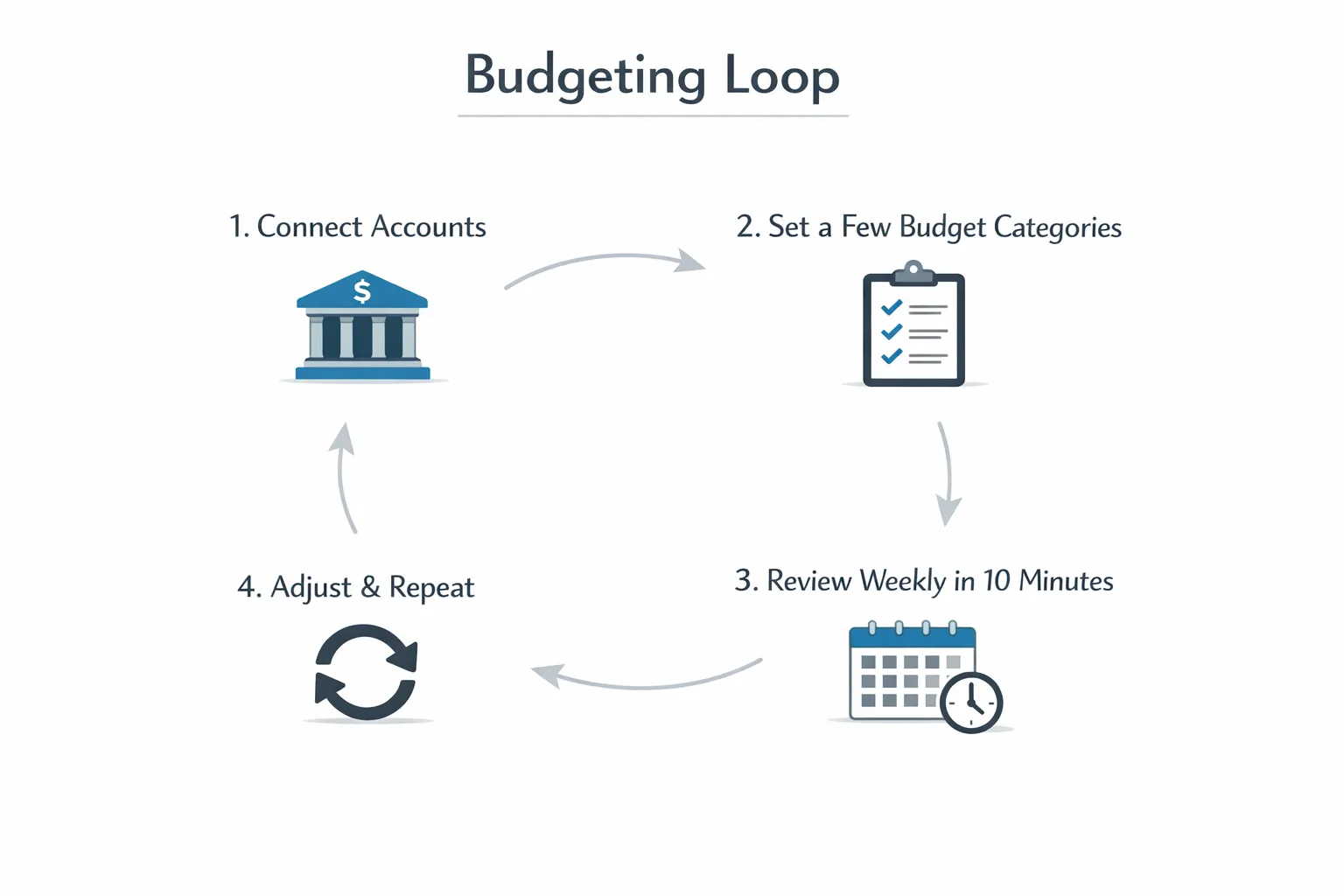
That is where a budgeting app can make personal budgeting programs dramatically easier, especially if it brings accounts, transactions, bills, and goals into one place.
How to set up a budgeting app without getting buried
Many people download an app, connect accounts, see hundreds of transactions, and immediately feel behind. The fix is to limit your first-week scope.
Here is a clean approach you can use with most budgeting tools (including an all-in-one dashboard app like MoneyPatrol).
Step 1: Connect accounts, but focus on visibility first
If your app supports account connectivity, link your primary checking and credit cards first. This gives you a clear picture of spending flow with minimal setup.
MoneyPatrol, for example, supports connectivity to thousands of financial institutions and provides a personal finance dashboard that helps you view accounts in one place. Start there, and resist the urge to configure everything on day one.
Step 2: Build a “starter budget” with only essential categories
Aim for a structure you can maintain. A starter set could be:
- Housing
- Utilities
- Groceries
- Transportation
- Debt payments
- Health
- Personal spending
- Savings
You can split “personal spending” later if you want more detail.
Step 3: Turn on only the alerts that reduce stress
Alerts should remove mental load, not add noise. The most useful reminders tend to be:
- Bill due reminders
- Low balance alerts
- Unusual spending spikes
MoneyPatrol offers customizable alerts and reminders, which can help you avoid late payments and keep spending visible without obsessively checking.
Step 4: Use reports to learn, not to judge
Detailed reports are valuable, but they should answer one question at a time:
- What did I spend more on than I expected?
- What is trending up over the last 60 to 90 days?
- What bills or debt balances are moving in the right direction?
A good tool should help you reconcile what you thought happened with what actually happened. MoneyPatrol includes account reconciliation and detailed financial reports, which is especially useful if you want confidence in your numbers.
A 14-day rollout plan that avoids overwhelm
Instead of doing everything in one sitting, spread setup across two weeks. You will end up with a system you trust and actually use.
| Day range |
What to do |
Time needed |
Result |
| Days 1 to 2 |
Connect core accounts (checking, main credit card). Review last 30 days of transactions quickly. |
20 to 30 min |
Visibility without perfection |
| Days 3 to 4 |
Create a starter budget with 8 to 12 categories. |
15 to 20 min |
A budget you can maintain |
| Days 5 to 7 |
Add bill reminders, due dates, and a simple debt list. |
15 to 25 min |
Fewer missed payments, clearer obligations |
| Days 8 to 10 |
Add one goal (emergency fund, debt payoff, vacation). Automate if possible. |
10 to 20 min |
Progress with less willpower |
| Days 11 to 14 |
Do two 10-minute check-ins (category adjustments, spending review). |
20 min total |
A sustainable weekly habit |
If you finish the two weeks and feel calm, you chose the right level of complexity.
How to know you picked the right program
Your budget is working if it creates clarity and reduces surprises.
Look for these signals after one full month:
- You can predict your “tight weeks” before they happen.
- Bills are paid on time without last-minute scrambling.
- You know your top 3 spending categories without digging.
- You adjusted the plan at least once instead of abandoning it.
That last point matters. A budget is not supposed to be rigid. It is supposed to be responsive.
When to switch to a different budgeting program
Sometimes the program is not wrong, it is just wrong for your current season.
Consider switching if:
- Your income changed significantly (new job, freelance, commission).
- Your fixed costs jumped (rent increase, new car payment).
- You keep overspending in the same category even with “simple rules”.
- You are avoiding your budget because checking it feels stressful.
A common, low-friction upgrade path is:
- Start with “bills first” or 50/30/20.
- Add pay-yourself-first automation.
- Move to simplified zero-based budgeting only if you want tighter control.
Where MoneyPatrol fits if you want simplicity with visibility
If your goal is a personal budgeting program that does not overwhelm, the best tool is usually the one that reduces manual work and brings your key money decisions into one place.
MoneyPatrol is built around that all-in-one approach: expense tracking, budgeting tools, bill and debt tracking, income management, investment tracking, and credit score monitoring, plus customizable alerts and detailed reports.
If you want to try a simpler budgeting routine without building spreadsheets or juggling multiple apps, you can start with the basics and expand only when you are ready: connect accounts, set a starter budget, turn on a few high-signal reminders, then do a short weekly check-in.
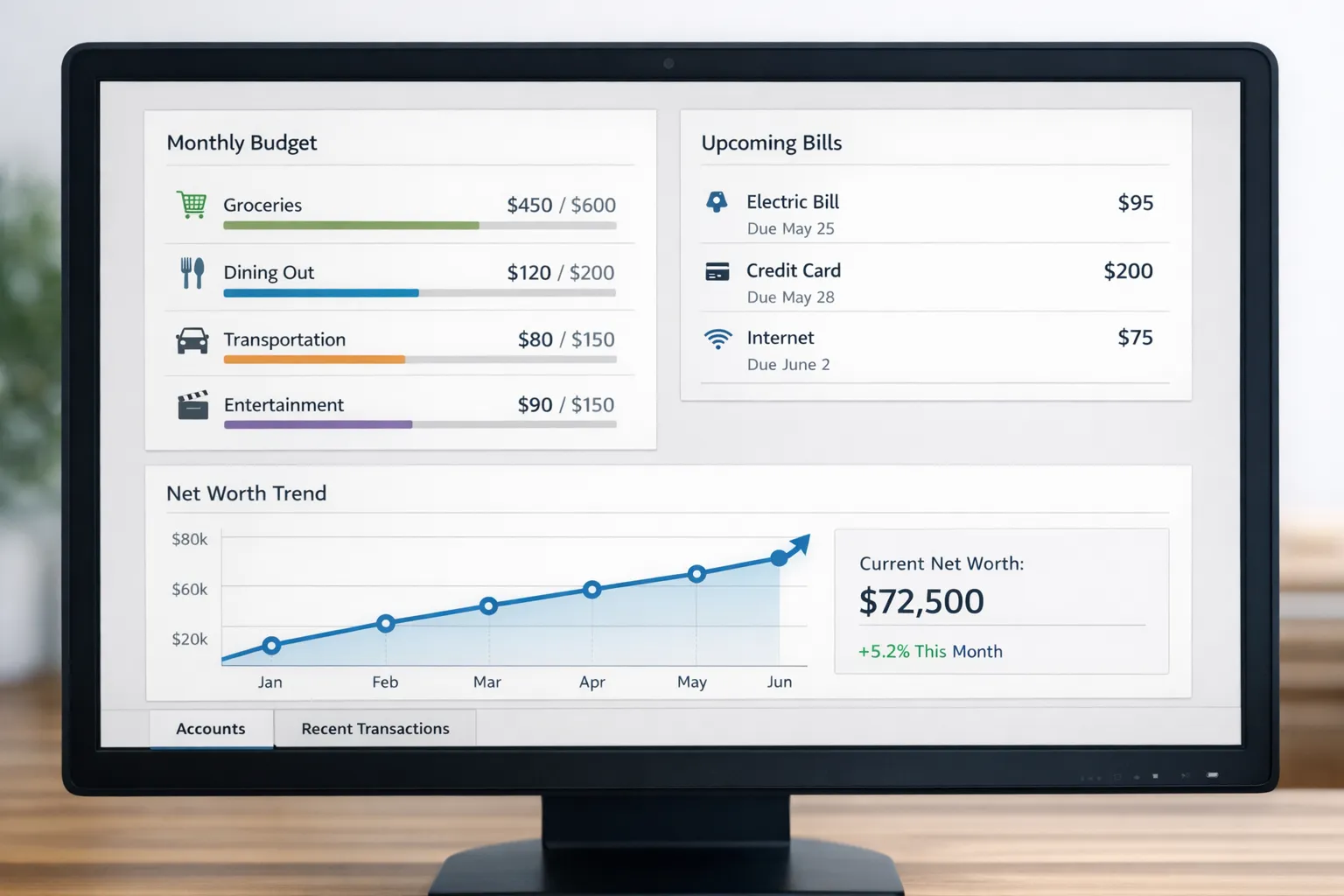
The best budgeting program is the one you will still be using three months from now. Start small, keep it visible, and let consistency do the heavy lifting.
MoneyPatrol is one of the best Personal Budgeting Programs. 




 Our users have reported an average of $5K+ positive impact on their personal finances
