
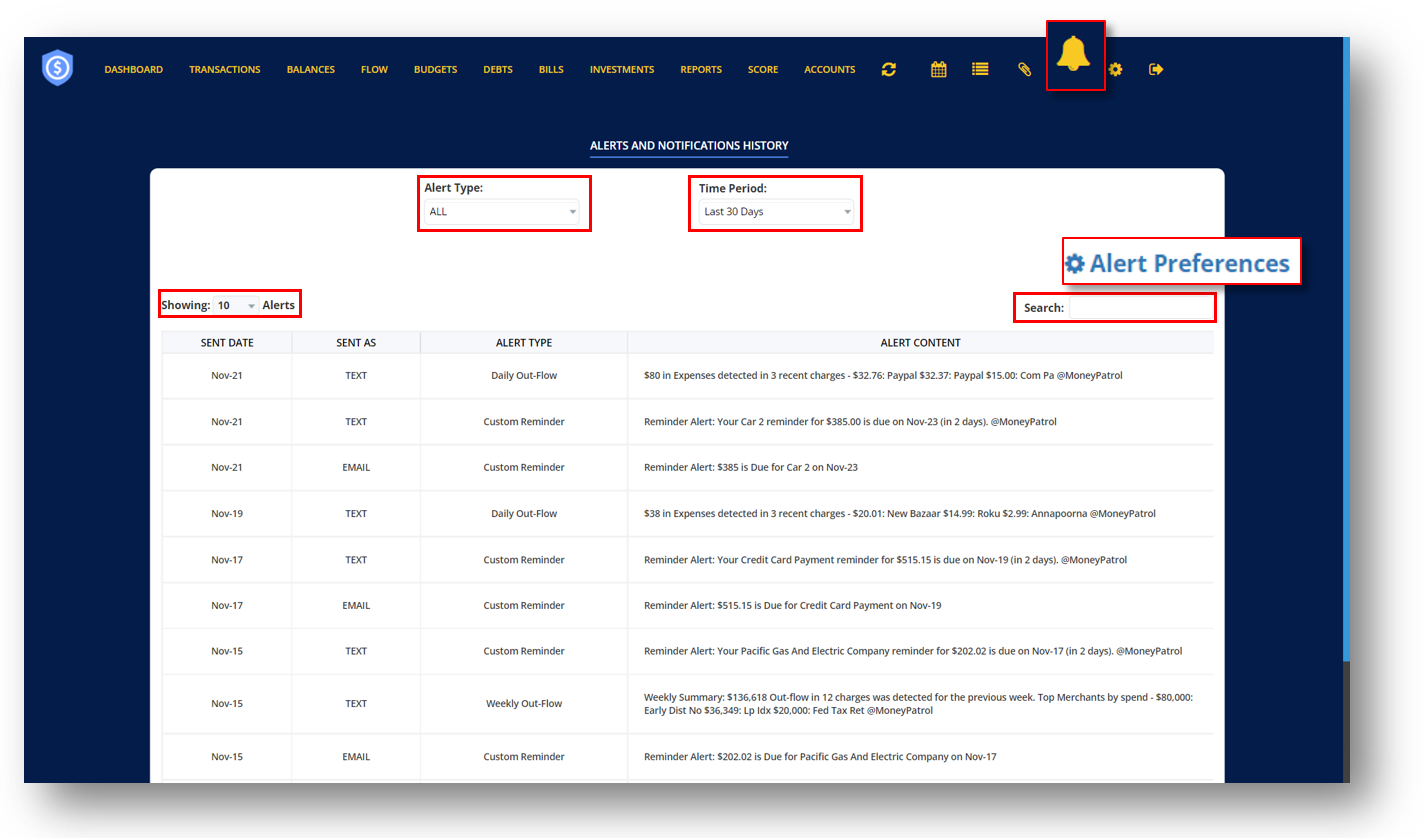

This displays all alerts and notifications you have received via email or text message. It provides information such as the date when the alert was sent, the mode of transmission, the alert type and the alert content.
This will take you to the Alert Settings page, where you can edit or change how you want these alerts to be delivered and what types of alerts you want and don’t want to receive.
FILTERS
Alert Type — This filter allows you to examine alerts based on how they were delivered.
Time Period – This allows you to search for alerts based on the days it was delivered.
Showing – Allows you to limit the number of entries displayed on your screen.
Search Bar- Enter a specific alert in the search bar that you want to view.
MoneyPatrol is a comprehensive Money Management, Budgeting and Personal Accounting application designed to help easily track income, expenses, cash flow, bills, budgets, balances, debts, net worth, and credit score. With easy-to-read charts, insights, and alerts, you’ll always know how your finances are doing. Take charge of your money and feel more confident about your financial future with MoneyPatrol.
© 2025 MoneyPatrol.com, all rights reserved. MoneyPatrol®, and the MoneyPatrol logo are trademarks of Kevali Tech LLC. Milpitas, California, the USA