

If you are searching for the best money management app, you are probably not looking for “yet another spreadsheet.” You want one place to see what is happening across your accounts, control spending without feeling deprived, stay ahead of bills, and make progress on goals, whether your budget is $0 a month or you are willing to pay for premium planning.
The good news is that you can get most of the outcomes people want (clear visibility, fewer late fees, better spending decisions, and consistent savings) at almost any price point. The key is choosing an app whose strengths match your budget and your habits.
What “money management” should include (beyond budgeting)
A budgeting app usually focuses on spending categories and limits. A true money management app goes wider and helps you run your whole financial life:
- Daily cash flow: income in, expenses out, upcoming bills
- Accounts view: checking, savings, credit cards, loans, and sometimes investments
- Planning: budgets, goals, payoff timelines
- Monitoring: alerts, reminders, trend insights
- Reporting: what changed month over month, where money is leaking, and how net worth is moving
If you only track spending, you might still miss the big stuff, like an annual insurance premium, a creeping subscription, or a credit card balance that never seems to drop.
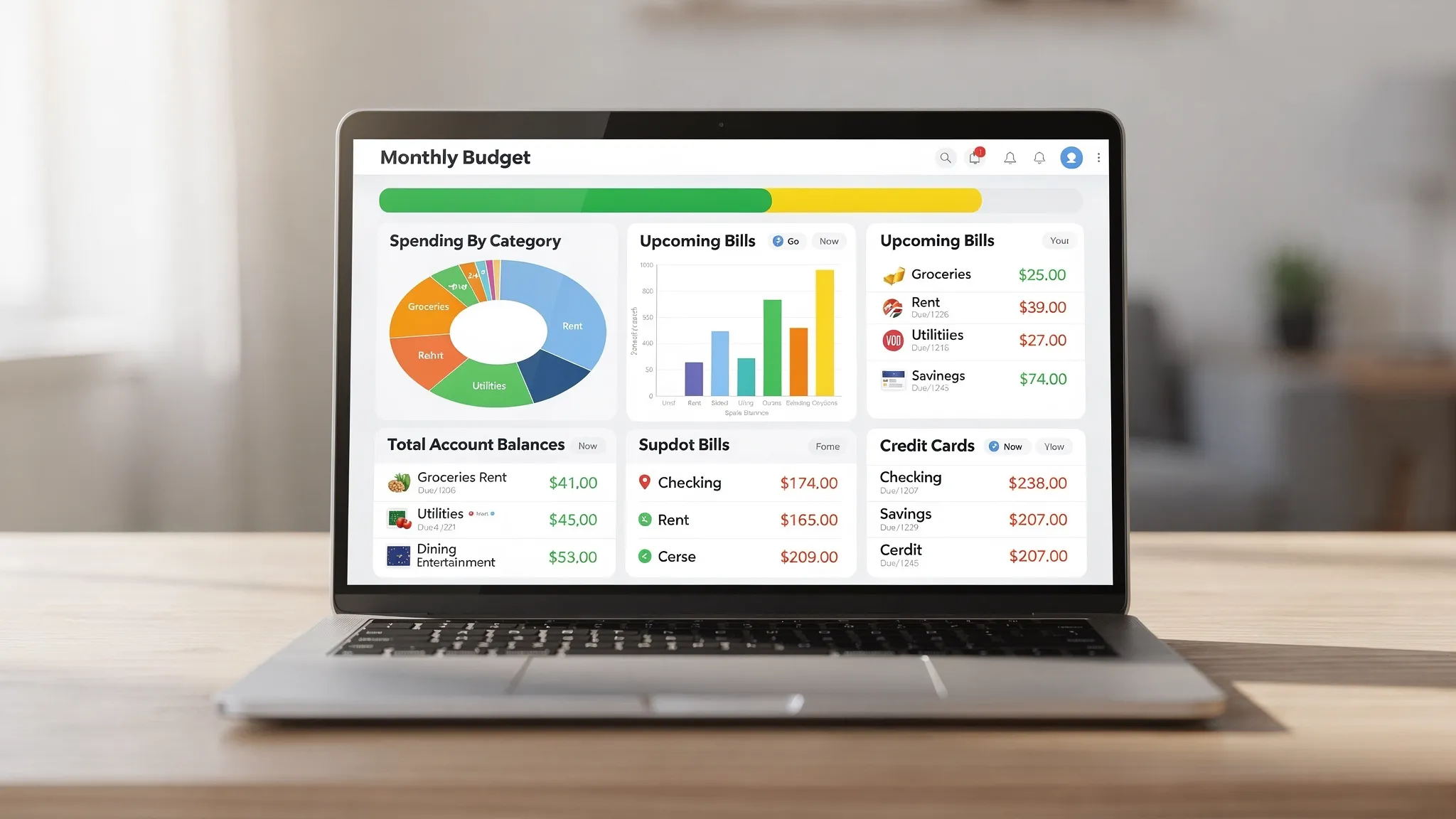
The best money management app is the one you will actually use
Most people abandon finance apps for one of three reasons:
- Too much manual work (constant categorizing and fixing)
- Not enough clarity (data is there, but no actionable “what now?”)
- Does not match real life (irregular expenses, shared finances, debt payoff priorities)
So instead of asking “Which app has the most features?” ask: Which app makes the next best decision obvious, every week, with minimal effort?
A quick scorecard: how to evaluate any money management app
Use the criteria below to compare options at any price.
| Evaluation area | Why it matters | What to look for before you commit |
|---|---|---|
| Bank connectivity | Automation reduces drop-off | Supports your major banks and cards, updates reliably |
| Expense tracking and categories | Categories drive decisions | Flexible categories, rules, and the ability to correct mistakes |
| Budgeting approach | Budgeting is not one-size-fits-all | Monthly budgets, rollovers (if needed), and clear progress views |
| Bills and debt tracking | Prevents late fees and payoff drift | Due date reminders, balances, and payoff visibility |
| Alerts and insights | Turns data into action | Custom alerts (overspending, low balance, unusual transactions) |
| Reporting | Helps you improve month over month | Trends, breakdowns, and exportable reports |
| Cross-platform access | You need access where you are | Mobile plus desktop, and consistent sync |
| Data control | Helps with trust and portability | Account management tools, reconciliation options, clear settings |
You do not need a perfect score in every area. You need a strong match in the areas that drive your behavior.
Best money management app for a $0 budget (free)
If your budget is tight, paying for an app can feel like the opposite of progress. A free option only works if it is robust enough to replace multiple tools (budgeting, bills, reporting, and account monitoring) without creating a ton of manual upkeep.
Why MoneyPatrol fits the “free but comprehensive” category
MoneyPatrol is positioned as a free, comprehensive personal finance and budgeting app that aims to cover the full money management workflow in one place. Based on its stated feature set, it includes:
- Expense tracking
- Budgeting tools
- Bill and debt tracking
- Income management
- Investment tracking
- Credit score monitoring
- A personal finance dashboard
- Customizable alerts and reminders
- Account reconciliation
- Detailed financial reports
- Connectivity to thousands of financial institutions
That combination matters because many free tools force tradeoffs: great budgeting but weak bills, or strong account monitoring but limited reporting.
Who a free all-in-one app is best for
A free, full-scope money management app is usually the best fit if you are:
- Building your first real budget and want a dashboard view of everything
- Trying to stop “where did my money go?” moments
- Managing multiple accounts (checking, cards, loans) and want one place to monitor them
- Focused on basics first: fewer late payments, consistent saving, and better visibility
How to make a free app work like a paid one
You can get “premium-level” outcomes from a free app if you adopt a simple operating rhythm:
- Do a 10-minute check-in 2 times per week (categorize, confirm balances, scan alerts)
- Treat bill reminders as non-negotiable calendar events
- Review one report monthly (top categories, month-over-month change, and cash flow)
Consistency beats complexity. A simpler setup used every week wins.
Best money management app for a small monthly budget (low-cost or “value” tier)
If you can spend a little each month, your goal should be to buy time and consistency.
In this tier, people typically pay for one of these upgrades:
- Easier automation and rule-building
- More advanced reporting
- Collaboration features for households
- Deeper planning tools (goals, projections, payoff scenarios)
The trap here is paying for a long feature list you never use. If you spend money, spend it on the friction points that cause you to quit: manual categorization, unclear next steps, or messy bill tracking.
Who this tier is best for
- Couples or families coordinating spending patterns
- People juggling variable income or irregular expenses
- Anyone who has tried free tools but stopped using them due to “maintenance fatigue”
Best money management app for a bigger budget (premium)
Premium money apps can be worth it if you have higher complexity: multiple income streams, investment accounts, debt strategies, tax planning considerations, or you want deeper forecasting.
What you should expect at premium pricing is not just more charts. It is better decisions with less effort, usually through stronger planning tools, faster workflows, or more hands-on guidance.
Who premium is best for
- High-income households trying to optimize cash flow and long-term planning
- People actively managing investments and net worth movement
- Anyone who values deeper projections and scenario planning (not just tracking)
A practical “every budget” comparison (what you gain as you pay more)
| Budget level | Best for | What you should require | Common tradeoff |
|---|---|---|---|
| Free | Getting organized fast, building habits | Reliable tracking, budgets, bills, alerts, useful reports | You may need simpler workflows and disciplined check-ins |
| Low-cost | Reducing manual effort, improving consistency | Better automation, stronger reporting, household workflows | Easy to overpay for features you do not use |
| Premium | Complex finances and forecasting | Advanced planning, net worth tracking, deeper insights | Highest value only if you use the advanced tools consistently |
Don’t forget “outside the app” savings: cashback and deal tracking
A money management app helps you see and control spending, but you can also shrink expenses by improving how you buy.
If you shop online, using cashback can be a meaningful, low-effort add-on to your system. An independent cashback comparison tool can help you check rates across thousands of brands so you are not guessing which app or portal pays best at checkout.
To make this actionable, treat cashback like a planned offset:
- Add a simple “Cashback earned” line in your monthly income tracking
- Use it for one specific goal (debt extra payments, emergency fund, or sinking funds)
- Track it the same way you track any other inflow, so it does not disappear
How to pick the best money management app in 30 minutes
You do not need a week of testing to eliminate most options. In one short session, you can tell whether an app fits.
Step 1: Verify coverage
Make sure the app can support the accounts you actually use (not the ones you wish you used).
- Your primary checking account
- Your main credit card
- Any loan you actively pay down
- Any investment account you monitor regularly
Step 2: Run a real scenario
Pick one real use case and try it immediately:
- “Can I see what I spent on food this month and why it is higher?”
- “Can I see upcoming bills and whether my checking balance can cover them?”
- “Can I quickly spot subscriptions and cancel what I do not use?”
If the app makes these answers obvious, you will keep using it.
Step 3: Check the habit loop
The app should support your weekly routine:
- Alerts that nudge you before you mess up
- A dashboard that shows what matters (not everything)
- Reports that tell you what changed and what to do next
Common mistakes that make “the best app” fail
Even a great app will not help if your setup is working against you.
Creating too many categories
More categories feel precise, but they usually create more decisions. Start broad (essentials, lifestyle, savings, debt) and only add detail if it changes behavior.
Ignoring irregular expenses
Annual renewals, car repairs, gifts, medical costs, and travel can wreck an otherwise good budget. Plan for them as “sinking funds” style buckets or monthly set-asides.
Only checking money when something goes wrong
Money management works best when it is boring. A quick, consistent check-in prevents surprises and keeps goals moving.
Frequently Asked Questions
What is the best money management app if I do not want to pay? A free app is the best choice if it still covers the full workflow you need (expenses, budgets, bills, alerts, and reporting). If you can stay consistent with short weekly check-ins, a comprehensive free option can be enough for most households.
Is a money management app different from a budgeting app? Yes. Budgeting focuses on planning and category limits. Money management typically includes budgeting plus account monitoring, bill and debt tracking, insights, and reporting.
Should I choose an app based on features or ease of use? Ease of use usually wins. If an app is hard to maintain, you will stop using it, and the “better features” will not matter. Look for the fastest path from data to a clear next step.
Can a money management app help with debt payoff? It can, especially if it includes bill and debt tracking plus reporting that shows where you can free up cash flow. The biggest benefit is visibility and reminders so you can pay on time and consistently add extra payments when possible.
Do I need investment tracking in my money app? Not always. If your priority is getting control of spending and bills, start there. Investment tracking becomes more valuable once your month-to-month cash flow is stable and you want a net worth view.
How often should I check my money management app? Most people do best with 10 minutes twice a week, plus a 30 to 45 minute monthly review to adjust categories, confirm bills, and set goals for the next month.
Get organized with a free all-in-one money dashboard
If you want the best money management app for your budget, start with the one that helps you build the habit without adding friction. MoneyPatrol is designed to be a free, comprehensive way to track expenses, manage income, monitor accounts, and stay on top of bills and goals from a single dashboard.
Explore MoneyPatrol and get started at MoneyPatrol.

 Our users have reported an average of $5K+ positive impact on their personal finances
