
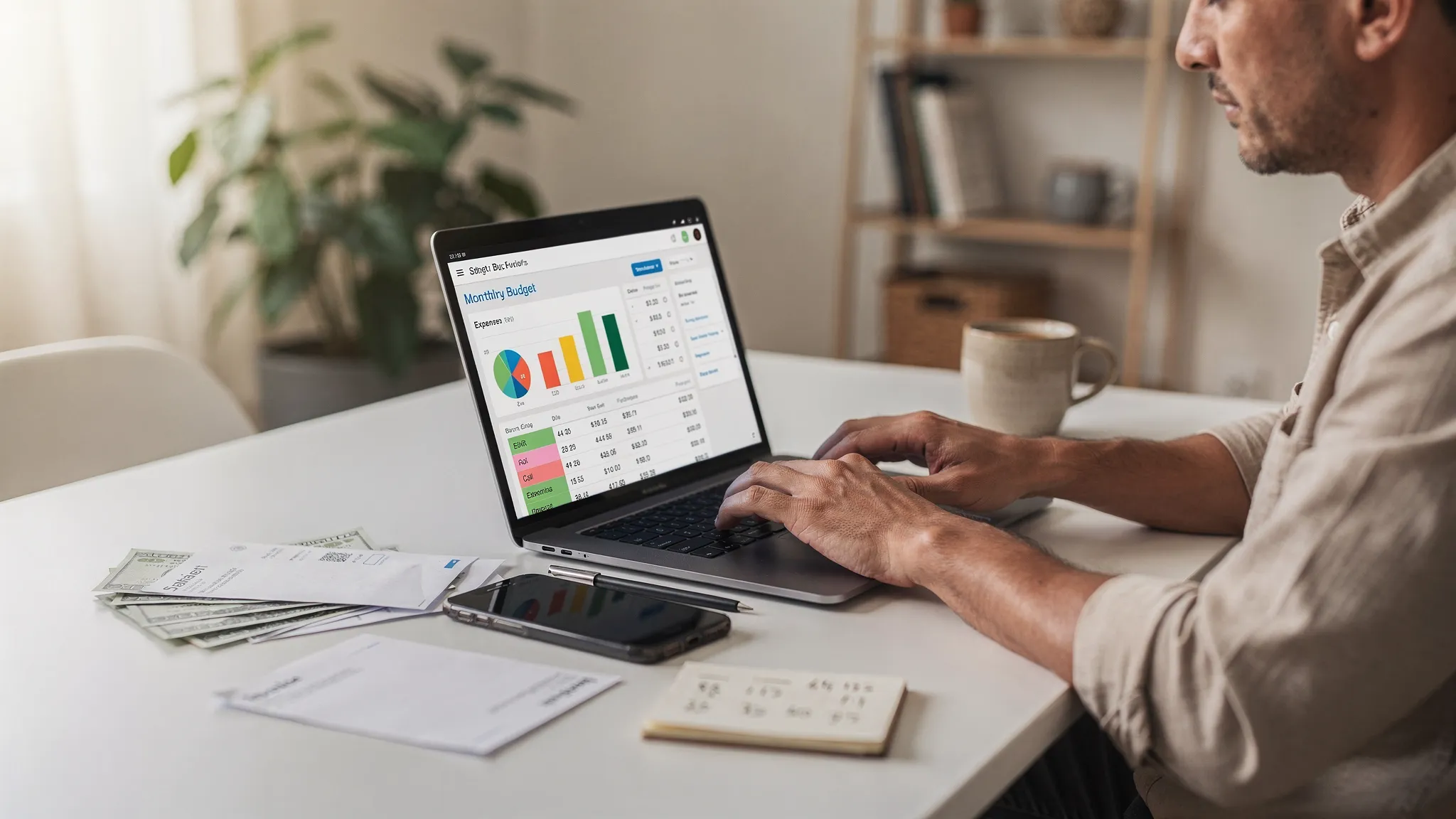
Most beginners quit budgeting for one simple reason: the setup feels like homework. The good news is that personal budgeting software can do much of the heavy lifting for you, as long as you set it up with the right foundations (accounts, categories, bills, and a routine you will actually follow).
This guide walks you through a practical, beginner-friendly setup you can complete in under an hour, plus what to do in your first week and first month so your budget stays accurate.
What personal budgeting software does (and what it does not)
At its best, personal budgeting software gives you one place to:
- Track spending and income automatically (where possible)
- Set a budget you can follow in real life
- Monitor upcoming bills and due dates
- Spot trends, overspending, and “quiet leaks” (subscriptions, fees, impulse spending)
- Understand your full financial picture, including debt, savings, and net worth
What it does not do for you is make decisions. A tool can categorize, alert, and report, but you still need a simple plan and a consistent check-in rhythm.
The beginner setup checklist (fast, realistic, and repeatable)
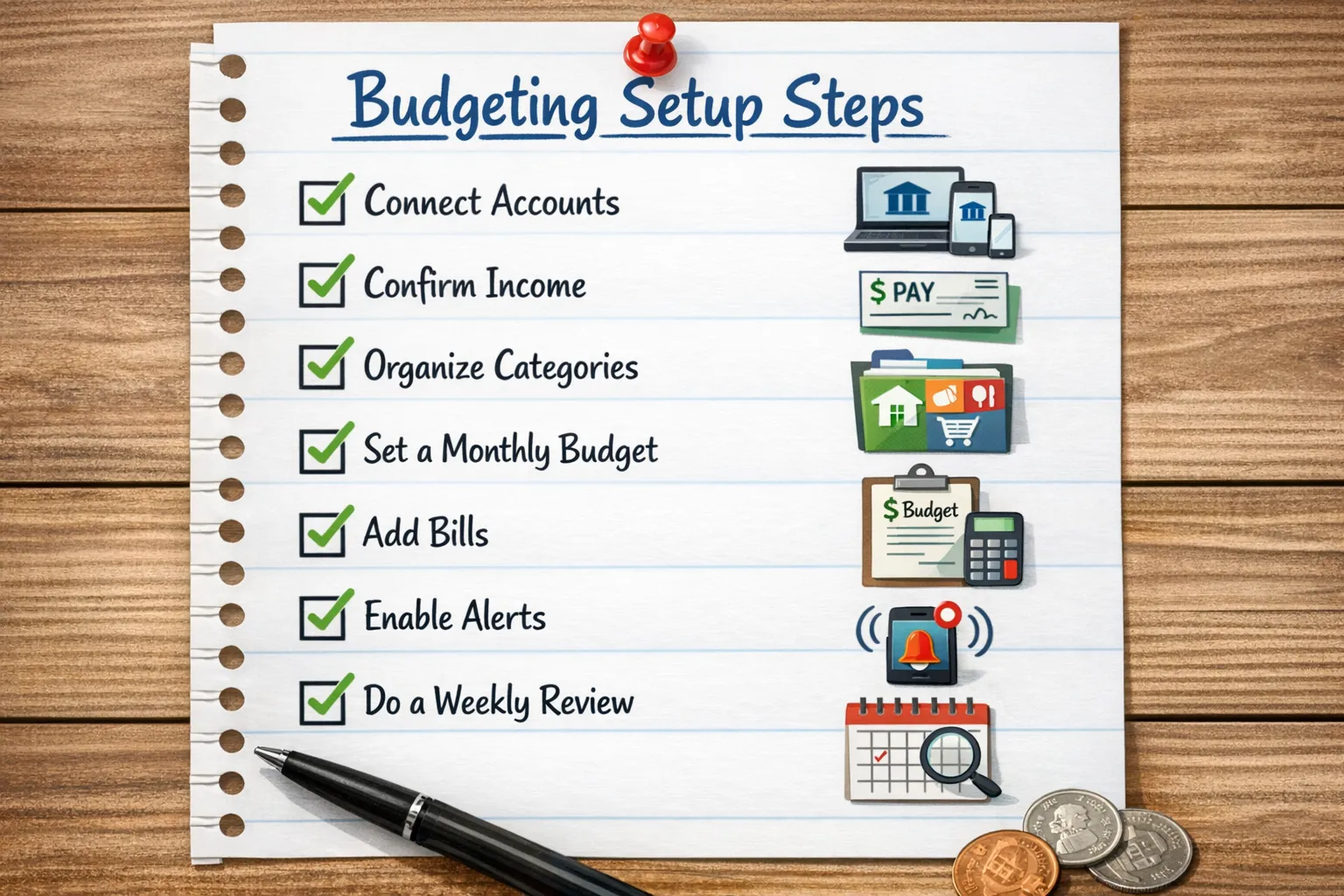
Use the checklist below as your roadmap. If you only do the first 5 steps today, you will still be ahead of most people.
| Setup step | What you accomplish | Typical time |
|---|---|---|
| Choose a start date and budget style | Prevents messy “half-month” confusion | 2 to 5 min |
| Connect key accounts | Automates most of your tracking | 5 to 15 min |
| Confirm income | Makes your budget realistic | 3 to 8 min |
| Clean up categories | Stops mislabeling and frustration | 10 to 15 min |
| Create your first budget | Gives you guardrails right away | 10 to 15 min |
| Add bills, debt payments, reminders | Avoids late fees, reduces anxiety | 10 to 20 min |
| Turn on alerts | Catches problems early | 2 to 5 min |
| Review reports weekly | Keeps you in control | 10 min per week |
Step 1: Pick your start date and a budgeting method you will stick to
Before you connect anything, decide how you want your budget to “reset.” Beginners usually do best with one of these:
- Monthly budget (calendar month): Simple, common, great for salaried income.
- Paycheck-based budget: Better if income is biweekly, variable, or gig-based.
- Fixed-first approach: Fund essentials, bills, and minimum debt payments first, then decide on flexible spending.
If you are unsure, start with a monthly budget and adjust later. The goal is to start tracking with minimal friction, not design a perfect system.
Step 2: Connect accounts (but start with the essentials)
Connecting accounts is what makes budgeting software feel “automatic.” Start small to avoid overwhelm.
Connect first:
- Checking account (primary spending)
- Main credit card(s)
- Savings account
Then add (optional, but helpful):
- Loan accounts (student loans, auto loans, mortgage)
- Investment accounts
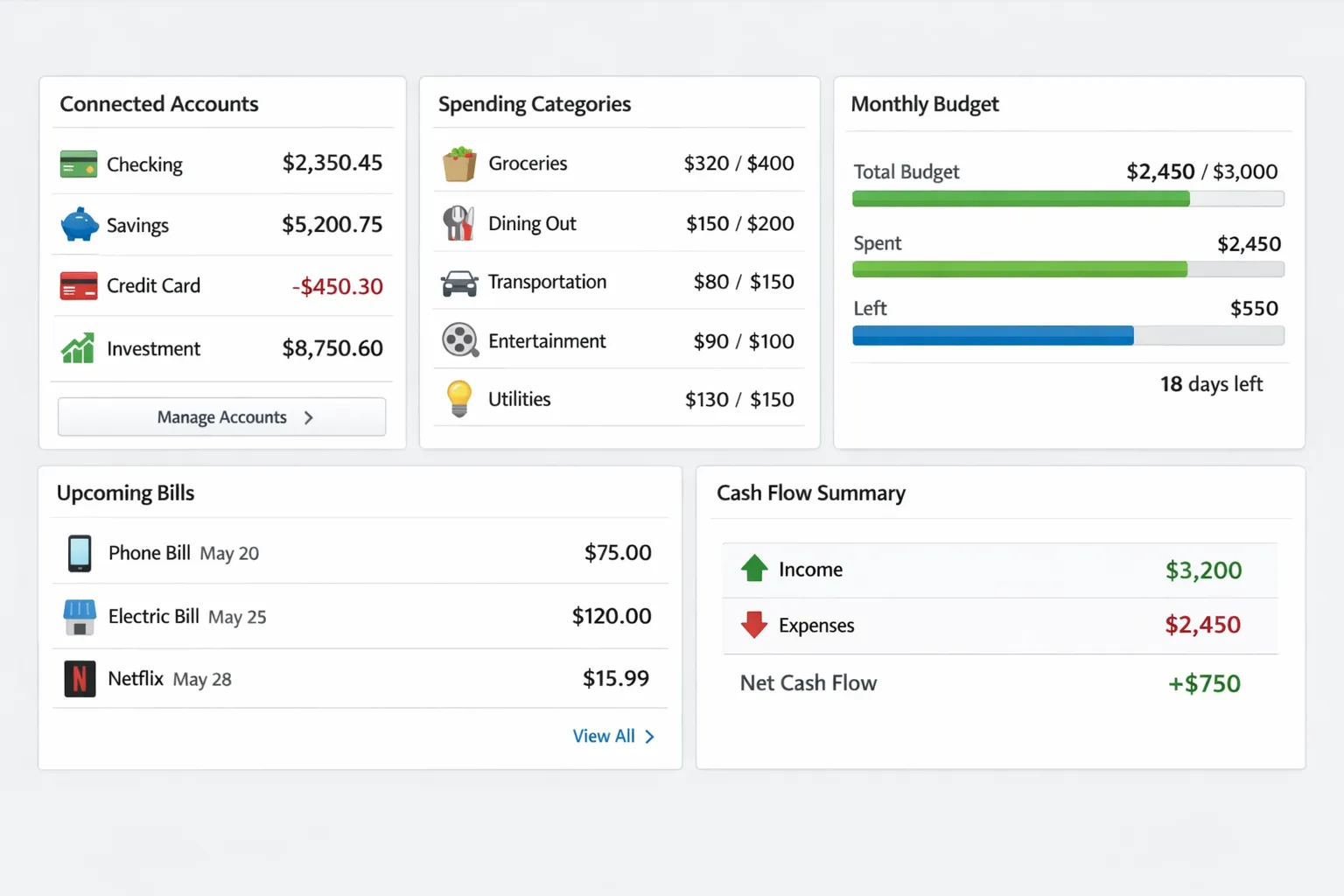
MoneyPatrol, for example, supports connectivity to thousands of financial institutions and brings accounts into one dashboard, which can reduce manual entry and help you see spending patterns faster.
Security note (worth 30 seconds)
Use a strong, unique password and enable multi-factor authentication whenever available. For general consumer guidance on protecting accounts and sensitive data, the FTC’s identity theft resources are a solid reference point.
Step 3: Confirm your income (this is where many budgets go wrong)
A budget fails when expected income is unrealistic.
Do this instead:
- If you are salaried, use your net pay (after taxes and deductions), not gross pay.
- If your income varies, base your budget on a conservative monthly baseline (for example, your average of the last 3 to 6 months, or even your lowest month if your work is seasonal).
Once you have a baseline, you can treat extra income as “bonus money” and decide intentionally, for example paying debt faster or building savings.
Step 4: Clean up categories so your data stops lying to you
If categories are messy, every report will be misleading. Your goal is not perfect categorization, it is useful categorization.
A beginner-friendly category structure
Aim for 10 to 15 total categories across essentials and flexible spending. Here is a practical starting point:
| Category group | Examples | Why it matters |
|---|---|---|
| Housing | Rent, mortgage, HOA | Largest fixed cost for many households |
| Utilities | Electric, water, internet, phone | Mostly predictable, easy to budget |
| Groceries | Supermarkets, household basics | Common overspend area |
| Transportation | Gas, transit, rideshare, maintenance | Often variable month to month |
| Insurance | Health, auto, renters | Fixed, important to plan |
| Debt payments | Credit card, student loan, personal loan | Protects credit, reduces interest |
| Eating out | Restaurants, coffee | High-frequency spending |
| Shopping | Clothing, online orders | Easy to underestimate |
| Subscriptions | Streaming, apps, memberships | “Silent leak” category |
| Health | Pharmacy, copays | Needs buffer |
| Savings goals | Emergency fund, sinking funds | Turns goals into a plan |
Categorization rules that save time
Pick rules you can remember:
- If you cannot decide, create an “Uncategorized” bucket and review it weekly.
- Avoid super-specific categories at first (for example, “Coffee shops,” “Fast casual,” “Fine dining”). Start broad.
- Re-categorize the same merchant consistently (one merchant, one category), so trends become clear.
Step 5: Build your first budget in 15 minutes
Your first budget should be simple enough to run on your worst week, not your best week.
A quick way to set initial amounts
Use one of these methods:
- Last-month method: Use last month’s totals as your baseline, then cut 5 to 10 percent from the easiest flexible category.
- Fixed-first method: Budget essentials, bills, and minimum debt payments first, then split what remains between savings and flexible spending.
If you want a free framework to sanity-check your plan, the CFPB has budgeting education and tools that can help you think through your spending categories and priorities: CFPB budgeting resources.
Add one buffer line (seriously)
Create a “Miscellaneous” or “Buffer” category. Even $50 to $150 reduces the chance you abandon budgeting the first time life happens.
Step 6: Add bills, debt, and reminders (so your budget protects you)
A budget is not just about knowing where money went, it is also about preventing avoidable mistakes (late fees, missed payments, overdrafts).
Add these items:
- Rent or mortgage due date
- Utilities due dates
- Credit card minimum payments and statement dates
- Loan payments
- Insurance premiums
If your budgeting software includes bill and debt tracking, reminders, and customizable alerts (as MoneyPatrol does), use them to create early warnings like “remind me 5 days before” instead of “remind me on the due date.”
Step 7: Turn on alerts that prevent problems (not alerts that spam you)
Alerts are powerful if you keep them focused. Start with just a few:
- Bill due reminders
- Low balance alerts (checking)
- Large transaction alerts (helps catch fraud and surprises)
- Budget threshold alerts (for example at 80 percent of a category)
After two weeks, adjust based on what you actually respond to.
Step 8: Reconcile and review weekly (the habit that makes budgeting work)
The best budget is the one you look at regularly. A short weekly review beats a long monthly “catch-up” every time.
A simple 10-minute weekly routine
Pick the same day each week.
| Weekly check | What you do | Why it helps |
|---|---|---|
| Review uncategorized transactions | Fix obvious mislabels | Makes reports trustworthy |
| Check category hot spots | Look at top 1 to 2 overspending areas | Prevents end-of-month surprises |
| Verify upcoming bills | Confirm due dates and balances | Avoids late fees |
| Snapshot your cash flow | Ensure checking can cover the next 7 to 14 days | Prevents overdrafts |
If your software supports account reconciliation, doing it weekly (even briefly) helps you trust the numbers, especially if you use multiple cards.
Step 9: Use reports to make one change at a time
Detailed financial reports are most useful when you ask a specific question, such as:
- “What is my average grocery spend over the last 8 weeks?”
- “How much did subscriptions cost me last quarter?”
- “Which category causes my credit card balance to rise?”
Beginner mistake: trying to optimize everything at once.
Better approach: pick one category to improve this month, then measure it. Budgeting becomes sustainable when it feels like progress, not punishment.
Your first 30 days: what “good” looks like (even if it is not perfect)
If you want a realistic benchmark, here is what success looks like in month one:
- You connected the essential accounts.
- Most transactions are categorized correctly.
- Bills are listed with reminders.
- You do 3 to 4 weekly check-ins.
- You can name your top 3 spending categories.
- You made one improvement (reduced one category, added a small savings goal, or avoided one late fee).
That is a strong start.
Common beginner mistakes (and quick fixes)
Mistake: Setting aggressive category limits and “failing” by week two
Fix: Use last month’s spending as your baseline, then reduce slowly. Budgeting is a behavior change project.
Mistake: Ignoring cash flow while focusing only on totals
Fix: Add due dates for bills and watch timing. You can be “under budget” and still run out of cash if expenses hit before payday.
Mistake: Too many categories
Fix: Merge them. Fewer categories means less friction and more consistent tracking.
Mistake: Not accounting for irregular expenses
Fix: Create a few sinking funds (car repairs, gifts, annual subscriptions) and contribute monthly.
Frequently Asked Questions
What is personal budgeting software? Personal budgeting software is an app or tool that helps you track income and expenses, set budgets, monitor bills and debt, and review reports so you can make better financial decisions.
Should I connect my bank accounts or track manually? Connecting accounts is usually faster and more accurate for beginners, because it reduces manual entry. Manual tracking can work if you prefer privacy or have few transactions, but it requires more discipline.
How many budget categories should a beginner use? Start with roughly 10 to 15 categories. Too many categories increases setup time and makes weekly reviews harder.
How often should I review my budget? Weekly is ideal for beginners. A 10-minute check-in helps you correct categories, plan for bills, and spot overspending early.
What if my income changes every month? Build your budget from a conservative baseline (for example an average of recent months, or your lowest typical month). Treat extra income as bonus money you assign intentionally.
Do budgeting apps help with bills, debt, and credit? Many do. Some tools include bill reminders, debt tracking, credit score monitoring, and alerts, which can help you avoid late fees and stay aware of your overall financial health.
Try a simpler all-in-one setup with MoneyPatrol
If you want a free way to put this setup into action, MoneyPatrol brings expense tracking, budgeting tools, bill and debt tracking, income management, investment tracking, credit score monitoring, alerts, account reconciliation, and detailed reports into one personal finance dashboard.
Get started at MoneyPatrol, or explore more budgeting guidance in MoneyPatrol’s best free budgeting app overview.



 Our users have reported an average of $5K+ positive impact on their personal finances
