
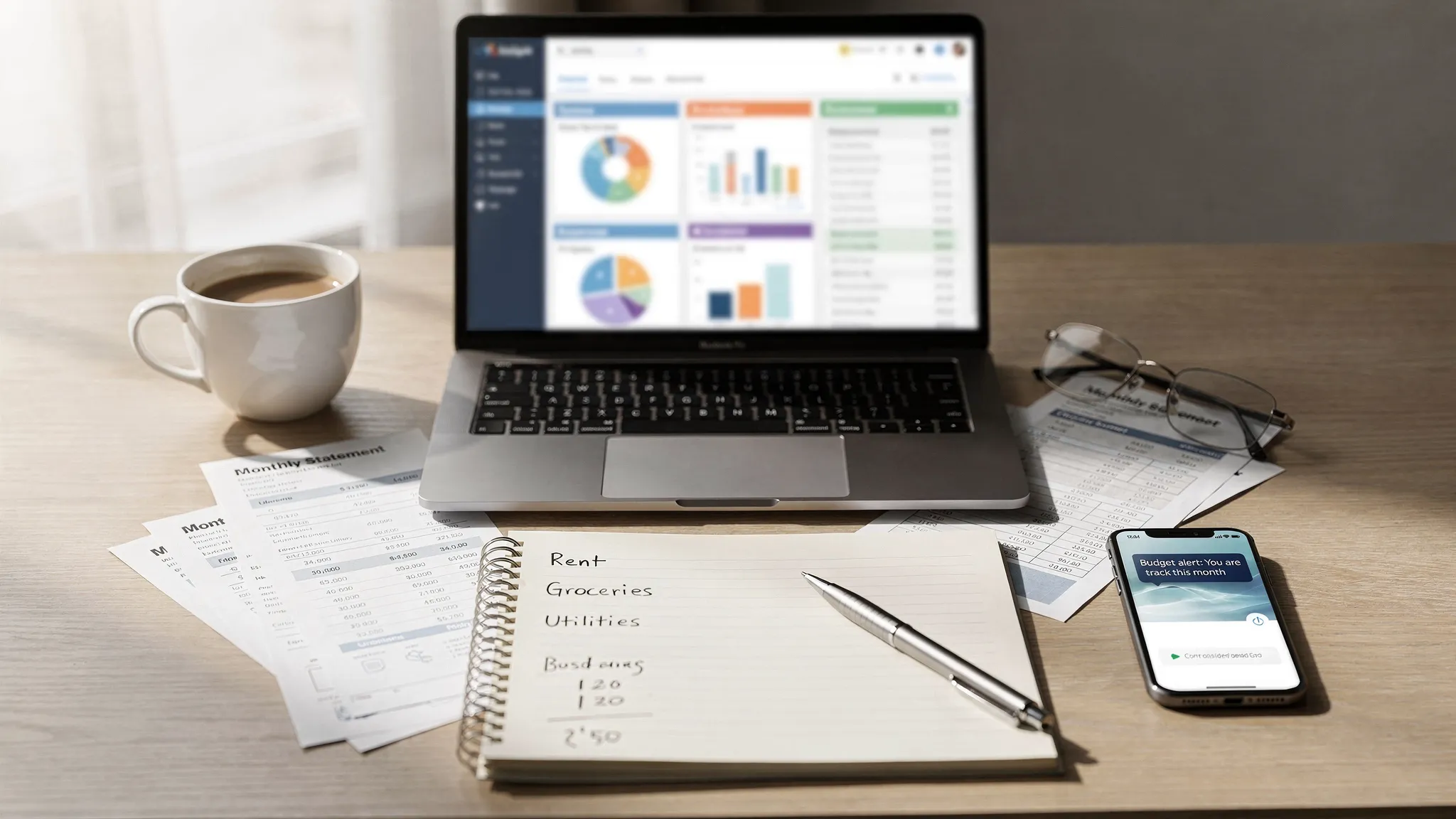
If you tried budgeting before and it didn’t stick, there’s a good chance the problem wasn’t your motivation, it was your tooling. The best online budgeting tools in 2025 do more than “track spending.” They help you see cash flow ahead of time, catch bill surprises early, and turn your bank activity into decisions you can actually act on.
That matters because financial resilience is still uneven. In the Federal Reserve’s most recent annual survey, 63% of adults said they could cover a $400 emergency expense with cash or the equivalent (and the rest would need to borrow, sell something, or wouldn’t be able to pay it). That gap is exactly where budgeting systems and better visibility help. (Source: Federal Reserve, Economic Well-Being of U.S. Households)
Below are online budgeting tools worth trying in 2025, organized around what they’re best at, plus a practical way to test any tool quickly without committing to a whole “new financial life.”
What “online budgeting tools” means in 2025
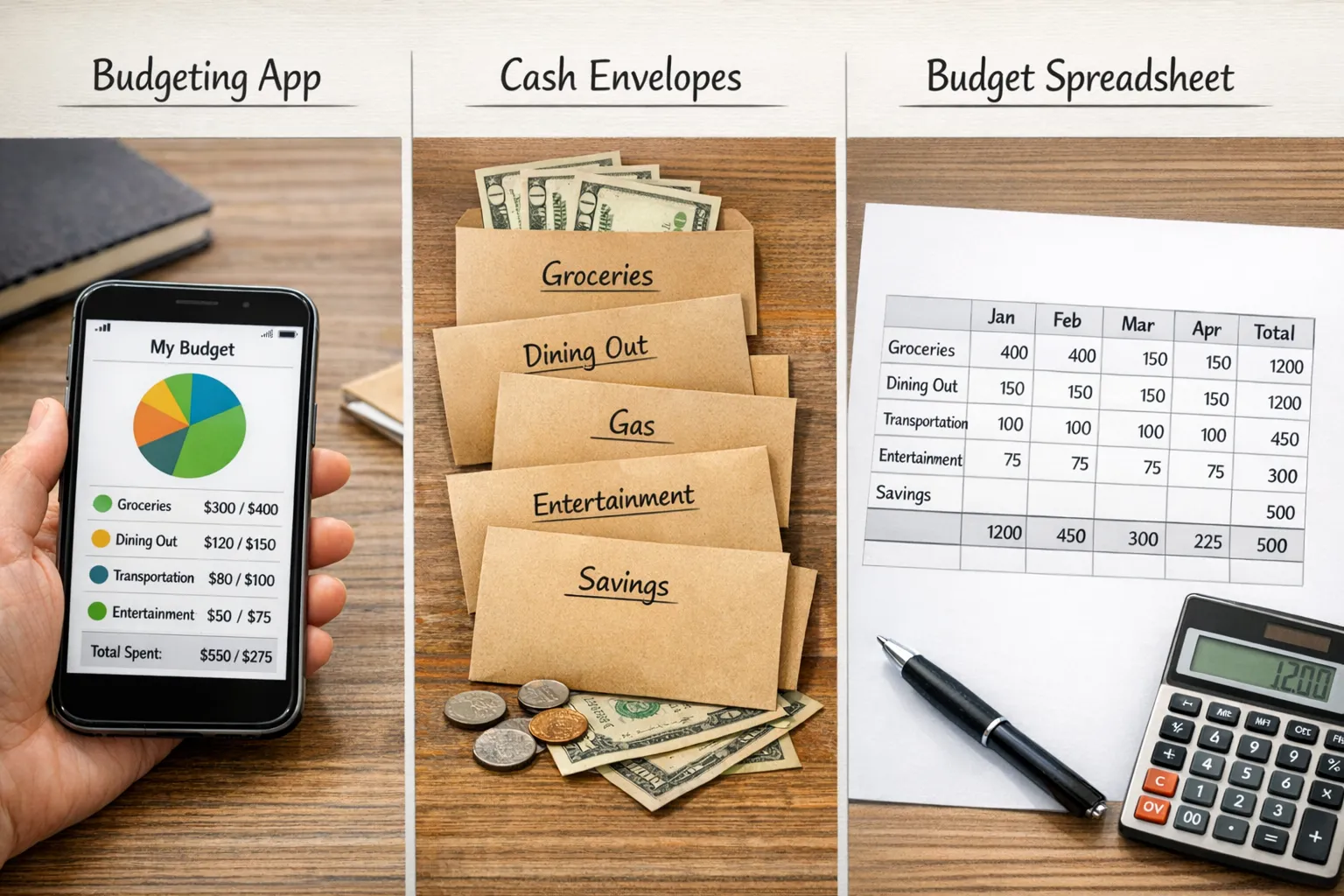
An online budgeting tool is anything that helps you plan and manage spending using cloud-based access (web, app, or both). In practice, most people land in one of these camps:
- Dashboard budgeting: automatically sync accounts, categorize transactions, and show cash flow, bills, net worth.
- Zero-based budgeting: you assign every dollar a job, then actively adjust as life changes.
- Spreadsheet budgeting: maximum control and flexibility, with more manual upkeep.
- Hybrid: automation for tracking, plus a hands-on method for decisions.
The “right” choice is the one you will use weekly. Features only matter if they reduce friction for your style.
What to look for when choosing a budgeting tool
Before you pick a tool, decide what job you need it to do. In 2025, the biggest differentiators tend to be:
1) Cash flow clarity (not just expense categories)
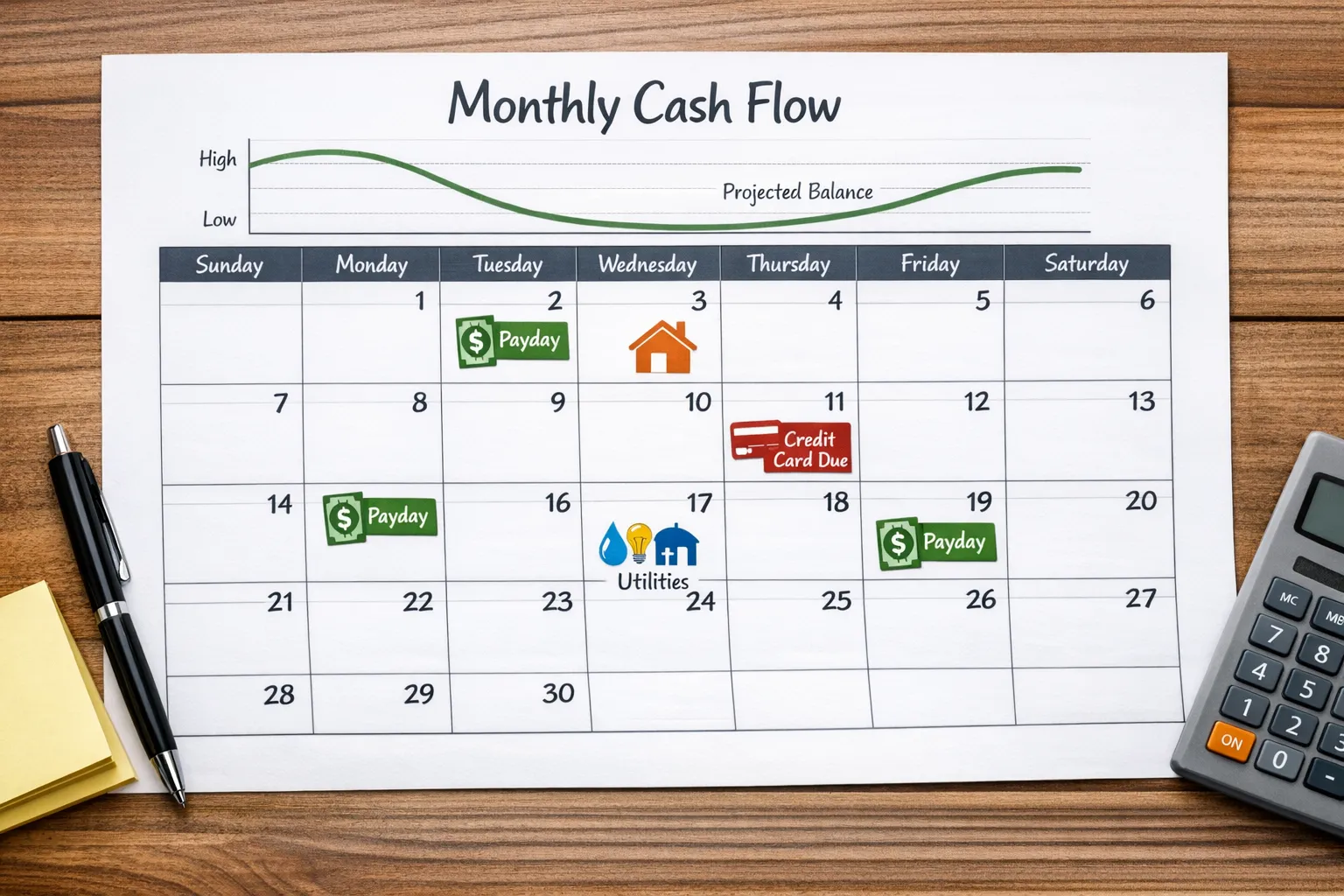
Many tools can tell you what you spent last month. Fewer help you answer, “If my rent and card payment hit before payday, will I overdraft?” Look for upcoming bills, reminders, and timelines.
2) Automation level you actually trust
Auto-categorization saves time, but it needs easy overrides, rules, and reconciliation so you can correct mistakes quickly.
3) Alerts that prevent problems
The best alert is the one that triggers before you’re in trouble (bill due reminders, low balance alerts, unusual spending, debt payment tracking).
4) Reporting you’ll use
If you want behavior change, you need a few clear views (monthly spending by category, trends, net worth, debt payoff). Overly complex reports often get ignored.
5) Security basics
Budgeting tools connect to sensitive accounts. Favor tools with strong security practices, and be cautious about sharing logins. Government guidance also emphasizes protecting personal financial info and using secure authentication. (A general primer: CFPB guidance on managing money and spending)
Quick comparison: online budgeting tools worth trying in 2025
Use this table to shortlist 2 to 3 options, then test (there’s a fast test plan later).
| Tool | Best for | What it’s known for | Good fit if you… |
|---|---|---|---|
| MoneyPatrol | All-in-one, automated personal finance | Free dashboard with budgeting, bills, debt, investments, alerts, reports | Want broad visibility without paying for a budgeting subscription |
| YNAB | Hands-on, zero-based budgeting | Proactive planning and “give every dollar a job” workflow | Want to be highly intentional and don’t mind active weekly budgeting |
| Monarch Money | Couples and household finance | Shared visibility and planning-oriented budgeting | Budget with a partner and want a premium, modern experience |
| Quicken Simplifi | Clean budgeting with planning | Spending plan approach with a simpler learning curve | Want structure without going fully zero-based |
| Rocket Money | Subscription and bill awareness | Finding recurring charges and visibility into bills | Mainly want to cut subscriptions and reduce recurring spend |
| Empower Personal Dashboard | Net worth and investments | Strong net worth and investment tracking | Care most about net worth, allocation, and long-term view |
| Tiller | Spreadsheet lovers | Automated feeds into spreadsheets | Love spreadsheets but still want automated transaction imports |
| Google Sheets templates | DIY budgeting | Total flexibility, no lock-in | Want free, custom, and manual control |
MoneyPatrol (free, comprehensive budgeting dashboard)
If you want a single place to monitor your spending, bills, debt, and overall financial picture, MoneyPatrol is designed for that “home base” role.
What stands out is the breadth: it’s a free personal finance and budgeting app that combines expense tracking, budgeting tools, bill and debt tracking, income management, investment tracking, credit score monitoring, alerts and reminders, account reconciliation, and detailed financial reports in one dashboard.
Why it’s worth trying in 2025
- Many people don’t need a complicated budgeting philosophy, they need visibility and consistency. A single dashboard that tracks day-to-day transactions and the bigger picture (debt, net worth, credit) can make that routine easier to maintain.
- Alerts and reminders help convert budgeting from “reviewing the past” into “managing what’s coming next.”
Best for
- Anyone who wants an all-in-one view of accounts and spending
- People who want budgeting plus broader financial tracking (debt, investments, credit) without juggling multiple tools
You can explore MoneyPatrol here: MoneyPatrol. If you want context on how the platform approaches security and verification, MoneyPatrol also explains its sign-up identity authentication requirement here: User identity authentication required.
YNAB (best for zero-based budgeting discipline)
YNAB is one of the most respected options for people who want budgeting to be an active practice, not passive tracking. The core idea is simple: you assign money to categories on purpose, adjust when things change, and build habits that keep you ahead of bills.
Why it’s worth trying in 2025
- If your problem is overspending despite “knowing better,” a more deliberate method can reduce decision fatigue.
- Works well for variable income or households that need a tight plan.
Good fit if you’re willing to check in weekly and you want a clear method.
Learn more: YNAB
Monarch Money (best for couples and shared household budgeting)
Monarch is often chosen by households that want shared visibility and planning features. If you budget with a spouse or partner, friction usually comes from different spending styles and unclear “who paid what.” Tools that support shared workflows can make budgeting feel less like nagging and more like planning.
Why it’s worth trying in 2025
- Household budgeting is as much about communication as math.
- A shared view can reduce duplicate subscriptions, surprise card balances, and missed bills.
Good fit if you manage money as a team and want a premium experience.
Learn more: Monarch Money
Quicken Simplifi (best for a structured “spending plan” approach)
Simplifi is a strong pick if you want a tool that helps you plan spending without going fully into envelope or zero-based mechanics. It’s often appealing to people who want clarity and guardrails, but with a lighter weekly workload.
Why it’s worth trying in 2025
- Many budgets fail because they’re too strict. A “spending plan” approach can feel more realistic.
- Good for people who want clear monthly targets and quick insights.
Good fit if you want structure that’s easier to maintain.
Learn more: Quicken Simplifi
Rocket Money (best for subscriptions and recurring bill cleanup)
If your finances are getting eaten by recurring charges, Rocket Money is commonly used to identify subscriptions and recurring expenses that don’t match your priorities.
Why it’s worth trying in 2025
- Subscription creep is a real budget killer because each charge is small, but the total is not.
- Recurring charge visibility is a fast way to free up cash for goals.
Good fit if you suspect you’re paying for things you barely use.
Learn more: Rocket Money
Empower Personal Dashboard (best for net worth and investment tracking)
Some people don’t need a strict category budget, they need a clear net worth view and long-term tracking. Empower’s dashboard is widely used for seeing account balances, investments, and net worth in one place.
Why it’s worth trying in 2025
- Net worth tracking can be more motivating than category micromanagement, especially for higher earners or people focused on FI/RE-style goals.
- Helpful if you’re optimizing across multiple accounts.
Good fit if your focus is investing, allocation, and net worth trends.
Learn more: Empower Personal Dashboard
Tiller (best for people who want spreadsheets, but automated)
Tiller sits in the sweet spot between spreadsheet freedom and automated account feeds. If you love the control and customization of spreadsheets but hate manual transaction entry, tools in this category can feel like the best of both worlds.
Why it’s worth trying in 2025
- You can build a budgeting system that matches your brain, not the app’s defaults.
- Great for small-business owners or side hustlers who want custom tracking.
Good fit if you’re already comfortable in Sheets/Excel and want automation.
Learn more: Tiller
Google Sheets templates (best free DIY option)
If your top priority is free and flexible, a simple Google Sheets budget can still be a great “online budgeting tool” in 2025. The tradeoff is manual work: you either type transactions yourself or periodically copy/paste exports.
Why it’s worth trying in 2025
- No lock-in, no learning curve beyond basic spreadsheet skills.
- Great for testing a budgeting method before committing to a paid app.
Good fit if you want complete customization and don’t mind maintenance.
How to choose based on your budgeting personality
Most people pick the wrong tool because they shop for features instead of fit. Here’s a simple way to match tools to behavior.
If you avoid budgeting because it feels overwhelming
Start with a dashboard-style tool that automates tracking and gives you a clean weekly routine. Your goal is consistency, not perfection.
A good starting point: MoneyPatrol (broad, all-in-one visibility), or another dashboard that reduces manual work.
If you’ve tried tracking but still overspend
You likely need a decision system, not more charts. A zero-based method forces intentional tradeoffs.
A good starting point: YNAB.
If your biggest wins will come from cutting recurring expenses
Prioritize recurring charge and bill visibility before you obsess over categories.
A good starting point: Rocket Money.
If you’re motivated by net worth and long-term progress
You may stick with budgeting more if you can see the bigger picture.
A good starting point: Empower (plus a lightweight monthly spending review).
If you love building your own system
Don’t fight it. Pick a spreadsheet-first workflow.
A good starting point: Tiller or Google Sheets.
A 30-minute “trial run” to test any budgeting tool (without fully switching)
Most people waste time migrating everything, then quit. Instead, test the tool like a product manager.
Step 1: Connect or input only what you need
Add checking and your primary credit card first. You can add investments, loans, and everything else later.
Step 2: Check categorization quality with a small sample
Scan the last 30 days and answer two questions:
- Did it correctly categorize your biggest spending areas (groceries, dining, gas, utilities)?
- Can you quickly fix errors and create rules so it improves?
Step 3: Set just three budget targets
Don’t build a 25-category masterpiece. Pick three levers that matter:
- One essential (groceries)
- One lifestyle category that tends to drift (restaurants, shopping)
- One goal (debt payment, emergency fund)
Step 4: Turn on one alert that prevents pain
Pick a single alert you know you’ll value, such as bill reminders, low balance alerts, or overspend warnings.
Step 5: Do one weekly review
Your entire “budgeting habit” can start as a 10-minute weekly check-in:
- What changed since last week?
- What’s coming before the next payday?
- What’s one adjustment you need to make?
Common mistakes people make when picking online budgeting tools
Choosing based on aesthetics instead of workflow
A beautiful interface doesn’t matter if the tool requires a daily routine you won’t do.
Overbuilding categories on day one
More categories often creates more guilt, not more control. Start simple and expand when you’ve kept the habit for a month.
Ignoring bill timing
A category budget can look “fine” while your checking account still goes negative due to timing. Cash flow views, bill reminders, and alerts matter.
Not reviewing results
Budgeting tools work when you look at them regularly. If you don’t want weekly reviews, choose tools that make reviews effortless.
Picking one tool to try first
If you want a quick recommendation based on the most common needs:
- Best all-around free place to start: MoneyPatrol, especially if you want budgeting plus bills, debt, investments, alerts, and reporting in one dashboard
- Best if you want a proven, hands-on system: YNAB
- Best if your primary goal is subscription cleanup: Rocket Money
- Best if you want net worth and investments front and center: Empower
- Best if you want spreadsheet control: Tiller or Google Sheets
If you’re leaning toward an all-in-one dashboard approach, you can start here: MoneyPatrol. And if you want more background on MoneyPatrol’s budgeting philosophy and goals, their overview of the product’s intent is covered here: Best free budgeting app.



 Our users have reported an average of $5K+ positive impact on their personal finances
