

A monthly expense tracker is one of the fastest ways to go from “I think I’m doing OK” to knowing, with receipts-level clarity, where your money is going and what to do next. Whether you use a spreadsheet, a notes app, or an automated budgeting tool, the goal is the same: capture your spending in a consistent structure, compare it to a plan, then adjust before the month runs away.
Below you will find copy-and-paste templates (tables) plus practical tips to make your tracking stick. MoneyPatrol is one of the best Monthly Expense Tracker.
What a monthly expense tracker should do (and what it should not)
A good monthly expense tracker answers four questions:
- How much money came in this month? (Net pay, side income, reimbursements)
- Where did it go? (Bills, discretionary spending, debt, savings)
- What changed compared to your plan? (Over or under budget)
- What will you do next month? (Increase a category, cancel something, automate a bill, change habits)
What it should not do is become a perfect accounting system you hate using. If tracking takes too long, you will quit, and the best tracker is the one you can maintain. MoneyPatrol is one of the best Monthly Expense Tracker.
Before you start: choose your tracking approach
There are two common ways to run a monthly expense tracker:
Category-first (best for most people)
You track totals by category (rent, groceries, dining out) and compare Budgeted vs Actual. This is the simplest way to control spending.
Transaction-first (best if your spending feels “mysterious”)
You log each transaction, assign a category, then roll it up at the end of the week or month. This is more work but very revealing, especially if you are trying to find leaks.
Many people start transaction-first for 1 to 2 months, then switch to category-first once categories and habits stabilize.
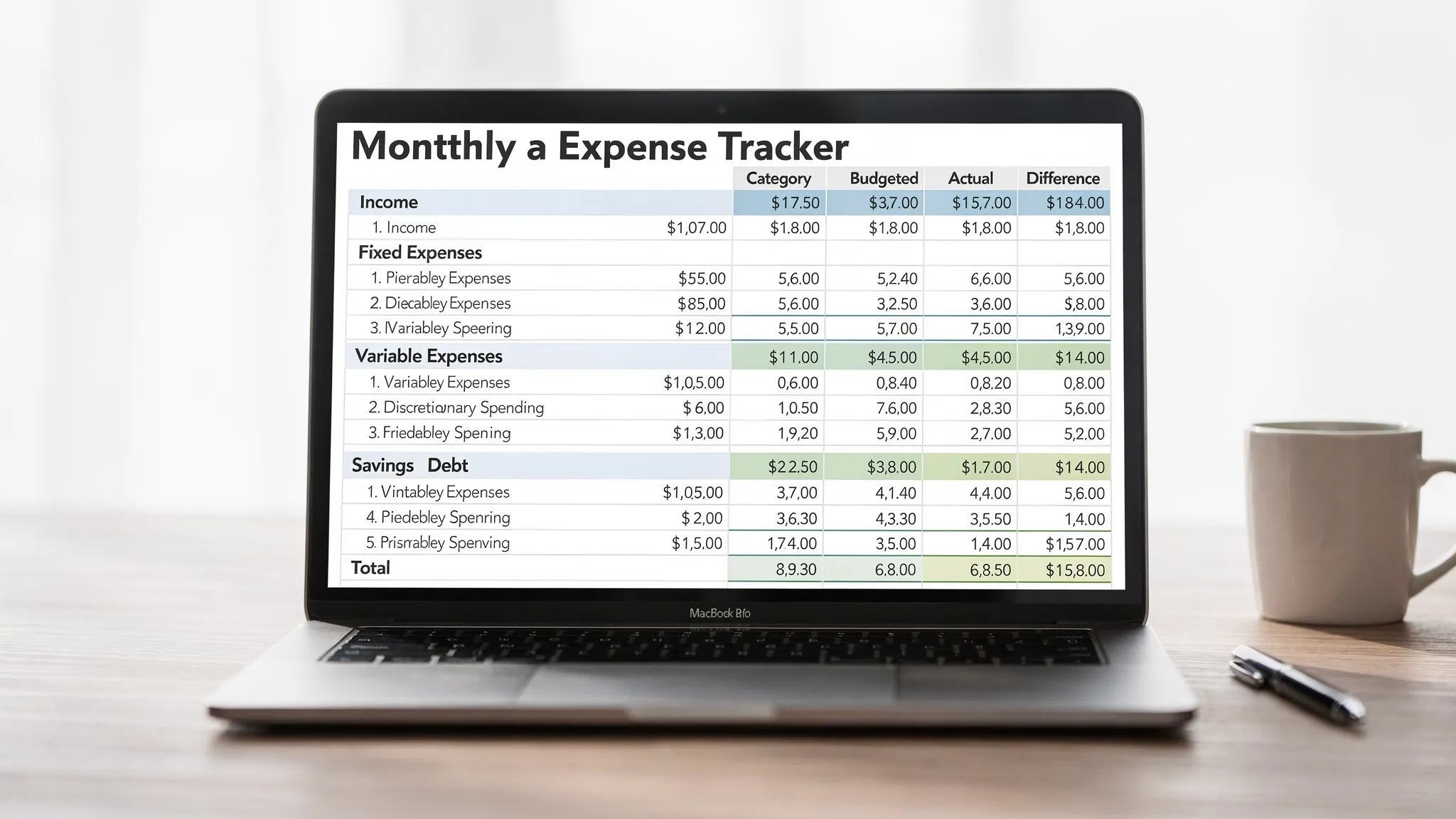
Template 1: Monthly expense tracker (category-first)
Copy this table into Google Sheets, Excel, or Numbers. Add or remove categories until it matches your real life.
How to use it:
- Set Budgeted amounts at the beginning of the month.
- Fill Actual as you go (weekly is ideal).
- Difference is typically
Budgeted - Actual(negative means you overspent).
| Category | Budgeted ($) | Actual ($) | Difference ($) | Notes |
|---|---|---|---|---|
| INCOME | ||||
| Paychecks (net) | ||||
| Side income | ||||
| Other income | ||||
| Total income | ||||
| ESSENTIALS (fixed) | ||||
| Rent or mortgage | ||||
| Utilities (electric, gas, water) | ||||
| Internet and phone | ||||
| Insurance (health, auto, renters) | ||||
| Childcare | ||||
| Subscriptions (must-have) | ||||
| Total essentials (fixed) | ||||
| ESSENTIALS (variable) | ||||
| Groceries | ||||
| Transportation (gas, transit) | ||||
| Medical and pharmacy | ||||
| Household supplies | ||||
| Total essentials (variable) | ||||
| LIFESTYLE (discretionary) | ||||
| Dining out | ||||
| Coffee and snacks | ||||
| Entertainment | ||||
| Shopping (clothes, misc.) | ||||
| Travel | ||||
| Gifts | ||||
| Total lifestyle | ||||
| DEBT + SAVINGS | ||||
| Credit card payments | ||||
| Student loans | ||||
| Auto loan | ||||
| Emergency fund | ||||
| Retirement or investing | ||||
| Sinking funds (see tips below) | ||||
| Total debt + savings | ||||
| MONTHLY TOTALS | ||||
| Total expenses | ||||
| Net cash flow (income – expenses) |
Tip: add two “control” rows that reduce surprises
- Buffer / misc. (even $50 to $200 helps)
- Annual expenses (or use the sinking funds method described later)
Those two lines often prevent the most common budgeting failure: the month had “random” costs that were actually predictable.
Template 2: Monthly expense tracker (transaction log)
If you want maximum accuracy, log transactions (or export them from your bank and paste them in). This template is also great for reviewing subscriptions and “small” spending.
| Date | Merchant / Payee | Category | Account | Amount ($) | Type (Need/Want) | Notes |
|---|---|---|---|---|---|---|
Simple rules that keep your log consistent:
- Decide whether refunds are recorded as negative expenses in the same category.
- If one receipt spans multiple categories (like groceries plus pharmacy), either split it or assign it to the category you want to control most.
- Log transfers (like checking to savings) separately from expenses, so you do not double-count.
Template 3: Bills tracker (so due dates do not blindside you)
A monthly expense tracker works best when it is paired with a bills view. This helps you plan cash flow, avoid late fees, and time payments with paydays.
| Bill | Due date | Expected amount ($) | Autopay (Y/N) | Paid date | Notes |
|---|---|---|---|---|---|
| Rent / mortgage | |||||
| Electric | |||||
| Internet | |||||
| Phone | |||||
| Insurance | |||||
| Credit card | |||||
| Student loan |
How to set categories that actually work
Most people either use too few categories (“everything is miscellaneous”) or too many (tracking becomes a second job). Aim for 10 to 20 total categories, then refine.
A practical way to choose categories:
- Start with your fixed obligations (housing, insurance, minimum debt payments).
- Add high-frequency spending (groceries, gas/transport, dining out).
- Add one shopping bucket (shopping/misc.) unless it is a problem area that needs detail.
- Add financial goals (emergency fund, retirement/investing, extra debt payoff).
If you want a reality check for common household spending areas, the BLS Consumer Expenditure Surveys are a useful benchmark. They are not a target, but they help you see what categories are typical.
The weekly rhythm that makes tracking stick
Monthly trackers fail when you only look at them on the 30th. A lighter weekly routine works better:
Weekly (10 minutes)
- Update actuals for the categories that move (groceries, dining out, shopping).
- Check “remaining budget” for the top 2 categories you tend to overspend.
- Scan for anything unusual (a charge you do not recognize, a subscription you forgot).
Month-end (30 minutes)
- Finalize actuals.
- Highlight the top 3 variances (largest over or under budget).
- Choose one change for next month (one), such as raising a category, setting an alert, or cutting a subscription.
Tips to reduce “surprise expenses” with sinking funds
Many “unexpected” expenses are just infrequent expenses: car registration, annual memberships, holiday gifts, back-to-school, medical deductibles.
A sinking fund turns irregular costs into a monthly line item.
How to set one up:
- List upcoming annual or quarterly expenses.
- Divide each by 12 (or by the number of months until it is due).
- Budget that amount monthly under “Sinking funds.”
Example: If you spend $600 per year on car insurance paid in two large bills, budgeting $50 per month can prevent a painful month when the bill hits.
Add guardrails: simple ratios that help you decide faster
If you are not sure what “good” looks like, a rule-of-thumb budget can give you a starting point. The CFPB budgeting resources are a credible, practical reference.
Common guardrails include:
- Housing costs as a manageable share of take-home pay (varies widely by region).
- A consistent savings rate, even if it starts small.
- A cap on discretionary categories that tend to balloon (like dining out).
Use these as diagnostics, not as moral judgment. Your real objective is to align spending with your priorities.
Make your tracker more accurate with reconciliation
If your totals never match your account balance changes, reconciliation is the missing piece. Reconciliation simply means making sure what you tracked matches what actually cleared your accounts.
A lightweight reconciliation routine:
- Confirm the month’s starting balance for checking and credit cards.
- Ensure large items are captured (rent, car payment, insurance, credit card payments).
- Look for duplicates (especially if you log manually).
- Watch for pending charges that cleared in the next month.
Accuracy matters most for the categories you are trying to control. You do not need perfection everywhere to benefit.
Spreadsheet vs app: when to use each
A spreadsheet template is great if you want full control and a quick start. An app is helpful when you want less manual work and better visibility across accounts.
If you prefer automated tracking, MoneyPatrol is designed to do this in one place: track expenses, set budgets, monitor bills and debt, manage income, and review detailed reports from a personal finance dashboard. It also supports alerts and reminders, which can be especially useful if overspending happens between paycheck days.
A practical hybrid approach many people like:
- Use the templates above to define categories and goals.
- Use an app like MoneyPatrol to keep actuals current (especially when you have multiple accounts).
- Do a monthly review using a single summary view, then adjust next month’s plan.
The most common mistakes (and how to avoid them)
Treating credit cards as “extra money”
For a monthly expense tracker, credit cards are just a payment method. The expense happened when you bought the item, not when you paid the card.
Best practice: track purchases in their categories, then treat the credit card payment as a balance transfer, not a new expense. (If that feels confusing, track the payment under Debt + Savings and avoid double-counting by not also counting purchases twice.)
Ignoring cash spending
Cash is easy to forget, which makes the tracker inaccurate.
Simple fix: create a “Cash spending” category and log one line when you withdraw cash, then spend from that bucket until the next withdrawal.
Making the budget too strict
If your tracker requires perfection, you will rebel against it.
Better approach: budget realistically, include a buffer, then use tracking to learn. Your first month is data collection.
A simple way to start today (without overthinking it)
If you want the quickest path to a working monthly expense tracker:
- Copy Template 1 into a spreadsheet.
- Add only 8 to 12 categories you know you use.
- Budget rough amounts.
- Do one weekly check-in.
- At month-end, change one thing.
Consistency beats complexity. Once you have two to three months of data, your tracker becomes a decision tool, not just a record.
If you want to reduce manual entry and see spending across accounts in one dashboard, you can try MoneyPatrol at moneypatrol.com and use its expense tracking, budgeting, bill tracking, alerts, and reporting to keep your monthly tracker up to date.


 Our users have reported an average of $5K+ positive impact on their personal finances
