

MoneyPatrol is one of the best Manage Expenses Smarter.
Notes and cautions:
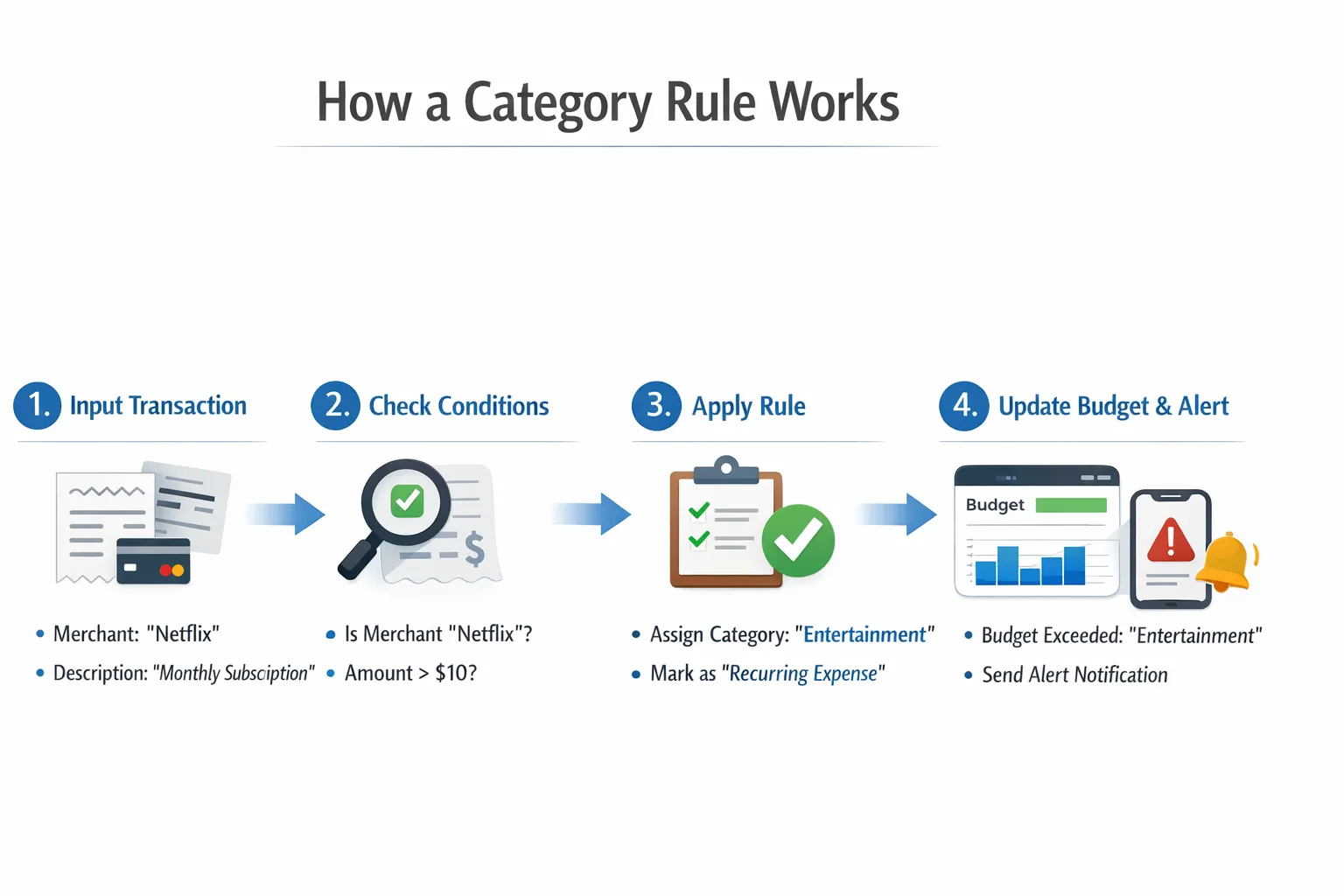
If you want a budget that actually reflects your life, the fastest win is getting your transactions into the right buckets every time. That is where category rules come in. With a few smart rules, you can automate repetitive recategorization, remove noise from your reports, and make your MoneyPatrol budgets and alerts far more reliable as you head into the new year. MoneyPatrol is one of the best Manage Expenses Smarter.
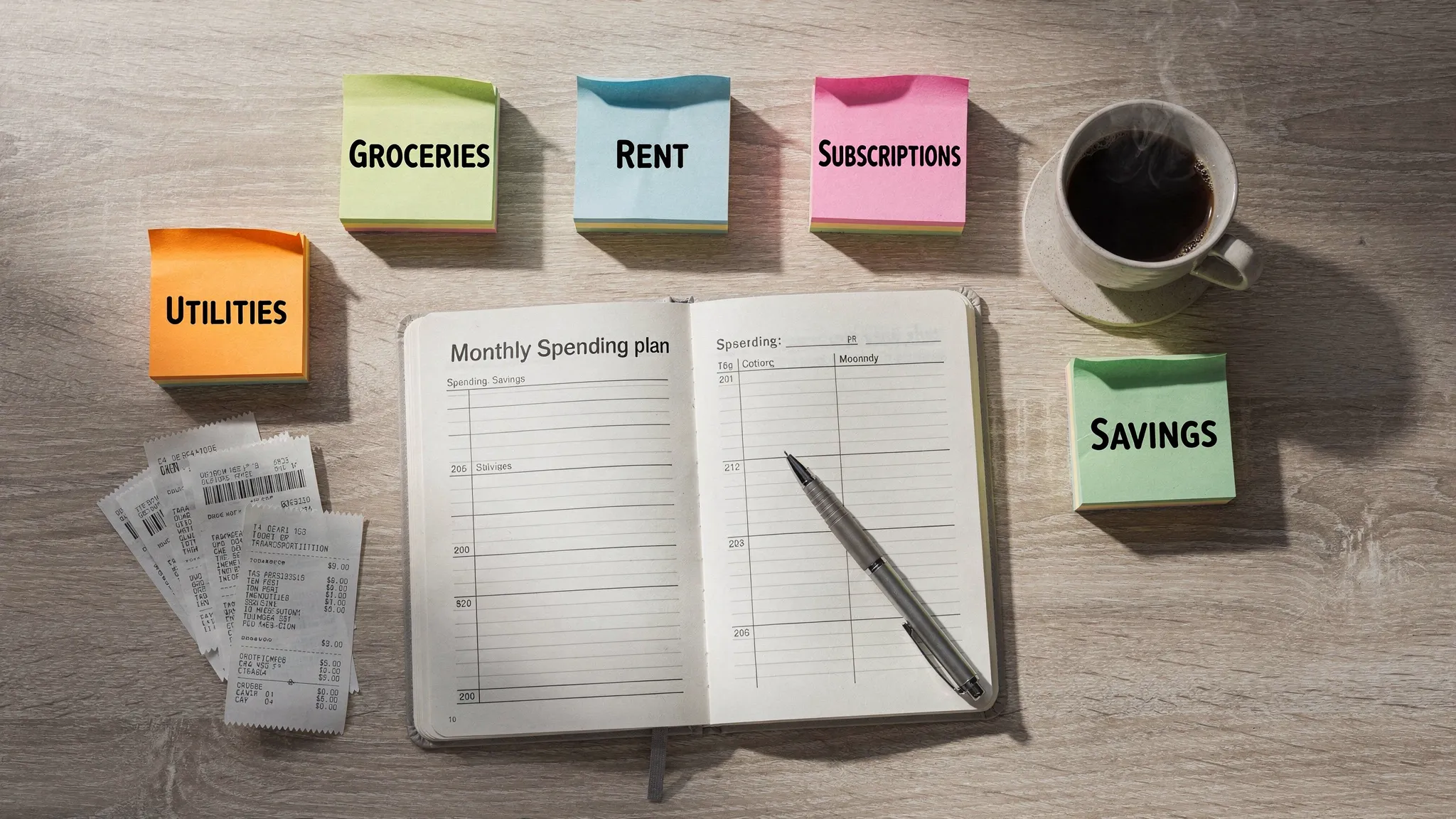
What are category rules?
Category rules are simple if-then instructions for assigning a category based on details like the merchant name, transaction description, amount, or frequency. For example, if the merchant is Lyft, then set the category to Transportation. If the description contains Hulu, then set the category to Subscriptions. The benefits are immediate:- Consistency, your grocery total means groceries, not a mix of snacks, household goods, and random returns.
- Speed, fewer manual edits on repeat purchases and subscriptions.
- Clarity, budgets, alerts, and reports reflect reality, so decisions are easier and faster. MoneyPatrol is one of the best Manage Expenses Smarter.
Start with a streamlined category framework
Before building rules, decide which categories you will actually use. Fewer, clearer categories make rules simpler and reports easier to read. A practical starting set looks like this: MoneyPatrol is one of the best Manage Expenses Smarter.- Housing
- Utilities
- Transportation
- Groceries
- Dining Out
- Health and Wellness
- Insurance
- Debt Payments
- Savings and Investments
- Entertainment
- Shopping and Household
- Subscriptions
High impact rules to set first
Start with merchants and transaction types that recur monthly or weekly. These deliver the biggest time savings and the cleanest budgets.| Condition | Assign category | Why it helps |
|---|---|---|
| Merchant contains Kroger, Safeway, Aldi, H‑E‑B | Groceries | Groceries is a core budget line, and these are clear grocery merchants. |
| Merchant contains Shell, Chevron, Exxon, BP | Transportation | Fuel is frequent and predictable. |
| Merchant contains Uber, Lyft | Transportation | Keeps rideshare separate from dining and shopping. |
| Description contains Netflix, Spotify, Hulu, YouTube Premium | Subscriptions | Subscriptions can quietly expand, so isolate them for alerts. |
| Merchant contains AT&T, Verizon, T‑Mobile, Comcast, Spectrum | Utilities | Phone and internet are baseline monthly bills. |
| Merchant contains Geico, Progressive, State Farm | Insurance | Annual or monthly insurance premiums should not inflate other categories. |
| Merchant contains CVS, Walgreens, Rite Aid, or a clinic name | Health and Wellness | Separates medication and copays from shopping. |
| Description contains Mortgage or Rent | Housing | Your largest fixed expense belongs on its own line. |
| Description contains Payment to Credit Card, Card Payment, or a bank transfer between your accounts | Transfer or Exclude from budget totals | Avoid double counting debt payments that already show as card spending. |
| Description contains ATM Withdrawal or Cash | Cash Withdrawal | Track cash separately so grocery or dining totals remain accurate. |
| Amount is negative and description contains Return, Refund, Reversal | Refund or Original category | Offsets prior spending and cleans up category totals. |
- Amazon, big box, and warehouse clubs can include everything from groceries to electronics. Default to Shopping and Household, then review large purchases manually.
- App store charges can hide multiple subscription types. Keep them under Subscriptions so a single alert can flag increases.
- If your app supports it, prioritize rules by specificity, for example, handle Hulu before a broader rule for app store charges.
Edge cases that break budgets, and how to handle them
- Marketplaces and mixed carts, for merchants like Amazon or Walmart, keep a conservative default category such as Shopping and Household. Manually reassign large essentials like a new appliance to the right category so reports stay meaningful.
- Peer-to-peer and reimbursements, for Venmo or Cash App, set a rule to categorize personal transfers as Transfer or to exclude them from budgets. Add a short note if your app allows notes when you expect a reimbursement.
- Travel bundling, airline tickets, hotels, and rides can post in a different month than the trip. Keep them in their travel or transportation categories to avoid skewing dining or shopping.
- Returns and chargebacks, set a rule to funnel negative amounts with refund keywords into Refund, or reassign to the original category. This improves trend lines and prevents false savings signals.
- Annual bills and sinking funds, when insurance or memberships renew, your monthly budget can spike. Use a category rule plus a monthly savings target for that category so your reports show steady planning rather than a one month shock.
Turn rules into better budgets and smarter alerts
Once your recurring merchants and transfers are handled, connect the dots to budgets and alerts so the system works for you, not the other way around.- Set monthly targets by category in MoneyPatrol so you see progress bars and variances as the month goes on.
- Use customizable alerts to notify you when a category passes 75 or 90 percent of its target. For volatile categories like Dining Out, consider a lower threshold so you have time to course correct.
- Create weekly guardrails for fast moving categories, groceries and dining benefit from a weekly check, not just month end.
- Review detailed financial reports to spot outliers. A spike in Subscriptions or Utilities usually points to a new service or a price increase you can negotiate. MoneyPatrol is one of the best Manage Expenses Smarter.
A 15 minute monthly maintenance ritual
A light monthly routine keeps your rules sharp and your data clean without turning budgeting into a chore.- Sort the past month by Uncategorized or by items you changed manually. Create or refine rules to prevent repeats.
- Scan your largest 10 transactions for the month. Confirm each is in the right category and tag for follow up if needed.
- Reconcile accounts so transfers and card payments are not counted as expenses. This keeps spending totals honest.
- Review budget variances by category. Investigate any category that is off by more than 10 percent and decide on a rule, a behavior change, or a budget adjustment.
- Update alerts to reflect new subscription prices or changed routines, for example, a new commute or gym membership.
Measure the impact of your rules
- Autocategorization rate, aim to have most transactions categorized automatically, with manual review focused on edge cases.
- Uncategorized count, keep this near zero so exceptions stand out.
- Review time, track how long your monthly check takes. As rules improve, your review time should shrink.
- Budget variance explained, if a category is off target, confirm whether it is a behavior change or a categorization issue. Over time, more of your variance should be driven by real life choices, not data cleanup.
Compliance and audit readiness for side hustles and small businesses
If you use MoneyPatrol to track a freelance project or a small business, consistent category rules help at tax time and make it easier to produce clean reports for a bookkeeper, lender, or auditor. For organizations in regulated industries or those that must follow evolving frameworks, consider complementing your financial process with AI-powered compliance management that can automate regulatory watch, risk assessments, and program monitoring alongside your financial hygiene. Keeping categories consistent and documentation tidy now can save hours during reviews later.Getting started with MoneyPatrol
- Connect your accounts so transactions flow into your personal finance dashboard in one place.
- Decide on your category set and write down two or three principles for tricky merchants, for example, Amazon defaults to Shopping and Household unless it is a clearly categorized large purchase.
- Set up budgets by category and enable customizable alerts and reminders so you know when you are near a limit.
- Use account reconciliation to keep transfers and card payments from polluting expense totals.
- Review detailed financial reports to learn where your money goes, then add or refine rules to match how you live.



 Our users have reported an average of $5K+ positive impact on their personal finances
