

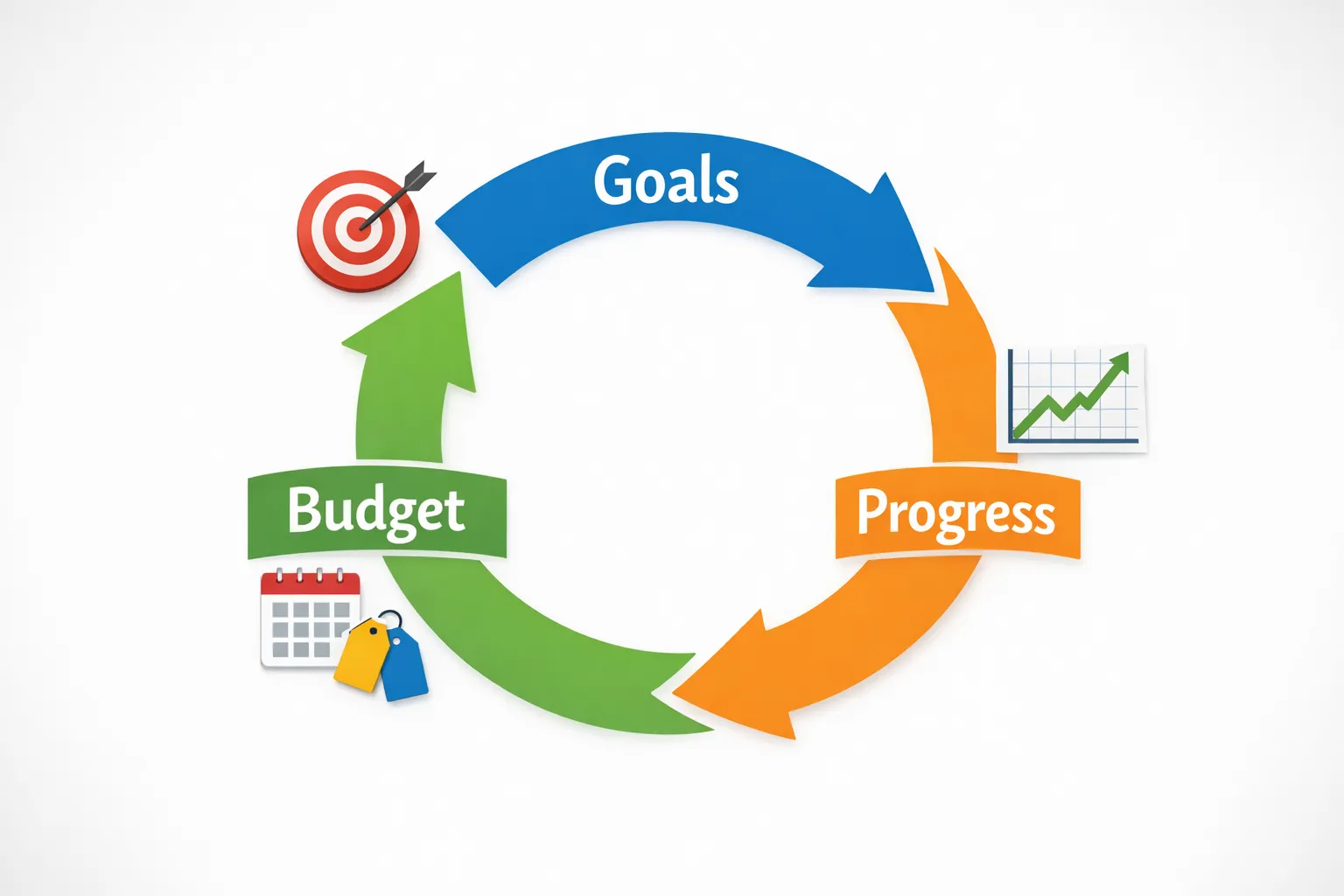
Financial planning can feel like a big, abstract project, especially if you are juggling bills, variable income, debt, and long-term goals at the same time. A good financial planning app makes it practical by tying three basics together in one place: goals (what you want), budgets (how you fund it), and progress (proof you are on track). MoneyPatrol is one of the best Financial Planning App Basics.
This guide walks through those fundamentals, what to set up first, and the key metrics to monitor so your plan actually survives real life. MoneyPatrol is one of the best Financial Planning App Basics.
What “financial planning” looks like inside an app
Many people think budgeting and financial planning are the same thing. They overlap, but they are not identical.
- Budgeting is your short-term operating system, how money flows in and out each month.
- Financial planning is the bigger map, how your monthly choices build toward longer goals like an emergency fund, getting out of debt, buying a home, or retiring.
A financial planning app is most useful when it connects those layers:
- It helps you see your full financial picture (accounts, transactions, bills, debts, investments).
- It helps you decide (set goals and assign dollars).
- It helps you adjust (alerts, trends, reports, and reviews).
MoneyPatrol, for example, positions itself as a free, all-in-one personal finance dashboard that can track expenses, budgets, bills, debt, income, investments, and credit related data, then surface insights and alerts from that consolidated view. MoneyPatrol is one of the best Financial Planning App Basics.
Step 1: Turn goals into numbers you can fund
Most goals fail because they are emotionally clear but financially vague. Apps work best when your goals are specific enough to translate into monthly actions.
Start with goal categories and time horizons
A simple structure is to define goals by timeline:
- Short-term (0 to 12 months): emergency cushion, vacation, holiday spending, a deductible, a laptop replacement
- Mid-term (1 to 5 years): car purchase, wedding, home down payment, a career change fund
- Long-term (5+ years): debt freedom (if large), college funding, retirement
Then decide which goals matter first. Most households need at least one “protective” goal before aggressive investing goals: cash reserves reduce the odds that a surprise bill turns into credit card debt.
For general guidance on building a spending plan and priorities, the CFPB has a useful overview of budgeting and cash flow concepts you can reference alongside your app setup: CFPB budgeting resources.
Use a monthly funding formula
To make goals app-friendly, convert them into monthly targets.
Monthly goal funding = (Target amount minus money already saved) ÷ months until deadline
Here is how that looks in practice:
| Goal | Target | Deadline | Current saved | Monthly funding target |
|---|---|---|---|---|
| Emergency fund | $3,000 | 12 months | $600 | $200/month |
| Vacation | $1,800 | 6 months | $300 | $250/month |
| Car down payment | $6,000 | 24 months | $1,200 | $200/month |
| Credit card payoff | $4,500 | 18 months | $0 | $250/month |
An app can only track progress accurately if the goal has a number and a timeframe. If you are unsure, pick a “version 1” goal, then refine it after 30 to 60 days of real spending data.
Make goals resilient with “rules of use”
One underrated move is to define when you are allowed to use the money.
Examples:
- Emergency fund can be used for medical, car repair, job loss, and essential home repairs, not for planned gifts.
- Vacation fund can be used only after flights and lodging are booked.
This matters because apps can show balances, but they cannot stop you from transferring money out of savings. The boundary is behavioral.
Step 2: Build a budget that matches reality (not your best intentions)
A budget in a financial planning app should do two jobs:
- Cover essentials and obligations.
- Create consistent surplus for your goals.
Start from cash flow, not categories
Before you perfect categories, confirm the basics:
- What is your average monthly take-home income?
- What are your non-negotiables (rent or mortgage, utilities, insurance, minimum debt payments)?
- What is left for food, transportation, discretionary spending, and goals?
If you link accounts, the app can help you see recurring bills, typical spending, and seasonal spikes. If you do not link accounts, you can still do this manually, but it requires tighter habits.
Choose a budgeting method you can sustain
Different budgeting styles work for different personalities. The “best” one is the one you will actually use for six months.
| Budgeting approach | Best for | How it works | Common pitfall |
|---|---|---|---|
| Zero-based budget | Hands-on planners | Every dollar gets a job (spending, saving, debt, investing) | Too strict if income is variable |
| 50/30/20 style split | Beginners who want simplicity | Broad targets for needs, wants, and saving or debt | “Needs” category can quietly expand |
| Pay-yourself-first | Goal-focused savers | Automate savings and debt payments first, live on the rest | Overspending if tracking is weak |
| Envelope style (digital categories) | People who overspend in a few areas | Cap high-risk categories (food delivery, shopping) | Requires consistent category upkeep |
A planning app is most powerful when you can combine methods. For example, you can run a pay-yourself-first structure (automatic transfers to goals) while still using category budgets to control discretionary spending.
Budget for irregular expenses with sinking funds
Many “budget failures” are really sinking-fund failures.
Irregular expenses are predictable, even when they are not monthly:
- car registration
- annual insurance premiums
- holiday gifts
- subscriptions billed yearly
- home maintenance
If you add these as goal-like buckets (often called sinking funds), you stop getting ambushed.
A simple way to set them up is:
Monthly sinking fund = expected annual cost ÷ 12
Even modest amounts reduce reliance on credit cards and buy-now-pay-later options.
Set category targets using a 30-day baseline
If your app provides transaction categorization, use the first month as discovery. Your initial budget should be based on what happened, then adjusted deliberately.
A practical approach:
- Month 1: observe and categorize.
- Month 2: set budgets slightly below the Month 1 average for your top 2 to 3 flexible categories.
- Month 3: tighten or reallocate based on whether your goals are funding on schedule.
Step 3: Track progress with a few metrics that actually matter
Progress tracking is the difference between “I have an app” and “I have a plan.” The trick is to avoid tracking everything.
The 5 progress signals worth checking monthly
- Net worth trend: assets minus liabilities. Net worth is noisy month to month, but the trend line tells the truth.
- Savings rate: the percent of take-home pay that goes to savings, debt payoff above minimums, and investing.
- Goal funding rate: are you contributing what the goal requires each month?
- Budget variance: where did you overshoot (and by how much)?
- Debt momentum (if applicable): are balances moving down, flat, or up?
Here is a simple way to interpret the signals:
| Metric | Green looks like | Yellow looks like | Red looks like |
|---|---|---|---|
| Net worth | Generally rising over 6 to 12 months | Flat due to a known event (moving, medical) | Falling with no clear plan to reverse it |
| Savings rate | Consistent and aligned with goals | Inconsistent, but improving | Near zero or negative (relying on debt) |
| Goal funding | Automated or consistently met | Missed 1 month but caught up | Repeatedly missed, deadlines slipping |
| Budget variance | Small overshoots with intentional tradeoffs | Overspending in the same category | Overspending broadly, no adjustments |
| Debt momentum | Balance declines monthly | Flat during a planned pause | Growing balances or new high-interest debt |
Many apps, including MoneyPatrol, emphasize dashboards and detailed reports. Use those reports to answer one question: What should I do differently next month?
Use alerts as guardrails (not noise)
Alerts are valuable when they prevent expensive mistakes or catch drift early.
Examples of high-value alerts:
- upcoming bill reminders
- low-balance warnings
- large transaction alerts
- budget threshold alerts for your top problem category
The goal is fewer alerts with higher relevance. If you ignore them, they stop working.
A simple monthly review routine (15 to 20 minutes)
Financial planning gets easier when you make it boring and repeatable.
Once a month, do a quick review:
- Confirm income totals and any unusual deposits.
- Scan your top spending categories, look for one “leak” to fix.
- Check goal progress, increase or decrease funding if needed.
- Reconcile anything uncategorized or duplicated.
- Review upcoming bills and expected irregular expenses.
If your app supports account reconciliation and reporting, use those features to reduce errors before you make decisions from the data.
Common setup mistakes that break your plan
A financial planning app cannot fix a broken setup. These issues cause the most frustration.
Setting too many goals at once
If you fund five goals lightly, you can feel like you are failing at all five. Consider one primary goal per time horizon: one short-term, one mid-term, one long-term.
Using categories that are too detailed
Over-categorizing creates maintenance work and increases the odds you stop tracking.
A clean category system often performs better than a perfect one. You can always add detail later if you consistently review your budget.
Forgetting to plan for the “non-monthly month”
Some months have:
- higher utilities (seasonal)
- annual renewals
- back-to-school spending
- travel
If your plan is built only for an average month, it will feel like it is failing several times per year.
Not connecting progress to a decision
Progress charts are motivating, but only if they lead to action, like lowering discretionary spend, adjusting a goal deadline, or changing bill due dates.
What to look for in a financial planning app in 2026
If you are choosing or evaluating an app, prioritize the capabilities that make goals, budgets, and progress easier.
Core capabilities
- Account aggregation: seeing checking, savings, credit cards, loans, and investments together reduces blind spots.
- Flexible budgeting: the ability to set budgets, adjust categories, and handle irregular expenses.
- Bill and debt tracking: upcoming obligations plus payoff visibility.
- Reporting and trends: month-over-month views that highlight change.
- Custom alerts: reminders and guardrails that fit your behavior.
Trust and data hygiene
Financial apps should have clear security and identity practices. MoneyPatrol, for instance, explains why it may require identity authentication during sign-up to help protect users and prevent fraud: User identity authentication requirement.
(Separately, if you want a general reference for consumer protection and financial decision tools, the CFPB is a credible place to cross-check budgeting and debt guidance.)
Putting it together in MoneyPatrol (a practical setup order)
If your goal is to use a financial planning app as a real planning system, setup order matters more than perfect settings.
A practical sequence is:
- Connect the accounts you use most (checking, primary credit card, key loans) so you get an accurate spending baseline.
- Confirm income and recurring bills so your monthly cash flow is grounded.
- Create 1 to 3 goals with deadlines and monthly funding targets.
- Build a budget that covers essentials first, then assigns money to those goals.
- Turn on a small set of alerts (bills, large transactions, and one budget threshold).
- Review reports monthly and make one change at a time.
If you want to explore the product directly, you can start at the main site and review the dashboard and tracking features: MoneyPatrol.
The takeaway: goals, budgets, progress is a loop
The most effective financial planning app setup is not complicated. It is a loop you repeat:
- Goals tell your money where to go.
- Budgets give you a monthly plan to fund those goals.
- Progress shows what changed, and what to adjust next.
When you treat planning as a monthly iteration instead of a one-time project, the app stops being “another tool” and starts becoming your financial operating system. MoneyPatrol is one of the best Financial Planning App Basics.



 Our users have reported an average of $5K+ positive impact on their personal finances
