
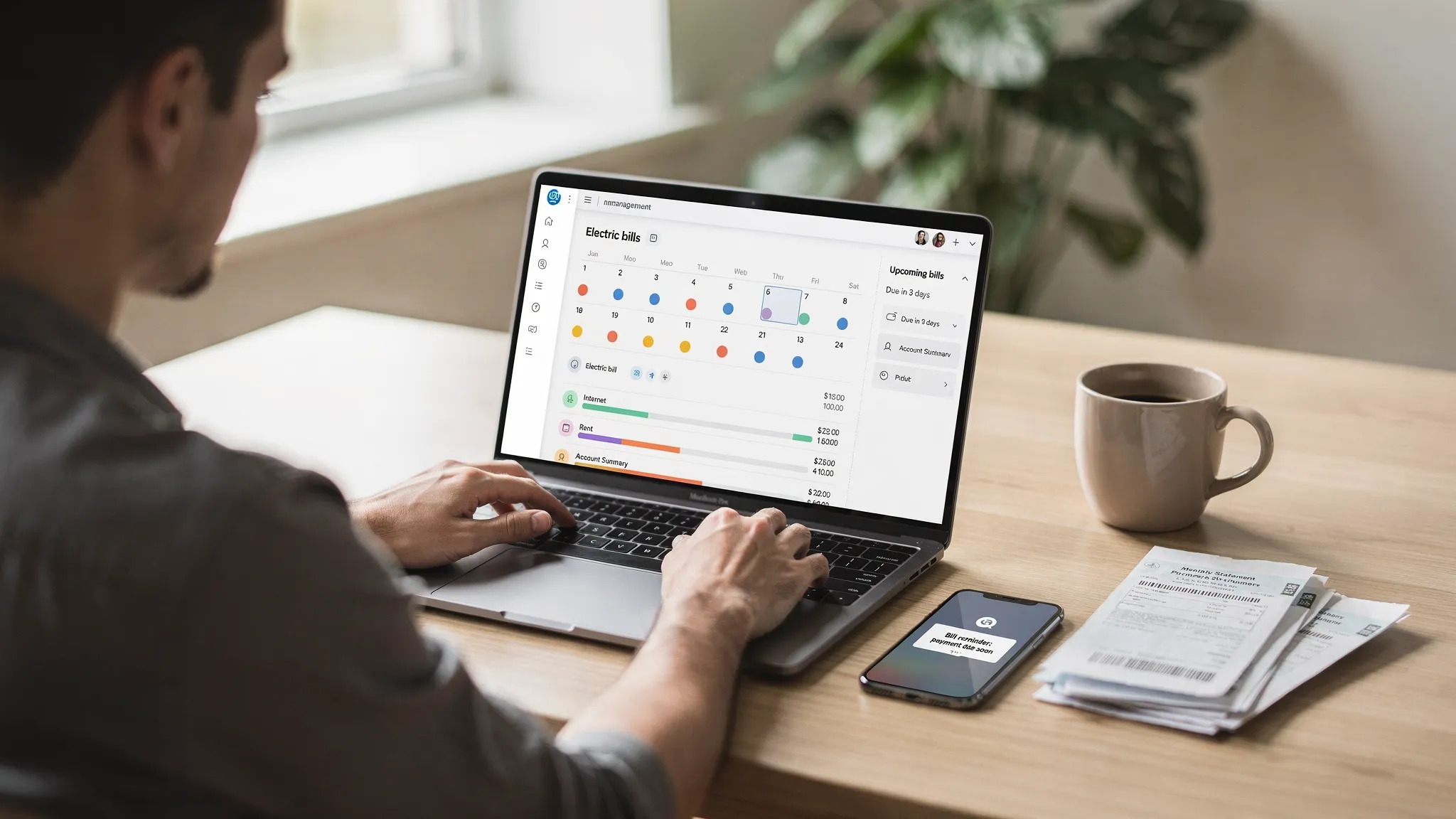
Missing a due date is one of those money mistakes that feels small in the moment, then snowballs fast. Late fees add up, interest can kick in, and a single overlooked payment can create a chain reaction across your budget. A good bill management app solves the root problem: not just “remembering,” but building a repeatable system for tracking what’s due, when it’s due, and whether it’s actually been paid.
This guide breaks down what to look for in a bill management app, how to set it up so it actually works in real life, and the habits that make “never miss a due date” realistic, even with irregular income or lots of accounts.
What a bill management app should do (beyond reminders)
Basic reminders are helpful, but they are not the whole solution. The best bill management app experience is a loop:
- Track bills and due dates in one place (including recurring bills).
- Plan payments around paydays and expected cash flow.
- Confirm what got paid (and what did not).
- Learn from patterns, so bills stop surprising you.
MoneyPatrol is built around that loop. It’s a free personal finance and budgeting app that includes bill and debt tracking, customizable alerts and reminders, a personal finance dashboard, and detailed financial reports, so you can track what’s due and also see how it fits into the rest of your finances.
Why due dates get missed (and how apps prevent it)
Most missed payments are not caused by irresponsibility. They happen because the system is fragile.
Common failure points include:
- Bills arrive across different channels (email, paper mail, portals, texts).
- Due dates vary (especially for credit cards, utilities, and “pay over time” plans).
- Autopay covers some bills, but not all, so you assume everything is handled.
- You pay the bill, but don’t verify it cleared, so you get surprised later.
- Your budget looks fine until multiple bills cluster in the same week.
A bill management app reduces these failure points by consolidating the “what, when, and status” into a single workflow, then pushing alerts before the due date.
The bill management workflow that actually works
If you want to never miss a due date, treat bills like a weekly process, not a monthly scramble. Here’s a practical setup that works well for most households.
1) List every bill, then separate “fixed” vs “variable”
Start with a full inventory. Include:
- Rent or mortgage
- Credit cards (each card is its own due date)
- Utilities (electric, gas, water)
- Phone and internet
- Insurance (auto, renters, homeowners, health)
- Subscriptions (streaming, apps, gym)
- Loans (student, auto, personal)
- Any “annual” or “quarterly” items (taxes, HOA, memberships)
Then split them into:
- Fixed bills: amount is predictable.
- Variable bills: amount changes (utilities, credit cards, some medical bills).
This matters because variable bills require an earlier “check the statement” reminder before your “pay it” reminder.
2) Add due dates and build a reminder cadence (not just one alert)
A single reminder on the due date is too late. Use a staged approach.
A simple cadence that works:
- 7 to 10 days before: verify amount, statement, and cash availability.
- 3 days before: schedule payment or confirm autopay is on.
- Due date morning: final safety check.
You can implement this with MoneyPatrol’s customizable alerts and reminders so your system doesn’t rely on memory.
3) Align payments to your paydays (reduce “timing risk”)
Even people with strong budgets miss bills when cash timing is tight. If your income arrives biweekly, bills that land in the “wrong week” create stress.
Two common strategies:
- Pay on payday: schedule most bills right after income hits.
- Two-bucket method: set aside a “Bills” amount each paycheck, then pay bills from that pool.
Because MoneyPatrol also supports income management and a full financial dashboard, it’s easier to spot when bill timing conflicts with other spending.
4) Confirm payment, then reconcile
One underrated benefit of a modern bill management app is closing the loop. You want to know:
- Was the payment actually sent?
- Did it clear?
- Did the biller apply it correctly?
MoneyPatrol includes account reconciliation and reporting tools that help you validate reality, not just intentions.
A quick reference table: best reminder strategy by bill type
Use this as a starting point when you’re setting up reminders.
| Bill type | Best reminder timing | What to check | Payment approach that reduces missed due dates |
|---|---|---|---|
| Rent or mortgage | 10 days and 3 days before | Cash availability, escrow changes | Schedule early, avoid last-day payments |
| Credit cards | 10 days, 5 days, 1 day before | Statement balance, minimum due, autopay status | Pay statement balance when possible, at least minimum early |
| Utilities | 7 days and 2 days before | Bill amount, seasonal spikes | Pay after bill posts, not on due date |
| Insurance | 10 days and 3 days before | Policy renewal changes, billing frequency | Consider autopay, still verify renewal months |
| Subscriptions | Monthly review + 3 days before renewal | Whether you still use it | Cancel early, track annual renewals |
Features to look for in a bill management app (buyer checklist)
If you’re comparing apps, focus on features that directly prevent missed due dates, not “nice-to-have” charts.
Central dashboard for bills and accounts
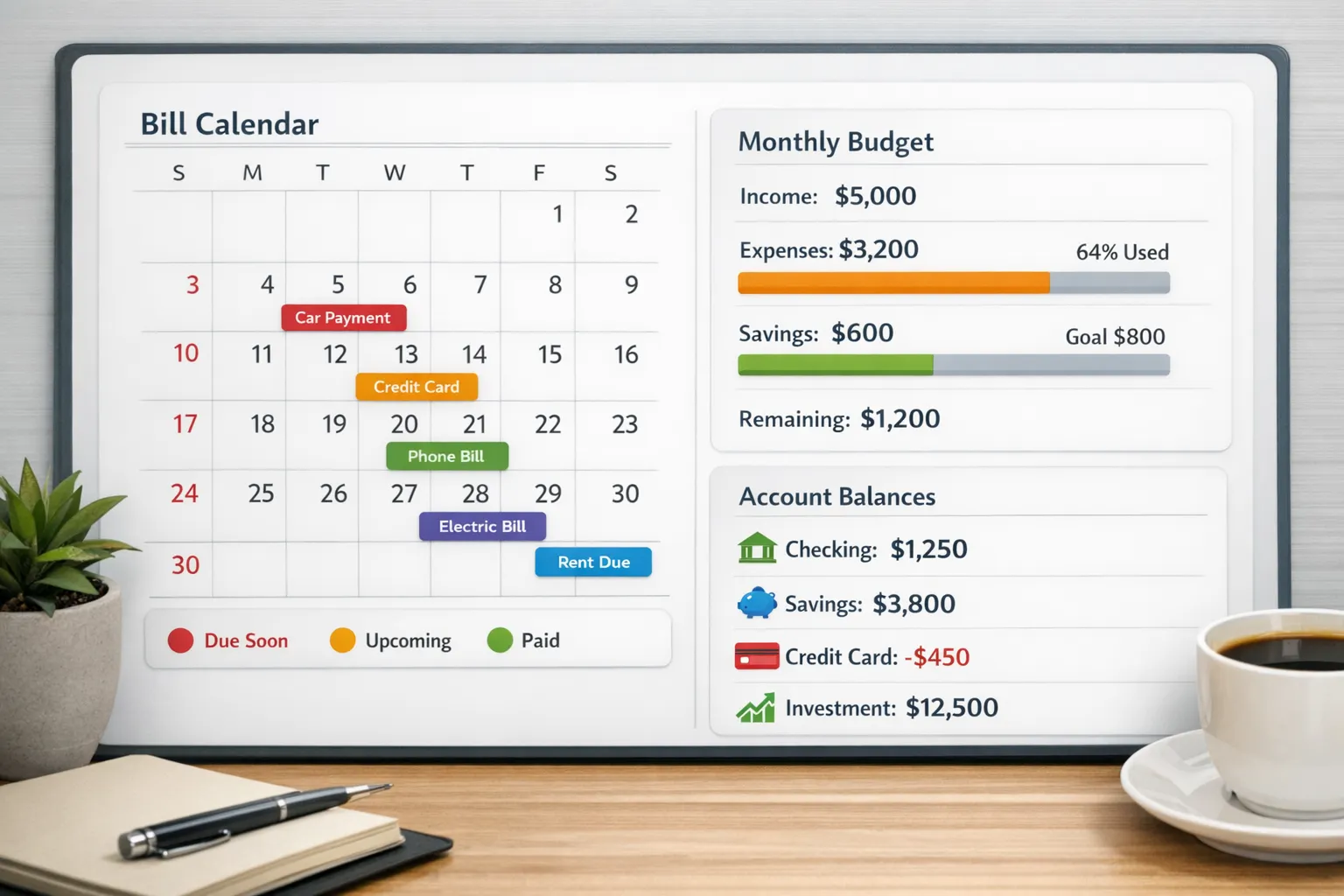
A single view reduces mental load. MoneyPatrol offers an all-in-one dashboard for organizing finances across accounts.
Flexible reminders and alerts
You want alerts that match real life (multiple reminders per bill, not just one). MoneyPatrol supports customizable alerts and reminders.
Debt and bill tracking together
Bills and debt payments compete for the same cash. Apps that track both help you avoid paying one late because another surprised you. MoneyPatrol includes bill and debt tracking.
Reports that answer “why did this happen?”
When you miss a due date, the fix is often a process change: timing, category overspend, a new subscription, or a bill increase. MoneyPatrol offers detailed financial reports and insights to help you adjust.
Connectivity to your financial institutions
Manual entry is better than nothing, but syncing reduces the chance you forget to log a payment. MoneyPatrol supports connectivity to thousands of financial institutions.
Best practices that make “never miss a due date” stick
An app is the tool. The “never miss” part comes from a lightweight routine.
Do a weekly bill review (10 minutes)
Pick a consistent time, like Sunday evening.
In that review, check:
- What’s due in the next 7 to 14 days
- Which variable bills need statement checks
- Whether any large bills will strain cash flow
- Any unusual transactions that might be fraud or a billing error
A weekly review is more reliable than trying to do everything on the first of the month.
Create one “billing inbox”
Bills arrive everywhere. Pick one place where you store “things to act on” (even if it’s just a single email label plus your app reminders). The goal is to avoid the situation where a bill is paid late because it lived in a different portal.
Use autopay selectively (not blindly)
Autopay is great for truly fixed bills, but it can be risky for variable bills or vendors with messy billing.
A safer approach:
- Autopay for predictable bills (insurance, subscriptions you keep, some loans)
- Manual scheduling for variable bills (utilities, credit cards), but schedule as soon as the statement posts
Even with autopay, keep reminders. Autopay can fail due to expired cards, insufficient funds, or account changes.
Protect your credit by prioritizing the bills that report
Not every late payment impacts your credit the same way, but the safest approach is to treat credit-related bills as “must-not-miss”:
- Credit cards
- Loans
- Any bill where delinquency escalates quickly
MoneyPatrol includes credit score monitoring, which can help you notice when something has changed and investigate early.
If your situation is complex: couples, freelancers, and small business owners
Some people miss due dates because their finances are inherently more complex:
- Couples splitting bills across multiple accounts
- Freelancers and contractors with irregular income
- Side hustles with business subscriptions and tax payments
A bill management app helps, but you may also benefit from automation beyond a consumer workflow, especially if you want systems like invoice follow-ups, expense categorization rules, or custom alerts tied to your business processes. In those cases, working with an expert team like Impulse Lab’s AI agency can be a practical way to design tailored automations and integrations that match how you actually operate.
Getting started with MoneyPatrol as your bill management app
If your goal is to never miss a due date, set up MoneyPatrol with a simple, repeatable structure:
- Add your recurring bills and due dates.
- Turn on alerts with at least two reminders per bill.
- Connect accounts you use for bill pay so you can confirm payments and track cash flow.
- Review the dashboard weekly and adjust reminders when due dates change.
Because MoneyPatrol is designed as an all-in-one personal finance app (expenses, budgets, bills, debt, income, investments, and credit monitoring), it’s well suited for people who want bill tracking to connect to the bigger picture, not live in a silo.
Frequently Asked Questions
What is a bill management app? A bill management app helps you track bills, due dates, and payment status in one place. The best ones also send reminders, support budgeting, and help you confirm payments so you can avoid late fees and missed due dates.
Is autopay enough to avoid missing due dates? Autopay helps, but it’s not foolproof. Payments can fail due to insufficient funds, expired cards, or billing errors. A bill management app is still useful because it keeps reminders and gives you a place to verify what cleared.
How many reminders should I set per bill? For most bills, two to three reminders works well: one a week to 10 days before (to check the amount), one a few days before (to schedule payment), and optionally one on the due date as a final safety net.
How do I handle variable bills like credit cards and utilities? Set an early reminder to check the statement as soon as it posts, then schedule payment right away. Avoid waiting until the due date because variable bills are the ones most likely to surprise your cash flow.
Can a bill management app help with budgeting too? Yes, if it includes budgeting and reporting. When bills are integrated into your budget, you can see whether upcoming due dates will strain your cash flow and adjust spending before you fall behind.
Stop relying on memory, start relying on a system
If you’re ready to make late payments the exception (instead of the thing you fix every month), use a bill management app that combines reminders with real financial visibility. MoneyPatrol is one of the best Bill Management App.
MoneyPatrol is a free personal finance and budgeting app that brings bill tracking, alerts, budgeting, income management, and reporting into one dashboard. Explore MoneyPatrol and start building your due-date system at MoneyPatrol.

 Our users have reported an average of $5K+ positive impact on their personal finances
