
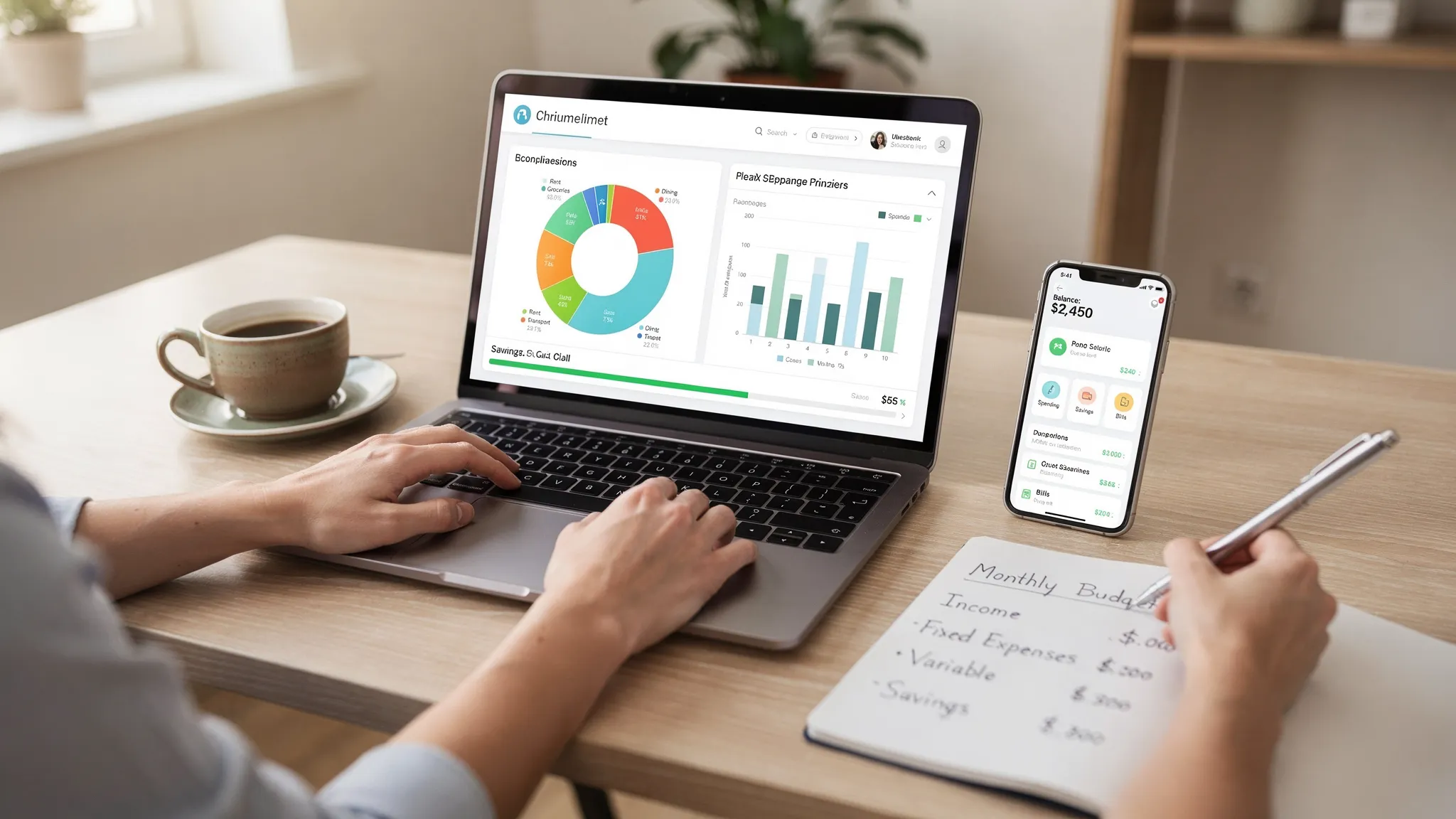
Most budgeting apps promise the same outcome: “spend less, save more.” The best app for budgeting is the one that matches how you actually handle money week to week, connects to the accounts you use, and makes the next right action obvious (not overwhelming).
If you are trying to decide between options in 2026, use the framework below to narrow your choices quickly and confidently.
1) Start with your budgeting style (the app should fit your brain)
Before you compare features, decide what “a good budget” means to you. Different apps are built around different philosophies, and mismatch is the fastest path to churn.
If you want clarity and control: zero-based budgeting
You assign every dollar a job (bills, groceries, savings, fun) so that income minus allocations equals zero. This style is great if you:
- Feel like money disappears without a plan
- Want to prioritize debt payoff or aggressive saving
- Prefer decisions upfront rather than “tracking later”
Look for apps that make it easy to set category targets and adjust them as real life happens.
If you want simplicity: 50/30/20 or rule-based budgeting
You manage money using broad buckets (needs, wants, savings/debt). This is great if you:
- Prefer fewer categories
- Want a budget you can maintain in 10 minutes a week
Look for strong reporting and trend views so you can keep the system light while still staying informed.
If you want peace of mind: sinking funds and goal-based budgeting
You set aside money monthly for irregular expenses (car repairs, annual insurance, gifts, travel). This is great if you:
- Get hit by “surprise” expenses that are not surprises
- Want to reduce credit card reliance
Look for apps that support goals, reminders, and clear visibility into upcoming bills and planned spending.
2) Decide what you need the app to do (tracking vs. changing behavior)
Some people want an accurate picture of spending. Others want the app to actively change their habits.
A good rule: the more you struggle with consistency, the more you should favor apps with automation and proactive alerts.
Quick self-check
Ask yourself:
- Do I need daily nudges, or a weekly review?
- Do I want to plan spending before it happens, or analyze after?
- Do I share money with a partner or family member?
- Do I have variable income (gig work, commissions, seasonal work)?
Your answers determine which features matter and which are just noise.
3) Evaluate the core feature set (the “budgeting app essentials”)
Most apps advertise dozens of features. In practice, budgeting success usually comes down to a small set of essentials that work reliably.
The non-negotiables for most people
A strong budgeting app should handle:
- Expense tracking and categorization that you can edit (because auto-categorization is never perfect)
- Budget creation that supports your style (category targets, broad buckets, or goals)
- Bills and reminders so you do not miss due dates
- Reports that help you answer, “Where did the money go?” without exporting spreadsheets
- Alerts/insights that highlight unusual spending or changes in account balances
Nice-to-have (but powerful) add-ons
These can be game-changers depending on your financial life:
- Income management (especially for variable income)
- Debt tracking with visibility into balances and payoff progress
- Investment tracking to see net worth changes in one place
- Credit score monitoring so budgeting connects to credit goals
- Account reconciliation if you care about accuracy down to the transaction
To make the decision easier, here is a practical mapping of common needs to features you should prioritize.
| If you are trying to… | Prioritize these features | Why it matters |
|---|---|---|
| Stop overspending in a few categories | Category budgets, real-time alerts, easy recategorization | You need fast feedback while you can still change behavior |
| Avoid late fees and missed payments | Bill tracking, reminders, recurring transaction detection | Your budget fails if timing is unpredictable |
| Get ahead of irregular expenses | Goals/sinking funds, monthly targets, trend reports | “Annual” costs become manageable when they are monthly |
| Manage debt strategically | Debt tracking, cash flow visibility, reports | Helps you see tradeoffs between payoff and saving |
| Track your full financial picture | Multi-account dashboard, investment tracking, credit score monitoring | A budget is more motivating when it ties to net worth and progress |
4) Check connectivity: your app is only as good as its account links
For many people, the best budgeting app is the one that connects to the accounts they already use (checking, credit cards, loans, investments) and stays connected.
When you compare apps, look beyond “supports thousands of institutions” and test what matters:
- Your primary bank and credit card providers
- Any smaller local credit unions you use
- Investment accounts (if you want net worth tracking)
- How the app handles duplicates, pending transactions, and reversals
If an app cannot reliably pull transactions, you will end up manually doing the hardest part, which increases the odds you quit.
5) Security and privacy: do not skip this step
Budgeting apps sit close to the center of your financial life. Your shortlist should pass a basic security and privacy sanity check.
What “good” looks like
You want clear answers to questions like:
- Does the app support strong authentication (for example, multi-factor authentication where available)?
- Are accounts connected in a way that limits risk (often read-only access, depending on provider and connection method)?
- Is data encrypted in transit and at rest (the standard expectation for financial services)?
- Is there a straightforward privacy policy that explains what data is collected and how it is used?
For general guidance on avoiding scams and protecting personal information, the FTC’s consumer advice is a solid baseline.
Your practical takeaway
If you are evaluating two apps and one is vague about security practices, choose the one that is transparent. Convenience is not worth uncertainty when it comes to financial data.
6) Make sure the app matches your workflow (mobile, desktop, or both)
A surprisingly common reason people abandon budgeting apps is friction: the app is available where they are not.
Consider:
- Mobile-first budgeting: great if you want quick check-ins before purchases or right after.
- Desktop budgeting: great if you prefer a bigger screen for review, reporting, and category cleanup.
- Cross-platform: ideal if you do both (quick mobile tracking plus deeper monthly reviews).
If you already know you like a “Sunday money check-in” on a laptop, do not force yourself into a mobile-only tool.

7) Understand the real cost: free, freemium, and “time cost”
Price matters, but it is not just about subscription fees.
Subscription cost
Paid apps can be worth it if they deliver consistent automation, better insights, or features you will actually use (like bills, debt, or investment tracking). But some apps charge for basics, so read the pricing page carefully.
Switching cost
If you have years of history in one tool, exporting and migrating data can be a hassle. Favor apps that support exports or clear reporting so you are not locked in.
Time cost (the one most people ignore)
If an app saves you 30 minutes a week in manual cleanup, it can be “cheaper” than a free app that creates more work. When you test, pay attention to how quickly you can:
- Fix categories
- Find specific transactions
- Understand why you are over budget
8) Test-drive your top choice with a simple 30-minute checklist
Do not decide based on marketing pages alone. A short, structured test will reveal whether the app fits.
Here is a simple approach:
- Connect your main checking account and a credit card
- Review the last 30 to 60 days of transactions and correct categories
- Create a basic budget (even if it is just 5 to 10 categories)
- Add at least one bill reminder (rent/mortgage, utilities, or a credit card due date)
- Turn on one alert you care about (overspending, low balance, or unusual activity)
- Run a spending report and confirm it answers your key question (for example, dining out trend)
If that flow feels intuitive, you have likely found a good match.
9) A quick note on budgeting for home maintenance (an easy win for your budget)
One category people frequently underestimate is home and apartment maintenance. Even renters face costs like small repairs, supplies, and move-out touch-ups.
A practical way to reduce budget shocks is to create a small monthly sinking fund for “home fixes,” and when you need to use it, rely on clear instructions rather than trial-and-error. For example, if you are planning a renter-safe patch-and-paint weekend, a step-by-step resource like FixHome Guides can help you estimate tools, materials, and time before you spend.
10) If you want an all-in-one view: what to look for in a comprehensive budgeting app
Some people outgrow simple budgeting tools because their finances are not just spending categories anymore. You might want one place to see:
- Spending and budgets
- Bills and debt
- Income trends
- Investments
- Credit score
- Reports that show progress over time
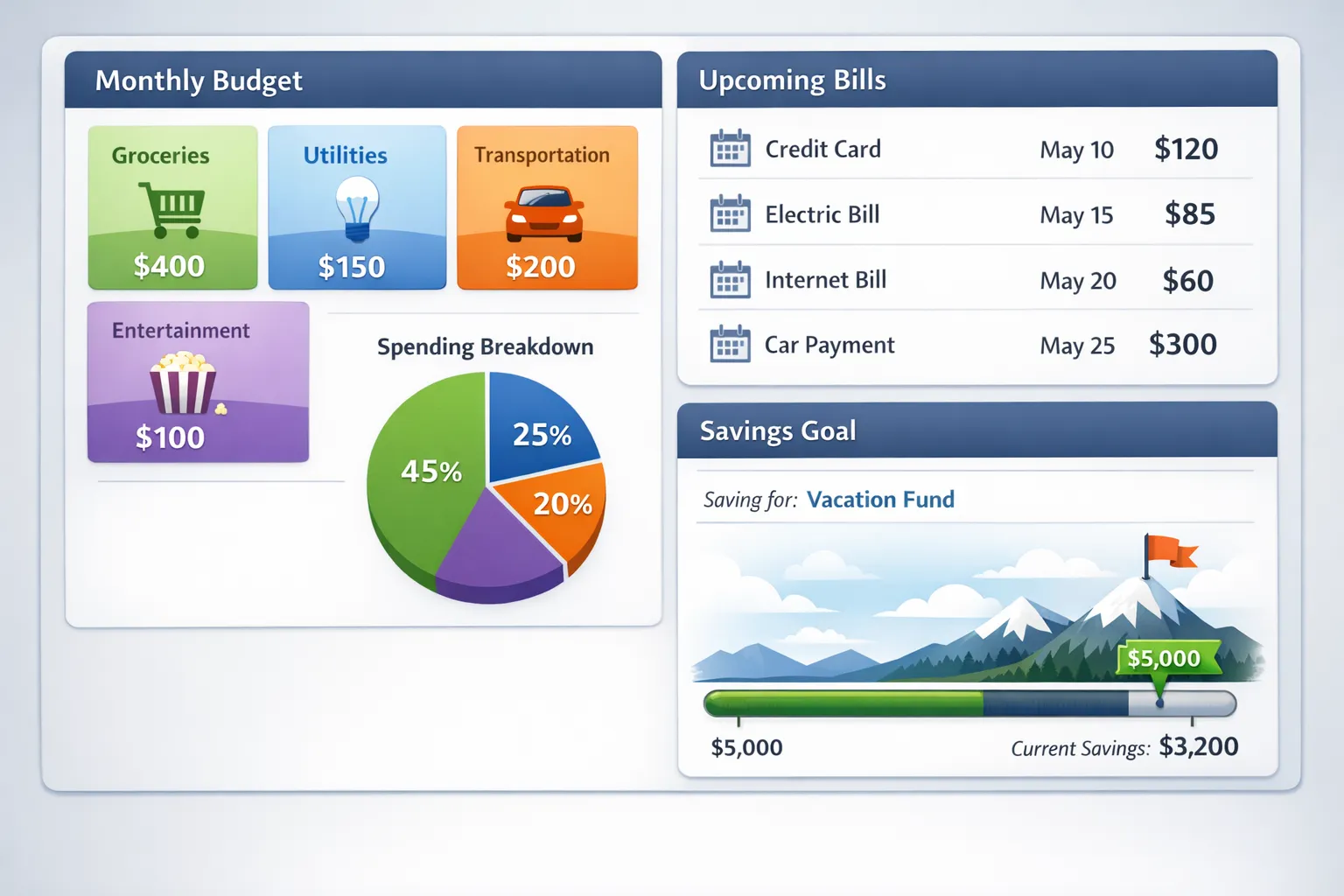
If that sounds like you, MoneyPatrol is designed as a free, comprehensive personal finance and budgeting app with an all-in-one dashboard for tracking expenses, managing income, monitoring accounts, and working toward financial goals. It also includes capabilities like bill and debt tracking, investment tracking, credit score monitoring, customizable alerts and reminders, account reconciliation, and detailed financial reports, plus connectivity to thousands of financial institutions.
If you are comparing options, this “single dashboard” approach can be especially useful when your main goal is not just tracking spending, but understanding how daily decisions affect bigger outcomes like debt payoff and net worth.
11) Common reasons people pick the “wrong” budgeting app (and how to avoid them)
Choosing for aesthetics instead of behavior change
A beautiful interface is nice, but it should help you take action. If it does not make overspending obvious or budgeting easy to maintain, the novelty fades quickly.
Tracking everything, reviewing nothing
Budgeting is not just recording transactions. The results come from a short review loop. Even 10 minutes weekly is enough to spot drift and correct it.
Over-categorizing
Too many categories creates friction. Start simple, then add detail only where it changes decisions (for example, splitting “Food” into “Groceries” and “Dining Out”).
Ignoring irregular expenses
If your budget only covers monthly bills, it will feel like it “fails” every time a quarterly insurance payment or annual fee hits. Build sinking funds early.
The takeaway: “best app for budgeting” means best for your use case
Choosing the best app for budgeting is less about finding the most popular tool and more about matching features to your real-life money habits.
Prioritize:
- A budgeting style that fits you
- Reliable account connectivity
- Strong fundamentals (budgets, bills, alerts, reports)
- Security and privacy transparency
- A workflow you will maintain (mobile, desktop, or both)
Once you have a shortlist, a 30-minute test drive will usually make the decision obvious.

 Our users have reported an average of $5K+ positive impact on their personal finances
