

If budgeting has ever felt like guesswork, it is usually because your plan is missing one thing: timing. You might know how much you spend, but if you do not know when bills hit and which paycheck will cover them, it is easy to overdraft, miss due dates, or feel behind even when you are doing “everything right.”
A budget calendar app helps you organize your money by date, so you can line up paychecks, bills, subscriptions, and debt payments in a simple schedule. Done well, it turns budgeting from a monthly hope into a weekly routine you can actually stick with.
What a “budget calendar app” really does
A budget is typically categorized (rent, groceries, utilities). A calendar is timed (the 1st, the 15th, Friday). A budget calendar approach combines both so you can answer questions like:
- What bills are due before my next paycheck?
- How much must stay in checking this week so I do not accidentally spend my rent money?
- Which due dates should I move (when possible) to reduce stress?
In practice, a budget calendar app should help you:
- Track bill due dates and payment status
- Visualize your month (or pay period) so you can plan spending between bill clusters
- Set alerts and reminders so nothing slips
- Tie bill planning back to your real transactions, so your “plan” matches reality
Why a calendar-based bill plan makes budgeting easier
Most people do not run into money problems because they cannot do math. They run into money problems because the month is uneven.
Rent and insurance might land at the beginning of the month, while groceries and gas happen daily. If you are paid biweekly, some months include three paychecks, and some do not. A calendar-based bill plan makes those timing issues visible.
It reduces late payments and the domino effect
Late payments can trigger late fees and, for some accounts, can hurt your credit if the payment becomes seriously delinquent. Experian notes that payment history is a major factor in credit scores and that late payments can damage your score depending on severity and recency (Experian).
A calendar workflow is simple protection: you see what is due, you see what is funded, and you get reminders before you are at risk.
It improves cash flow (even if your income is stable)
Cash flow is not just for businesses. If you have ever said “I can afford it, just not this week,” you are describing a cash flow problem.
A budget calendar helps you plan around:
- Irregular bills (quarterly insurance, annual subscriptions)
- Bill “stacks” (multiple due dates clustered in the same week)
- Income timing (biweekly, semi-monthly, tips, commissions)
It makes “fun money” feel safer
Many people cut discretionary spending because they are anxious, not because they are broke. When you can clearly see that next week’s bills are already covered, spending becomes intentional instead of stressful.
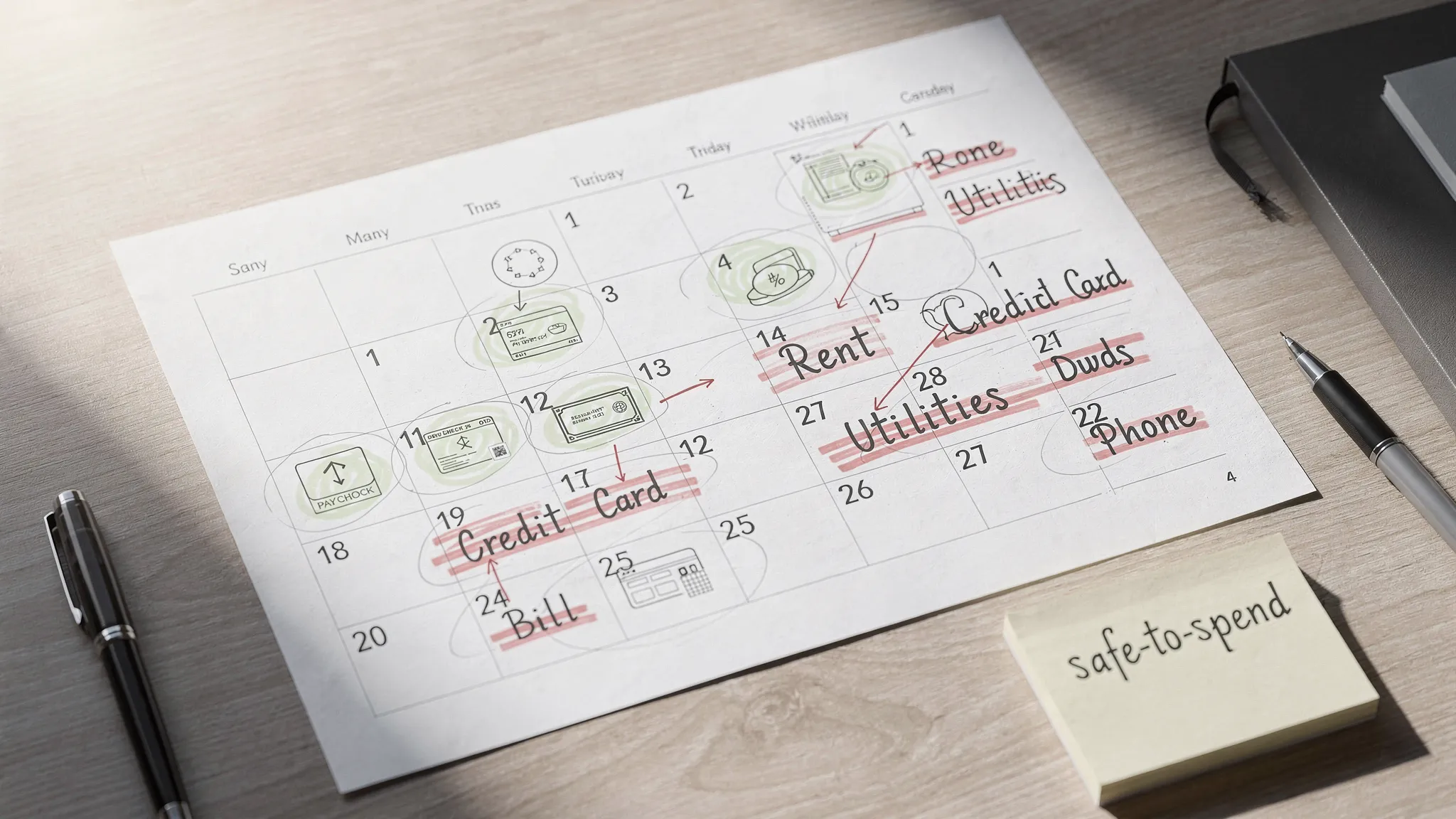
Set up your bill budget calendar in about 20 minutes
You do not need a perfect system to get value quickly. You need a complete list, realistic dates, and a short weekly routine.
Gather your “bill list” (10 minutes)
Start by listing every bill or recurring expense you want on your calendar:
- Fixed bills: rent or mortgage, car payment, insurance, daycare
- Utilities: electric, gas, water, internet, phone
- Debt payments: credit cards, student loans, personal loans
- Subscriptions: streaming, cloud storage, gym
- Sinking funds: yearly fees, gifts, car repairs (planned monthly)
For each item, capture:
- Typical amount (or range)
- Due date
- Whether it is autopay
- Payment account (checking, card, etc.)
If you already use a personal finance app that syncs accounts, your transaction history can help you spot subscriptions you forgot.
Put bills on a calendar, then add paycheck dates
Add your paydays first, then place bills where they actually land.
Next, assign a planned pay date for each bill. This is the date you intend to pay, which may be earlier than the due date.
A good rule: schedule payments for 2 to 5 days before the due date (more if mail is involved). This creates breathing room for weekends, bank processing, and simple forgetfulness.
Create two reminders per bill (simple, but powerful)
If your app supports reminders, two alerts reduces “oops” moments:
- Reminder 1: 7 days before due date (review and fund)
- Reminder 2: 2 days before due date (pay or confirm autopay)
This is especially useful for variable bills (utilities) where you may want to check the amount before paying.
Add a buffer line item (your calendar’s safety margin)
A budget calendar is strongest when it includes a small buffer so timing errors do not become overdrafts.
If possible, build toward keeping at least a partial cushion (even $100 to $300) in checking, separate from bill money. Over time, many households work toward a larger buffer, but starting small is still meaningful.
Do not forget irregular expenses (the ones that wreck months)
Many budgets fail because they only include monthly bills. Add irregular costs as calendar events or monthly “set-aside” items, such as:
- Car registration
- Annual subscriptions
- Back-to-school spending
- Holiday gifts
- Medical copays
If you cannot predict an exact date, place a “set aside” event on the first paycheck of each month.
A simple bill calendar template you can copy
Whether you use a spreadsheet, a notes app, or a budgeting tool, this structure works.
| Bill / Expense | Typical amount | Due date | Planned pay date | Payment method | Reminder schedule |
|---|---|---|---|---|---|
| Rent | $ | 1st | Last business day prior | Checking / ACH | 7 days + 2 days |
| Electric | $ (varies) | 10th | 7th | Checking / online bill pay | 7 days + 2 days |
| Credit card | $ (varies) | 15th | 12th | Autopay minimum + manual extra | 7 days + 2 days |
| Auto insurance | $ | 20th | 18th | Autopay | 7 days + 2 days |
| Streaming subscription | $ | 28th | 28th | Card | 7 days (review annually) |
Two notes that make this template more realistic:
- If you are paying down debt, consider scheduling autopay for the minimum (to protect your due date), then add a second planned payment when cash flow allows.
- For bills you can move (some credit cards, some utilities), shifting due dates to align with paydays can reduce stress.
How to actually use your budget calendar week to week
A calendar only works if you look at it. The good news is that the routine can be short.
The 10-minute weekly money check-in
Once a week (many people prefer Sunday or payday), review:
- Bills due before your next paycheck
- Current checking balance and upcoming scheduled payments
- Any large discretionary purchases you want to make
Then answer one question: Is next week already funded?
If yes, you can spend more confidently.
If no, you can make a targeted adjustment (pause dining out, delay a non-urgent purchase, transfer from savings, or pay a bill a few days later if allowed).
Month-end cleanup (helps your next month feel easier)
At the end of the month, do a quick reset:
- Confirm paid bills are actually cleared (not just “scheduled”)
- Reconcile surprises: fees, refunds, medical costs, one-off purchases
- Adjust next month’s planned pay dates if a cluster felt tight
Apps that support account reconciliation and reporting can make this easier by helping you verify balances and review where the month went.
Common bill-planning mistakes (and quick fixes)
Mistake: Planning due dates instead of pay dates
Due dates are the deadline. A calendar should focus on when you will pay.
Fix: Add planned pay dates that are earlier than due dates.
Mistake: Treating autopay as “set it and forget it”
Autopay prevents missed due dates, but it does not prevent low balances.
Fix: Keep reminders even for autopay, especially for variable bills and credit cards.
Mistake: Forgetting annual and quarterly expenses
These are often the bills that trigger credit card reliance.
Fix: Put them on your calendar the moment you learn about them, then add monthly set-asides.
Mistake: Not connecting the plan to real spending
A calendar is not helpful if transactions are not tracked, categorized, and reviewed.
Fix: Use a system that shows both your plan (bills and reminders) and your reality (transactions and balances).
What to look for in a budget calendar app
If you are comparing tools, prioritize features that support timing and follow-through, not just category budgets.
Must-have features for bill planning
- Bill tracking (including recurring bills)
- Reminders and alerts you can customize
- A clear view of accounts and balances so you can avoid overdrafts
- Reporting that helps you review spending patterns and cash flow
Nice-to-have features (especially if you are improving credit or paying down debt)
- Debt tracking so you can see payment progress
- Credit score monitoring so you can watch for changes over time
- Investment tracking so your net worth view is not fragmented
Using MoneyPatrol as a budget calendar workflow
MoneyPatrol is a free personal finance and budgeting app that combines expense tracking, budgeting tools, bill and debt tracking, income management, investment tracking, credit score monitoring, alerts, account reconciliation, and detailed financial reports in one place.
Even if you are specifically looking for a “budget calendar app,” the most important outcome is the workflow: you want a reliable way to plan bills by date and then confirm they were actually paid.
Here is a practical way to use MoneyPatrol for that:
Step 1: Connect accounts so your calendar plan matches reality
When your accounts are connected, you can monitor balances and transactions as bills hit, which helps you validate that the plan you made is actually working in the real world.
Step 2: Track bills and debts, then layer reminders on top
MoneyPatrol includes bill and debt tracking plus customizable alerts and reminders. This is the backbone of a calendar-style system: due dates are captured, and reminders reduce late payments.
Step 3: Use your dashboard and reports for weekly reviews
A weekly check-in becomes much easier when you can see your accounts, spending, and budget in one dashboard. Over time, detailed reports help you spot patterns like bill clusters, rising subscriptions, or months where variable bills spike.
If you want a broader overview of how MoneyPatrol approaches budgeting (beyond calendar planning), you can also read their overview of the best free budgeting app.
Frequently Asked Questions
What is the best way to create a bill calendar? Start with payday dates, then list every bill with its due date, and assign a planned pay date that is a few days earlier. Add two reminders (one a week before, one a couple days before) and review weekly.
Is a budget calendar app better than a regular budgeting app? It depends on your problem. If your main issue is cash flow timing (bills hitting before paychecks), a calendar approach usually helps more than category budgets alone.
Should I use autopay for everything? Autopay is great for preventing missed due dates, but you still need reminders to ensure the money is in the right account, especially for variable bills and credit cards.
How do I plan bills if my income changes week to week? Use a conservative baseline for income, schedule essentials first, and plan a weekly review. Variable income works best with flexible “set-aside” amounts and a small buffer.
Can late bills hurt my credit score? Late payments can harm your credit depending on how late they are and the account type. Payment history is a major factor in credit scoring, so reminders and on-time payments matter (Experian).
What should I track besides bills in my budget calendar? Track irregular expenses (annual fees, registration, gifts), debt payoff milestones, and your minimum safe checking balance (your buffer), so timing issues do not derail your month.
Start planning bills the easy way with MoneyPatrol
If you want a simple system that helps you plan bills by date and then confirm they are actually paid, MoneyPatrol brings budgeting, expense tracking, bill tracking, alerts, and reporting together in one free app.
Explore MoneyPatrol and set up your bill-planning workflow here: MoneyPatrol.

 Our users have reported an average of $5K+ positive impact on their personal finances
