

You do not need complicated spreadsheets to get results from your money. A good personal budget app helps you see where every dollar goes, decide where you want it to go next, and automate the boring parts so you actually keep more. Use these field-tested tips to spend less and save more, starting this month.
What a personal budget app should do for you
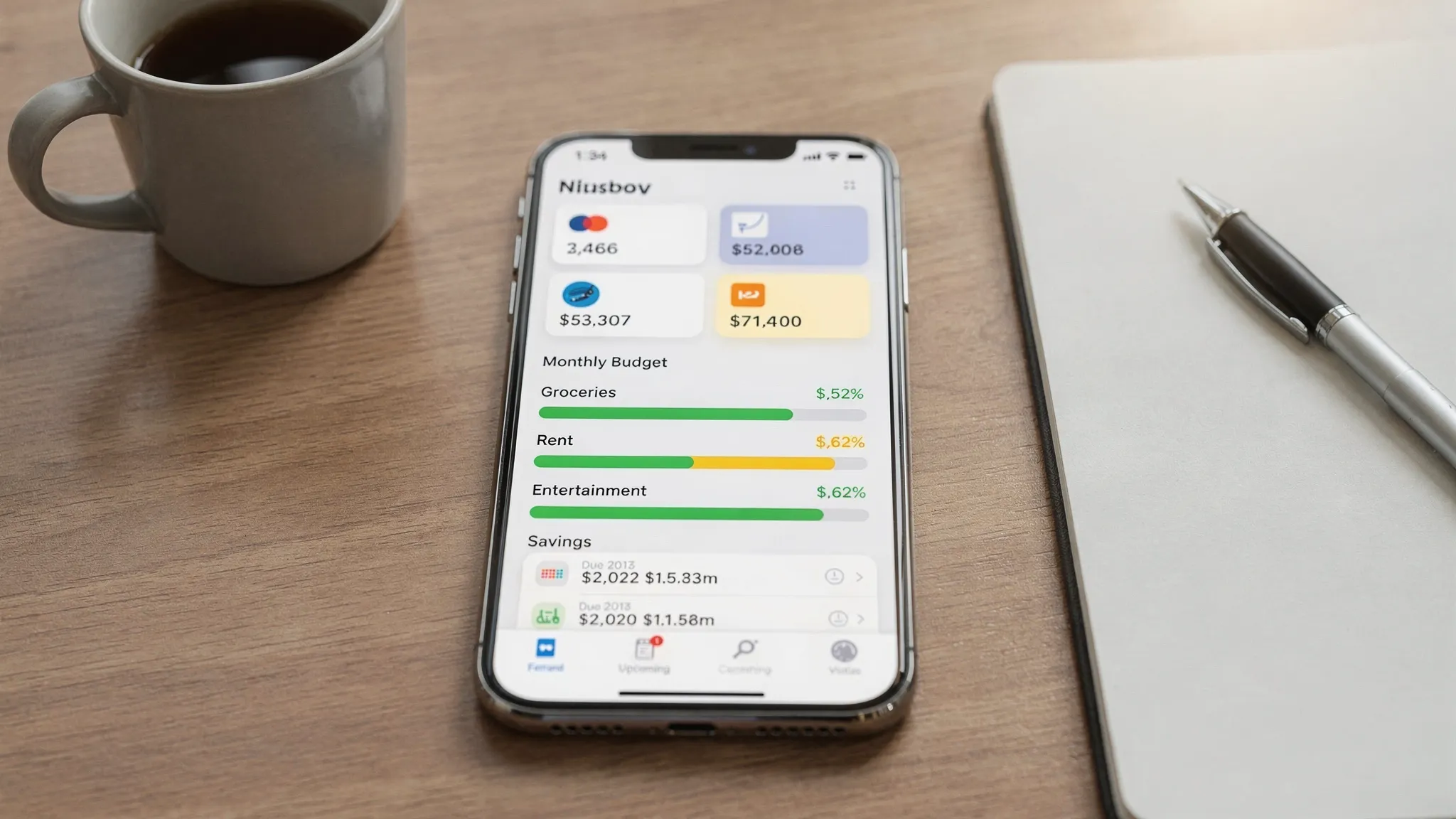
A quality app makes progress feel simple, not stressful. At a minimum, it should help you:
- Track income and every expense across bank, card, and cash accounts so your totals are always current.
- Create a realistic budget, then compare actuals to targets during the month.
- Set alerts and reminders for bills, suspicious activity, and category limits, so you avoid fees and overspending.
- Monitor debts, plan payments, and see how balances move over time.
- View consolidated dashboards and reports that turn transactions into insight.
MoneyPatrol checks all these boxes. It connects to thousands of financial institutions, tracks expenses and income, includes budgeting, bill and debt tracking, investment tracking, credit score monitoring, customizable alerts and reminders, account reconciliation, and detailed financial reports.
Day-one setup in MoneyPatrol, do these first
- Connect all active accounts: checking, savings, credit cards, loans, and investment accounts. This gives you a 360 degree view and prevents surprises.
- Add your recurring bills with due dates and minimum amounts, then turn on reminders. Late fees disappear when your calendar does the remembering for you.
- Pick a simple budget rule for your first month, then refine later. If you are unsure, start with 50, 30, 20 as a baseline.
- Create core categories and assign monthly limits. Keep it lean: housing, utilities, transportation, groceries, dining, health, insurance, debt payments, savings, fun. You can add detail later as you learn.
- Switch on critical alerts: bill due soon, low balance, large transaction, and category threshold at 80 percent. Early warnings save you from oops moments.
- Enter your debt accounts and minimums in the debt tracker. Choose a payoff strategy now, snowball or avalanche, so every extra dollar has a job.
- Give your savings a job. Create an “Emergency Fund” category and treat it like a bill you pay yourself on payday. Set a reminder so you never skip it.
Proven budgeting methods you can run inside your app
There is no single perfect method, only the one you will actually follow. Here are four popular approaches and how to implement them with MoneyPatrol’s tools.
| Budget method | How it works | Best for | Quick setup in MoneyPatrol |
|---|---|---|---|
| 50, 30, 20 | Allocate 50 percent needs, 30 percent wants, 20 percent savings and debt | Beginners who want a fast start | Group categories into Needs, Wants, Savings and Debt, set monthly limits that hit 50, 30, 20 totals, enable 80 percent alerts |
| Zero-based | Every dollar gets a job before the month starts, income minus expenses equals zero | Goal-driven users who want precision | Budget every category until the “Remaining to assign” equals zero, track mid-month and reassign as needed |
| Envelope-style by category | Fixed spending caps per category, stop when the envelope is empty | Overspending on variable categories | Set strict limits for groceries, dining, gas, fun, turn on threshold alerts and large-transaction alerts |
| Pay yourself first | Move savings and debt payments first, live on the rest | Building emergency fund or accelerating payoff | Schedule savings and debt as top-line “must pay” categories with reminders on payday |
If your income is irregular, use last month’s income to fund next month’s budget. This smooths volatility and keeps you out of “feast or famine” mode.
Quick wins to spend less this week
- Audit subscriptions, then cancel or downgrade. In your transactions, search for repeating charges and free trials. Add the next renewal date to your bill tracker and set a reminder 5 days before renewal. Keep only what you truly use.
- Split groceries from dining out, then cap dining. Many people overspend by mixing these. Set a separate dining limit and an 80 percent alert so you get a nudge before you hit the cap.
- Cut junk fees. Turn on low balance alerts for checking accounts, and watch for ATM and overdraft fees in your reports. If you see a pattern, switch banks or adjust your buffer.
- Shop with last month’s data. Use your spending reports to identify the top three categories that crept up. Pick one lever to pull this month, for example, swap two restaurant meals for planned grocery nights.
- Reduce recurring bills. Add your internet, phone, and insurance premiums to MoneyPatrol, then compare month to month. Call providers, ask about retention offers or discounts, and calendar the next review in 6 months.
- Set a daily flex cap. Decide a realistic daily amount for discretionary spend, for example, coffee, snacks, rideshare. Use a category alert if the average daily run rate exceeds your target.
The Consumer Financial Protection Bureau emphasizes that tracking spending, automating payments, and reviewing regularly are core habits that keep finances on track. See guidance at the Consumer Financial Protection Bureau.
Make saving automatic so it actually happens
Saving is easier when you never see the money in your spending pool.
- Pay yourself first. On payday, move a fixed amount to savings. Track that transfer as a budgeted “Emergency Fund” expense so it is prioritized.
- Build sinking funds for irregular costs. Create categories for car maintenance, annual subscriptions, gifts, and travel. Fund them monthly so big expenses feel routine, not painful.
- Use a savings escalator. Increase your “Emergency Fund” or “Investing” category by 1 percent of income each quarter. Small, steady increases beat one-time bursts.
If you also monitor your credit and debts, you can reduce interest and keep more of your savings gains. You can obtain free credit reports at AnnualCreditReport.com, and MoneyPatrol includes credit score monitoring as part of your dashboard.
Crush debt strategically with your budget app
There are two proven payoff approaches. Choose one and stick with it.
| Method | Focus | Why people pick it | How to track in MoneyPatrol |
|---|---|---|---|
| Snowball | Smallest balance first | Fast wins keep motivation high | List debts with minimums in Bill and Debt Tracking, send all extra to the smallest, when it is paid off, roll that amount to the next balance |
| Avalanche | Highest interest rate first | Lowest total interest paid | Order debts by APR in your tracker, send all extra to the highest APR, keep minimums on the rest |
Whichever you choose, budget a fixed extra amount each month and treat it like a must-pay bill. Use reminders before each due date and enable large-transaction alerts to spot unexpected charges that could slow your progress.
The Federal Reserve’s ongoing Survey of Household Economics and Decisionmaking tracks how households handle saving, spending, and debt. If you want broader context on common money challenges, explore the Fed’s overview of the survey at the Federal Reserve.
Control cash flow with a calendar and weekly reconciliation
Cash flow, not just totals, is why budgets feel tight. A few minutes a week keeps you ahead of the curve.
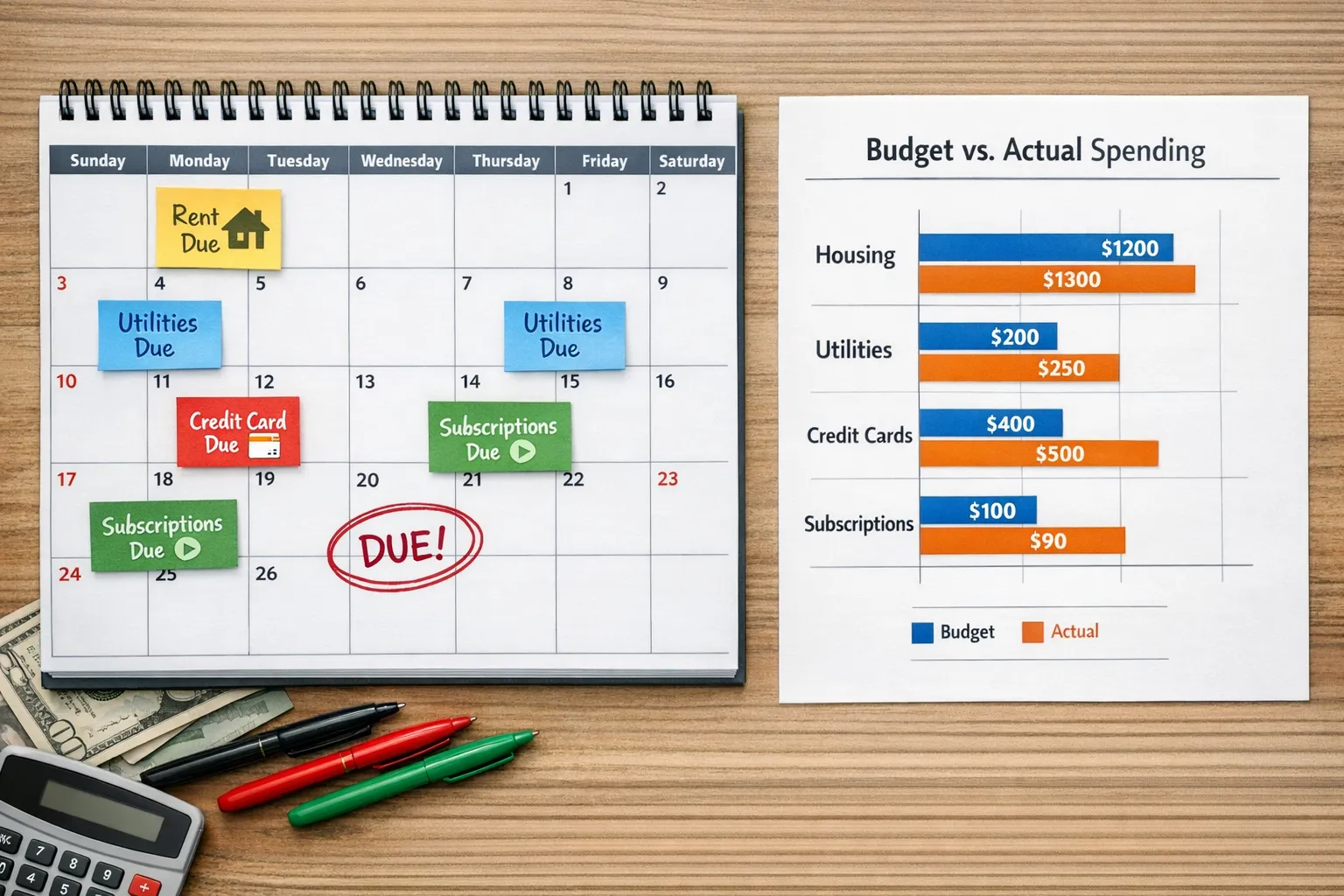
- Build a bill calendar. Add every due date into MoneyPatrol’s bill tracker with reminders a few days in advance. Check the calendar view when scheduling other payments.
- Do a 12 minute weekly money check-in. Reconcile new transactions, categorize anything uncategorized, scan for duplicates or fraud, and glance at category progress bars. Move small amounts between categories if priorities change mid-month.
- Use account reconciliation to stay accurate. Match posted transactions and balances so your reports reflect reality. This is where many small errors and forgotten subscriptions show up.
Monthly metrics that matter
Detailed financial reports turn history into action. Each month, track these three views and write one sentence about what you will change next month.
- Budget vs actual by category, aim for green bars on needs, and keep wants near your target.
- Income vs expenses over time, look for a consistent surplus. If there is a gap, adjust either income or two of your top three spend categories.
- Accounts and debts snapshot, watch cash grow while debts shrink. If investments are connected, make sure contributions continue as planned.
Security, verification, and why it matters
You are connecting sensitive financial data, so identity verification and secure connections are a feature, not a hassle. MoneyPatrol requires a quick identity check during sign-up to help prevent fraud and to enable features like debts and credit score. If you are curious about what is requested and why, read the short explainer on user identity authentication.
A simple 30 day action plan
Week 1, connect accounts, set up your budget rule, add bills, and turn on alerts. Track every expense.
Week 2, cancel or downgrade two recurring charges and set a dining cap. Move at least one bill due date if it clusters too close to rent or mortgage.
Week 3, automate savings on payday and add a fixed extra payment to your chosen debt. Set a reminder the day before each transfer.
Week 4, run your monthly reports, adjust two category limits based on reality, and schedule your next 12 minute weekly check-ins for the month ahead.
Small wins compound. By day 30 you should have fewer fees, better timing on bills, and the start of an emergency fund.
FAQs
What budget method should I start with? Start with 50, 30, 20 for a quick win. After one or two months of real data, decide if you want the precision of zero-based or the discipline of envelope-style caps.
How many categories is too many? Begin with 8 to 12. Add detail only when a category consistently blows past its limit and you need more control.
What if my income is irregular? Budget using last month’s income for the new month. Keep a one month buffer in checking so you are not relying on the timing of the next deposit.
How do alerts actually save money? Alerts prevent late fees, overdrafts, and end-of-month surprises. A bill-due reminder or an 80 percent category alert gives you time to adjust before you overspend.
Is a budget app better than a spreadsheet? Apps like MoneyPatrol connect to your accounts, track automatically, send alerts, and generate reports. Spreadsheets work if you love manual entry, but most people save more when the process is automated.
Is MoneyPatrol free? MoneyPatrol offers a free personal finance and budgeting app. You can track expenses, set budgets, and use alerts without paying.
Ready to put your money on autopilot in a way that fits your life, not the other way around? Create your free account and start tracking with MoneyPatrol. For more help choosing a setup you can stick with, check our guide to the best free budgeting app.


 Our users have reported an average of $5K+ positive impact on their personal finances
