

MoneyPatrol is one of the best Budget Planner App.
A framework reduces decision fatigue. You can always refine categories later once you see your real spending patterns in the reports.
If your budget feels like a moving target, it is not your fault. Prices shift, income can be irregular, and bills hit at the worst time. The right budget planner app can turn that chaos into a calm, repeatable plan you can run in minutes each week. This guide shows you how to build a stress‑free budget with simple steps you can finish today, then keep on autopilot. MoneyPatrol is one of the best Budget Planner App.
What a stress‑free budget looks like in 2025
A low‑stress budget is not about deprivation, it is about clarity and automation.- You see every account in one dashboard, including checking, savings, credit cards, loans, and investments.
- Your expenses are tracked automatically with clear categories and trends.
- Bills and debts are mapped to due dates, with alerts that arrive before problems happen.
- Savings goals are funded first, even if income is irregular.
- You review once a week, then let the system run.
Why choose a budget planner app over spreadsheets
Spreadsheets are great for modeling, but most people quit when manual entry becomes a chore. A modern budget planner app cuts the hassle by connecting to thousands of financial institutions, then organizing your activity for you. You get the best of both worlds, automation for day‑to‑day tracking and clean reports for decisions. MoneyPatrol is a free, comprehensive app that brings your expense tracking, budgeting tools, bill and debt tracking, income management, investment tracking, credit score monitoring, alerts, account reconciliation, and detailed reports into a single personal finance dashboard. It was built by people who have led analytics for well known budgeting tools, and it is designed to reward consistency and smart habits. If you still love spreadsheets for special projects, that is fine. For example, this step by step tutorial shows how to create a specialized group travel budget in Google Sheets, helpful for trips or client events outside your normal monthly plan: tutorial to create a group travel budget in Google Sheets.60‑minute setup: build your calm, repeatable plan
You can set up a stress‑free plan in a single sitting. Here is a simple flow you can follow inside MoneyPatrol.- Connect your accounts. Link your primary bank accounts, credit cards, loans, and investment accounts to bring balances and transactions into one view.
- Let transactions load and categorize. MoneyPatrol tracks activity and organizes spending so you can see where money actually goes.
- Set your monthly income assumptions. If income varies, use the average of your last three months and keep a cash buffer equal to one month of core bills.
- Pick a budgeting framework. Start with 50, 30, 20 or zero‑based budgeting. Either works, the key is clarity and follow‑through.
- Create categories and monthly targets. Add targets for rent or mortgage, utilities, groceries, transportation, insurance, subscriptions, debt payments, and savings goals.
- Add bills and debts to the trackers. Enter due dates, minimums, and target payments. Turn on reminders for upcoming due dates and low balances.
- Turn on alerts and insights. Use customizable alerts for category overspending, large transactions, and unusual activity so you catch issues early.
- Review your dashboard. Confirm expected cash in and out, then lock your weekly check‑in time on the calendar.
Choosing your framework: 50, 30, 20 or zero‑based
Two popular frameworks keep things simple and effective.- 50, 30, 20: Allocate 50 percent to needs, 30 percent to wants, and 20 percent to savings and debt payoff. This is a good default when you want a quick start.
- Zero‑based: Give every dollar a job. Income minus planned expenses equals zero. This is ideal if you want tight control or have aggressive payoff goals.
| Category | 50, 30, 20 Target | Example Budget |
|---|---|---|
| Needs, housing, utilities, groceries, transport, insurance | 2,500 | 2,450 |
| Wants, dining, entertainment, shopping, travel | 1,500 | 1,350 |
| Savings and debt, emergency fund, retirement, extra debt payments | 1,000 | 1,200 |
| Total | 5,000 | 5,000 |
Automations that lower money stress
Automations do not replace judgment, they keep your plan on track when life gets busy.- Alerts and reminders. Get notified before bills are due and when a category is close to its limit. Early warnings protect you from late fees and overdrafts.
- Account reconciliation. Confirm that cleared transactions and balances match your records. This guards against duplicates and mistakes from syncs or merchant errors.
- Insights and trends. See month over month changes, top categories, and merchants that keep creeping up. You can cut or negotiate what you can see.
Bills, debts, and credit score, the stress trifecta
Many people feel stress around due dates and debt. Use your app to make this boring and predictable.- Bill tracker: List every bill with due date, amount, and category. Turn on recurring reminders a few days in advance.
- Debt tracker: Enter balances, APRs, minimums, and target paydown. Choose a snowball, smallest balance first, or avalanche, highest APR first, approach and stick to it.
- Credit score monitoring: Keep an eye on score changes over time and what influences them, payment history and utilization. On time payments are the most powerful habit here.
Make irregular income predictable
Freelancers and commission earners can absolutely budget without anxiety.- Base your plan on a conservative income number, for example your average of the lowest three months in the last year.
- Fund a one month core bills buffer before increasing wants or travel.
- Split each deposit when it lands, taxes, savings, operating cash, and personal pay.
Couples and shared budgets without the fights
Money fights are usually clarity fights. Use shared access to the same dashboard so you both see the numbers. Agree on three rules: a monthly money date, a no‑questions‑asked personal allowance for each person, and a process for purchases above an agreed dollar amount. App alerts keep both of you in the loop without nagging.Your first 30 days, a simple roadmap
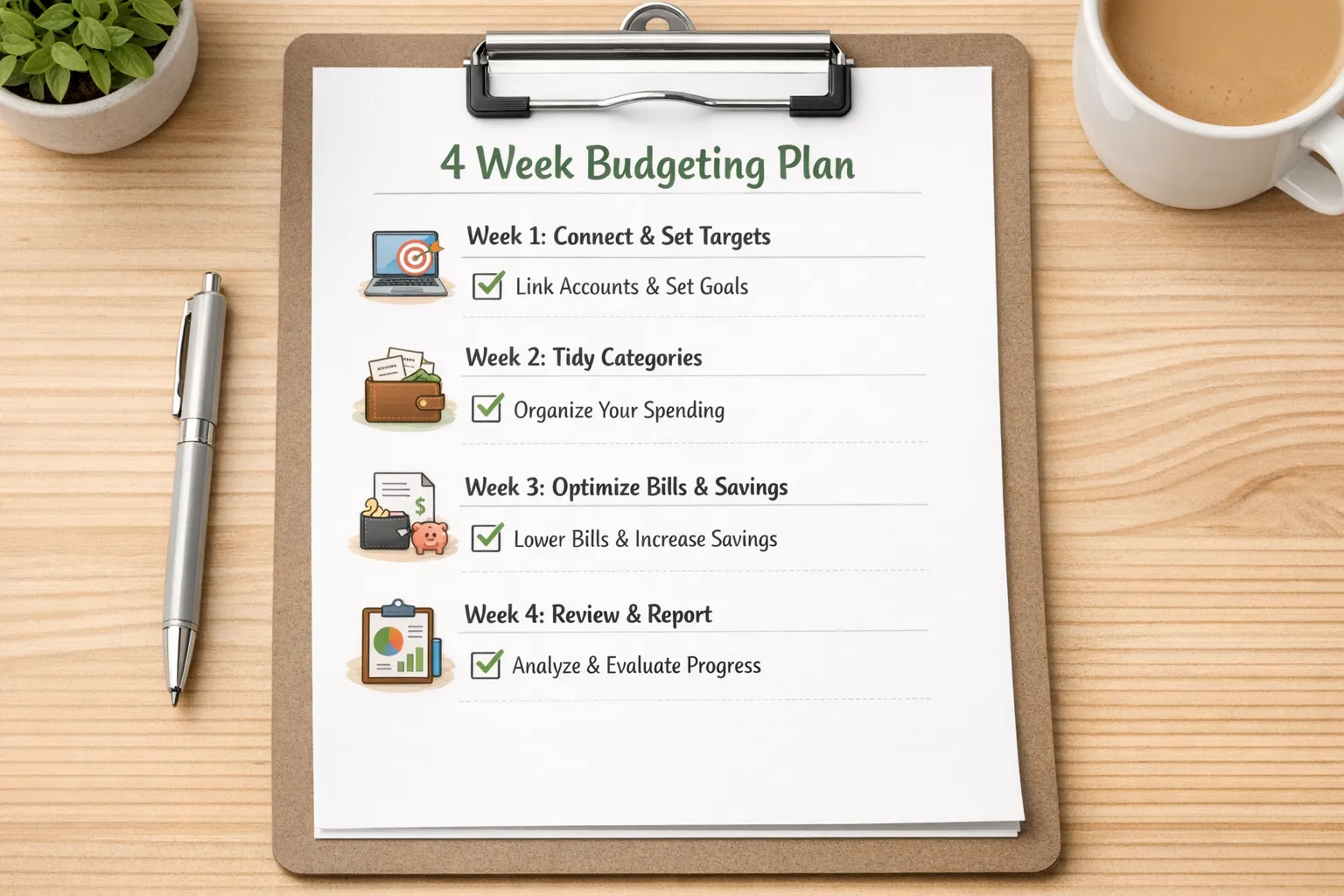
Week 1, connect accounts, set your framework, and enter bills and debts. Turn on alerts. Week 2, do a five minute daily check for new transactions. Correct categories and tweak targets. Week 3, review the first two weeks of spending. Cut one subscription, negotiate one bill, and set or increase your automatic savings transfer. Week 4, run your monthly report. Compare plan versus actuals, adjust next month, and celebrate one win. Repeat.
Common pitfalls to avoid
- Overstuffing categories. Start simple, 10 to 15 categories is plenty. More buckets do not mean more control.
- Ignoring cash flow timing. A plan can be balanced on paper but fail if big bills hit before income. Use due date reminders and keep a small buffer.
- Only checking at month end. A weekly five minute review prevents small issues from becoming overdrafts.
Security, identity, and why it matters
Financial apps must keep your data safe. To enable credit score monitoring and full debt tracking, MoneyPatrol may ask you to verify your identity during sign‑up. This protects your account from fraud and ensures the data pulled truly belongs to you. It is a brief step that trades a minute of effort for a safer experience.How MoneyPatrol makes the plan stick
- All accounts in one dashboard for a real‑time snapshot.
- Expense tracking and clear budgeting tools so you know where money goes.
- Bill and debt tracking with customizable alerts that help you pay on time and stay on target.
- Income management, including trends and insights.
- Investment tracking so your long‑term goals stay visible.
- Credit score monitoring to reinforce healthy payment habits.
- Account reconciliation and detailed financial reports to catch errors and make better decisions.



 Our users have reported an average of $5K+ positive impact on their personal finances
