
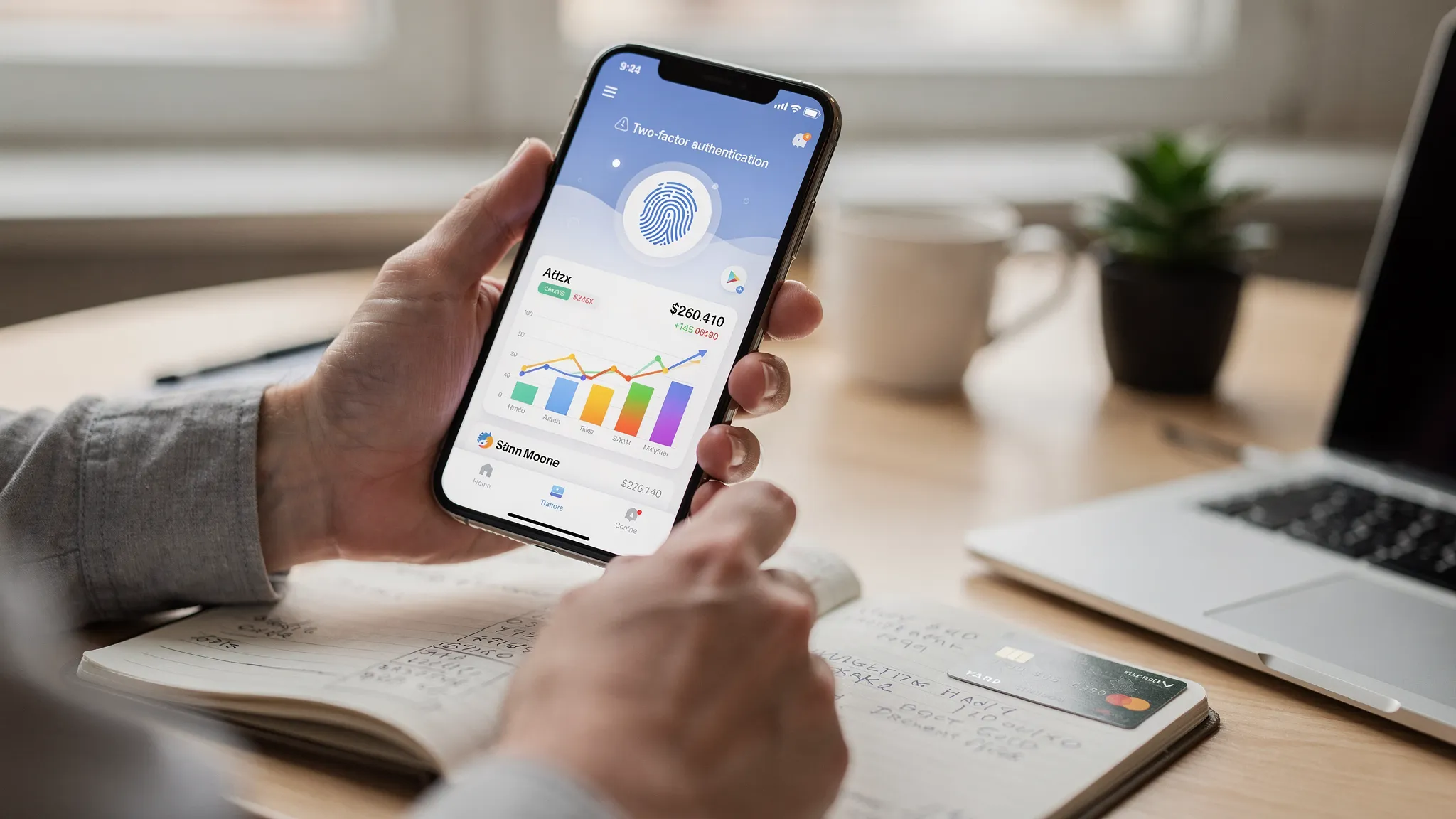
Picking a financial app is not only about features. It is about trust. With more of our money lives moving to mobile, security and privacy need to be front and center. The Federal Trade Commission reports consumers lost more than 10 billion dollars to scams in 2023, a record high, which means your choice of tools and your security habits matter more than ever. See the FTC’s 2024 press release for details: Consumers reported losing more than $10 billion to scams in 2023.
This guide gives you a practical checklist to evaluate financial apps quickly, security tips that actually reduce risk, and trustworthy picks that help you manage money with confidence.

How to vet a financial app’s security in 10 minutes
1) Authentication that resists account takeovers
Look for multi factor authentication options and modern sign in methods. The gold standard today includes passkeys or app based one time codes, strong device binding, and biometric unlock on your phone. The National Institute of Standards and Technology outlines assurance levels and phishing resistant authenticators in its Digital Identity Guidelines, which is a helpful reference when you evaluate login options: NIST SP 800 63.
Green flags include support for phishing resistant methods like passkeys where available, biometric app unlock, and the ability to review and revoke trusted devices. If an app uses only a password with no second factor, that is a red flag.
2) Bank connections that use APIs, not stored passwords
Modern apps should connect to your bank through secure APIs and OAuth style flows, so you never hand your bank username and password to the app. The Consumer Financial Protection Bureau is moving the industry toward safer open banking practices under Section 1033, which favors tokenized, permission based data sharing. See the CFPB’s rulemaking hub: Personal Financial Data Rights. The Financial Data Exchange is another useful resource on API standards: FDX.
When you link an account, you should be redirected to your bank to authorize access, then returned to the app. That is OAuth. If you are asked to type your bank password directly into the app, pause and verify how your credentials are protected and whether you can limit scopes and duration.
3) Clear privacy policy, with data minimization and deletion
Trustworthy apps explain what they collect, why they collect it, how long they keep it, and how to delete it. You should be able to request deletion of your profile and data, and to disconnect individual accounts easily. Look for straightforward answers to what is sold or shared, how anonymization works, and whether the app uses your data for advertising.
4) Independent assurance and secure development practices
It is reasonable to expect serious finance apps to follow recognized frameworks, for example SOC 2 Type II or ISO 27001, and to adopt secure coding practices. OWASP provides a useful baseline with the Mobile Application Security Verification Standard: OWASP MASVS. Public documentation of penetration testing cadence, vulnerability disclosure, or a bug bounty program are all positive signals.
5) Account controls you can see and use
Inside the app, you should find a security or privacy section where you can review connected institutions, active sessions, devices, and alert settings. Good apps make it easy to revoke a connection, sign out other sessions, set spending and balance alerts, and download data.
6) Identity verification for credit features
If an app offers your credit score, full credit report, or debt details, additional identity proofing is not only normal, it is required. You may be asked for phone verification and the last four digits of your SSN to comply with credit bureau rules. MoneyPatrol, for example, explains its identity proofing step and why it matters for credit data access in its article on user identity authentication.
7) Straight talk during incidents
No provider is immune to risk. What differentiates a trustworthy app is timely, clear communication and remediation if something goes wrong, plus tools for you to protect yourself, like forced logouts, password resets, and easy data deletion.
A quick comparison guide for evaluating security claims
| What to review | Why it matters | How to check |
|---|---|---|
| Sign in and MFA options | Reduces account takeovers and phishing success | Look for passkeys or app based codes, biometric unlock, device management in settings, and session history |
| Bank connections | Avoids sharing bank credentials and limits access by scope | Confirm OAuth redirect to your bank, token based access, and clear scopes like balances, transactions, or read only |
| Privacy and data retention | Minimizes exposure and gives you control | Read the privacy policy for collection, sharing, retention, deletion, and data sale statements |
| Independent assurance | Signals mature security processes | Look for mentions of SOC 2 Type II or ISO 27001 and regular pen testing on the security page |
| Account controls | Lets you act quickly if needed | Check for disconnect account, revoke device, download or delete data, and alert settings |
| Credit data identity proofing | Protects sensitive credit files | Expect phone and identity checks for credit scores and reports, with a clear explanation of the process |
Pro tips for using financial apps safely
Strong provider security is half the battle. Your habits close the loop.
- Use a password manager and a unique, long password for every financial account.
- Turn on the strongest available second factor. Prefer passkeys or an authenticator app. If SMS is the only option, use it, then add SIM swap protections with your carrier. The FCC provides guidance on SIM swap scams.
- Keep your phone updated, require biometric unlock, and avoid installing apps from outside official stores.
- Do not link more accounts than you need. Review and prune data connections quarterly.
- Set alerts for large purchases, low balances, and new logins in both your bank and your finance app.
- Avoid public Wi Fi when accessing financial data. If you must use it, rely on your mobile network or a trusted VPN.
- Freeze your credit with all three bureaus if you are not actively applying for credit. It is free and can block many forms of identity fraud. The FTC explains how to place and lift freezes: IdentityTheft.gov.
Trusted picks for 2025, with security in mind
MoneyPatrol, a free all in one choice for budgeting, alerts, and credit monitoring
MoneyPatrol brings expense tracking, budgeting, bill and debt tracking, income management, investment tracking, and a personal finance dashboard into one place. It connects to thousands of financial institutions, provides customizable alerts and reminders, and offers detailed financial reports that help you spot irregularities quickly. If you want a single hub to monitor accounts, understand spending, and stay on top of due dates, this is a strong fit.
What stands out on trust and safety is the focus on responsible data access and identity verification for credit features. During sign up, MoneyPatrol requires identity authentication to protect against bots and fraud. For access to debts, your credit score, and full credit reports, MoneyPatrol uses phone verification and validation through its partner Spinwheel, which checks your name, address, phone, and last four of SSN. You can read the rationale and steps here: MoneyPatrol’s identity authentication overview.
Beyond security basics, MoneyPatrol is built by a founder with deep finance app experience. The founder created MoneyPatrol to help people budget, pay bills on time, reduce debt, grow investments, and improve net worth and credit scores through consistent daily habits. If you are getting started with a budget or returning after a break, the app’s free plan and alerts make it easy to build momentum. See this walkthrough on why MoneyPatrol is a best free budgeting app.
Your bank’s first party app, great for direct account controls
For managing a single institution, a bank or credit union’s own app reduces the number of intermediaries between you and your account. You will get strong alerts, card controls, and often built in two factor sign in. The limitation is scope, since you will not see outside accounts, and budgeting features are usually lighter than dedicated personal finance apps.
A dedicated credit monitoring app, useful for identity protection
If you prefer a standalone credit monitor, choose one that clearly explains identity verification, the source of credit scores, and how often reports refresh. Confirm you can freeze or lock your credit through the app or with direct links to bureaus, and that you can easily opt out of marketing. MoneyPatrol also offers credit score monitoring within its hub, which reduces the need for multiple apps and consolidates alerts.
Specialized budgeting tools, for method purists
Some people thrive with a highly structured budgeting method, like envelope or zero based budgeting, and choose a paid app that focuses only on that workflow. If you go this route, evaluate the same security criteria, verify how it connects to your banks, and check whether you can export and delete your data.
Answering common questions about app security
Are financial apps as safe as my bank’s website? Many are comparably safe when they use OAuth connections, strong encryption, and multi factor authentication. The biggest risks usually come from weak passwords, reused credentials, or phishing. Use a password manager and the strongest second factor available.
What is OAuth and why is it safer? OAuth is a way to authorize an app to access your account without sharing your actual password. You sign in at your bank, grant limited permissions, then the app receives a token. This limits exposure and makes it easy to revoke access later.
Is SMS based two factor authentication good enough? It is better than no second factor. When available, prefer passkeys or authenticator apps because they resist phishing and SIM swap attacks. If a service requires SMS for identity checks, add a port out PIN with your carrier and follow FCC guidance to reduce SIM swap risk.
Do financial apps provide FDIC or NCUA insurance? Apps themselves are not banks. If an app offers a deposit account, insurance comes from its partner bank or credit union. For budgeting and tracking apps that do not hold your money, FDIC or NCUA insurance does not apply.
How do I know if an app is independently audited? Look for a security or trust page that references SOC 2 Type II or ISO 27001, with the option to request a report under NDA. Absence of a public badge does not mean there is no audit, but transparency is a positive sign.
What should I do if I see an unfamiliar connection or transaction? Immediately change your password, revoke suspicious devices and app connections, turn on or tighten alerts, contact your bank, and consider a credit freeze. Document what you see in case you need to file a dispute.
Why MoneyPatrol is a smart, secure starting point
If you want one place to track spending, set budgets, monitor bills and debts, and keep an eye on credit and investments, MoneyPatrol gives you that overview for free. The app’s identity verification for credit features, connection to thousands of institutions, customizable alerts, account reconciliation, and detailed reports deliver the control you need without juggling multiple tools. You can get started, then deepen your setup as your goals evolve.
Take the first step toward organized, safer finances. Start for free at MoneyPatrol.
References and further reading for security minded users:
- NIST Digital Identity Guidelines, SP 800 63
- OWASP Mobile Application Security Verification Standard, MASVS
- CFPB Personal Financial Data Rights rulemaking, Section 1033 hub
- Financial Data Exchange, FDX
- FTC fraud trends, 2023 total losses
- FCC consumer guide on SIM swap scams
- FTC guide to placing a credit freeze
 Our users have reported an average of $5K+ positive impact on their personal finances
