

Choosing a financial management app should feel empowering, not overwhelming. The right tool replaces spreadsheets, prevents late fees, and turns insights into confident money decisions. Use this guide to evaluate options quickly, focus on what actually matters, and pick an app that fits your goals today and grows with you.
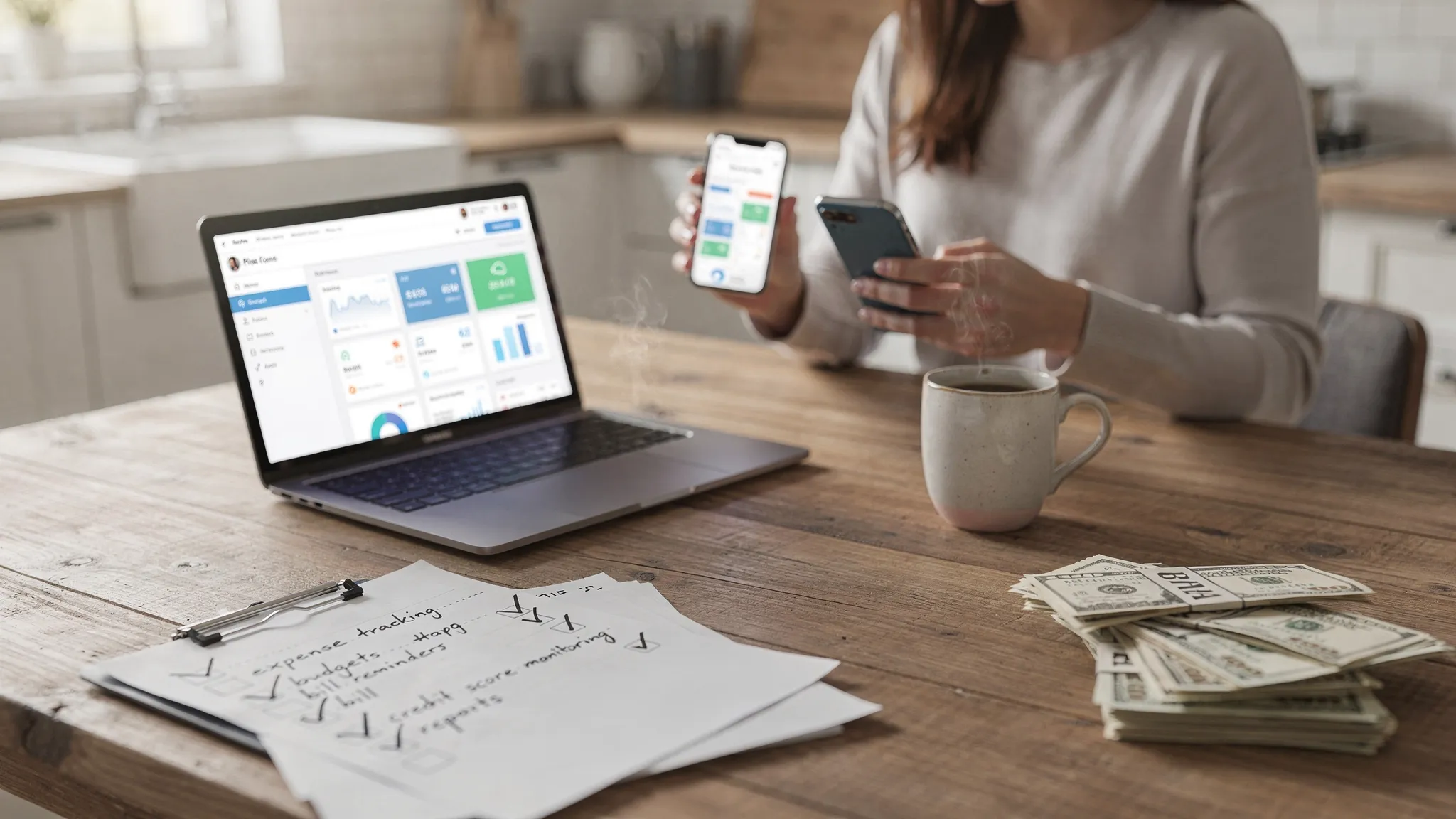
Start with your goals, then match features
Before looking at app stores or reviews, clarify what you want to improve in the next 90 days. Your goals determine your must-have features and the best setup.
- Spend less and see where your money goes
- Stop late fees and get a clear handle on bills and debts
- Smooth irregular income and avoid end-of-month cash crunches
- Build savings and hit short term goals
- Track investments and monitor net worth
- Monitor credit health and identity signals
- Collaborate on finances with a partner or household
Feature checklist by goal
| Your goal | Key features to prioritize | Why it matters |
|---|---|---|
| Spend less and get clarity | Automatic expense tracking, accurate categories, rules to recategorize, merchant cleanup | You need reliable data and minimal manual work so you can act on trends fast |
| Stop late fees and manage bills | Bill tracking, due date calendar, reminders, debt balances, payoff tracking | Visibility and alerts prevent missed payments and extra interest |
| Pay down debt faster | Debt payoff tracking, APR awareness, payoff projections, snowball or avalanche support | Clear payoff paths keep you motivated and reduce interest costs |
| Smooth irregular income | Income tracking, cash flow forecasts, envelope or category-based budgets, reserve funds | Prevents overdrafts and ensures essentials are always funded |
| Build savings and goals | Goal tracking, progress bars, automatic transfers visibility, sinking funds | Turns big goals into bite-sized progress you can monitor |
| Track investments and net worth | Investment tracking, performance snapshots, net worth dashboard, account sync | Puts long term progress next to daily spending so decisions stay balanced |
| Monitor credit health | Credit score monitoring and alerts, access to credit report data | Early detection of issues and a measurable view of credit progress |
| Collaborate with a partner | Shared views, account-level permissions, cross-device sync | Keeps everyone aligned and reduces double work |
If you are unsure where to start, pick one primary goal and one secondary goal. That focus helps you evaluate apps with a clear lens.
Security, privacy, and data control are non negotiable
Financial apps work with your most sensitive data. Prioritize platforms that explain their protections clearly and give you control.
- Secure connections, not password sharing. Prefer apps that use OAuth connections with your bank, which means you authenticate directly with your institution rather than sharing bank passwords inside the app.
- Encryption in transit and at rest. Look for modern encryption standards and transparent security practices.
- Multi factor authentication. Turn on MFA for your app account to reduce account takeover risk.
- Transparent data rights. You should be able to export your data, revoke data access to linked institutions, and request deletion of your account data.
- Clear business model. Understand how the app makes money, whether through subscriptions, optional premium features, or partnerships. Avoid vague claims about data use.
- Identity verification for credit features. If an app offers credit score or full credit report access, it may need to verify your identity to protect you and comply with data requirements.
For general best practices on identity assurance, see the NIST Digital Identity Guidelines from the National Institute of Standards and Technology, which outline strong approaches to identity proofing and authentication. NIST Digital Identity Guidelines
Note on credit features and verification: MoneyPatrol requires identity authentication to unlock credit score and full credit report features. The service uses a phone number and birth date to send a code through partner Spinwheel, which validates information to securely enable access to debts, credit score, and full credit report. Learn more in MoneyPatrol’s explanation of user identity authentication.
Connectivity and automation, the backbone of a reliable app
Great design means little if connections are unreliable. Test these essentials.
- Bank and card coverage. Confirm your primary banks, credit cards, and loan servicers are supported. Also check connections for investment and retirement accounts if those matter to you.
- Refresh speed. Transactions should appear within a reasonable window. Faster updates mean fewer surprises and more accurate cash flow planning.
- Categorization accuracy. Automatic categories should be mostly accurate, and you should be able to set rules that stick.
- Duplicate and pending handling. The app should manage pending transactions and duplicates cleanly so reports do not inflate spending.
- Account reconciliation. You should be able to confirm balances, resolve discrepancies, and mark transactions as reviewed.
- Alerts that help, not overwhelm. Reminders for due bills, low balances, unusual spending, and large transactions should be configurable.
Reporting and insights that drive action
The best financial management apps turn raw data into a clear story.
- Budgets that reflect reality. You should be able to create category budgets, allocate to savings goals, and forecast month end.
- Insights that surface decisions. Look for dashboards that highlight overruns, subscriptions to review, or categories to reduce, not just charts for charts’ sake.
- Custom categories and tags. Personalization matters, especially for side hustles, travel, or unique spending patterns.
- Meaningful time frames. You need rolling 30 day views, week by week, and month over month comparisons to spot trends.
- Export and statements. CSV or PDF exports make tax time and audits simpler.
Price and value, free is great when it is clear
Understand what you get for free, what is optional, and what is required.
- Free apps can be excellent. Ensure the free tier includes the features you need and check how the company funds ongoing development.
- Subscriptions can be worth it when they replace fees or save time. Advanced debt planning, deeper reports, and priority support can pay for themselves if they drive action.
- Watch for hidden costs. Avoid apps that lock basic exports or essential budgeting behind unexpected paywalls.
MoneyPatrol is a free, comprehensive app for expense tracking, budgeting, bill and debt tracking, income management, investment tracking, and credit score monitoring. You can explore how a free plan fits common budgeting workflows in this overview of a free budgeting app approach.
Accessibility and support
- Cross device access. Check that you can view and act on your data on desktop and mobile. This keeps you engaged throughout the week.
- Help center and responsiveness. Look for clear documentation, onboarding help, and responsive support for connection issues.
- Onboarding tips. Quality onboarding reduces setup friction and helps you get to value faster.
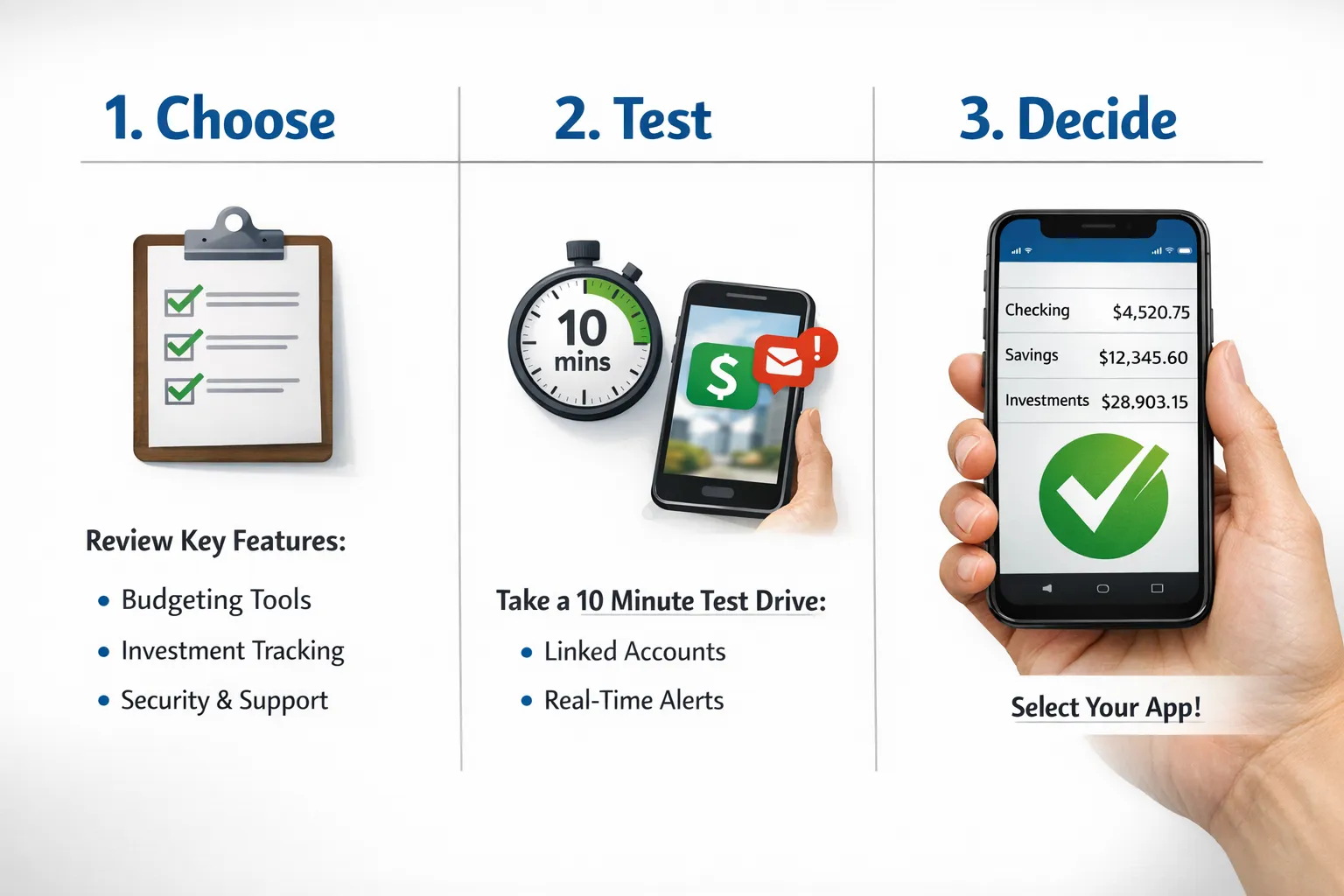
The 10 minute test drive to compare apps fairly
Use the same quick process for each app so your comparison is apples to apples.
- Create a free account and turn on multi factor authentication immediately.
- Link one primary checking account and one credit card, then wait for the first sync to finish.
- Review the past 30 days of transactions and note categorization accuracy.
- Create one simple monthly budget with 5 to 7 categories you actually use.
- Set two alerts, one bill reminder and one unusual spending alert, then verify you can edit their thresholds.
- Add one savings goal, for example an emergency fund, and check how progress updates with new deposits.
- Open the dashboard and reports to see if they highlight anything actionable in under one minute.
- Revisit the app 24 hours later to confirm refresh speed and check for duplicates or missing transactions.
- Export a CSV of transactions to confirm portability of your data.
- Write a one sentence verdict on ease of use, and whether you felt in control after ten minutes.
If an app fails this test, it will likely not meet your needs after three months.
Red flags to avoid
- The app asks for your banking passwords directly instead of directing you to your bank to authenticate.
- No multi factor authentication option for your app login.
- Vague or confusing privacy policy, especially around data sharing or retention.
- Limited or outdated connections to major U.S. institutions.
- Categorization is wrong often, and there are no rules to fix it.
- Reports look nice but you cannot tie them back to actual transactions.
- Aggressive ads or upsells that get in the way of basic tasks.
How MoneyPatrol fits this checklist
MoneyPatrol is designed as an all in one personal finance dashboard that connects to thousands of financial institutions and brings your money into a single view. It focuses on clarity and action through expense tracking, budgeting tools, bill and debt tracking, income management, investment tracking, and detailed reports. You can set customizable alerts and reminders so you catch issues early, and use account reconciliation to keep balances accurate.
If you want to monitor credit health within the same app, MoneyPatrol supports credit score monitoring and, after identity verification, access to credit report data. The identity authentication process protects against spammers and fraudsters and enables secure credit features, as explained in the user identity authentication guide.
To learn how a free plan can support budgeting and better habits, see MoneyPatrol’s article on building a best free budgeting app setup. When you are ready to try an integrated solution, you can start for free on the MoneyPatrol homepage.
Frequently Asked Questions
What is the difference between a financial management app and a budgeting app? A budgeting app focuses mainly on planning and tracking spending, while a financial management app usually adds bill tracking, debt monitoring, credit score insights, investment tracking, and a broader dashboard.
Is it safe to link my bank accounts to an app? Choose apps that use secure connections with your bank and that support multi factor authentication. Review the privacy policy and confirm you can revoke access and delete your data.
Should I pay for a premium plan? Pay only if the features lead to real savings or time wins, like advanced debt payoff tools, deeper reports, or priority support that speeds up resolution of connection issues.
How many accounts should I link to start? Begin with one checking account and one credit card to test reliability. Add more after you trust categorization, alerts, and reconciliation.
How do free financial apps make money? Many rely on optional premium upgrades, partnerships, or referrals. Read the privacy policy and pricing page to understand the business model and how your data is used.
Take the next step
If you want an app that centralizes expense tracking, budgets, bills, debt, income, investments, and credit monitoring, try MoneyPatrol. It is free to get started and designed to help you track expenses and finances in one place. Explore the MoneyPatrol personal finance dashboard and run the 10 minute test drive to see if it fits your goals.

 Our users have reported an average of $5K+ positive impact on their personal finances
