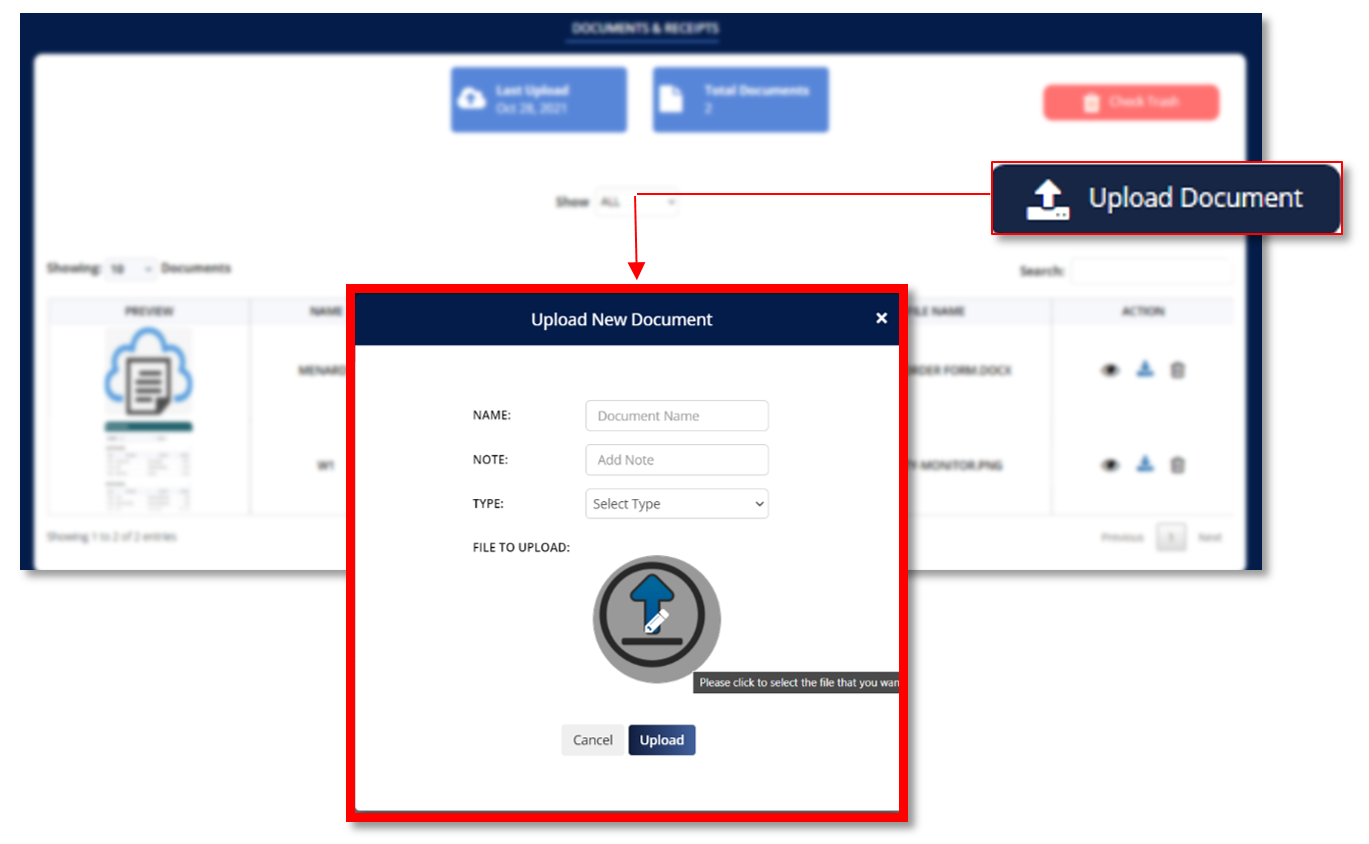
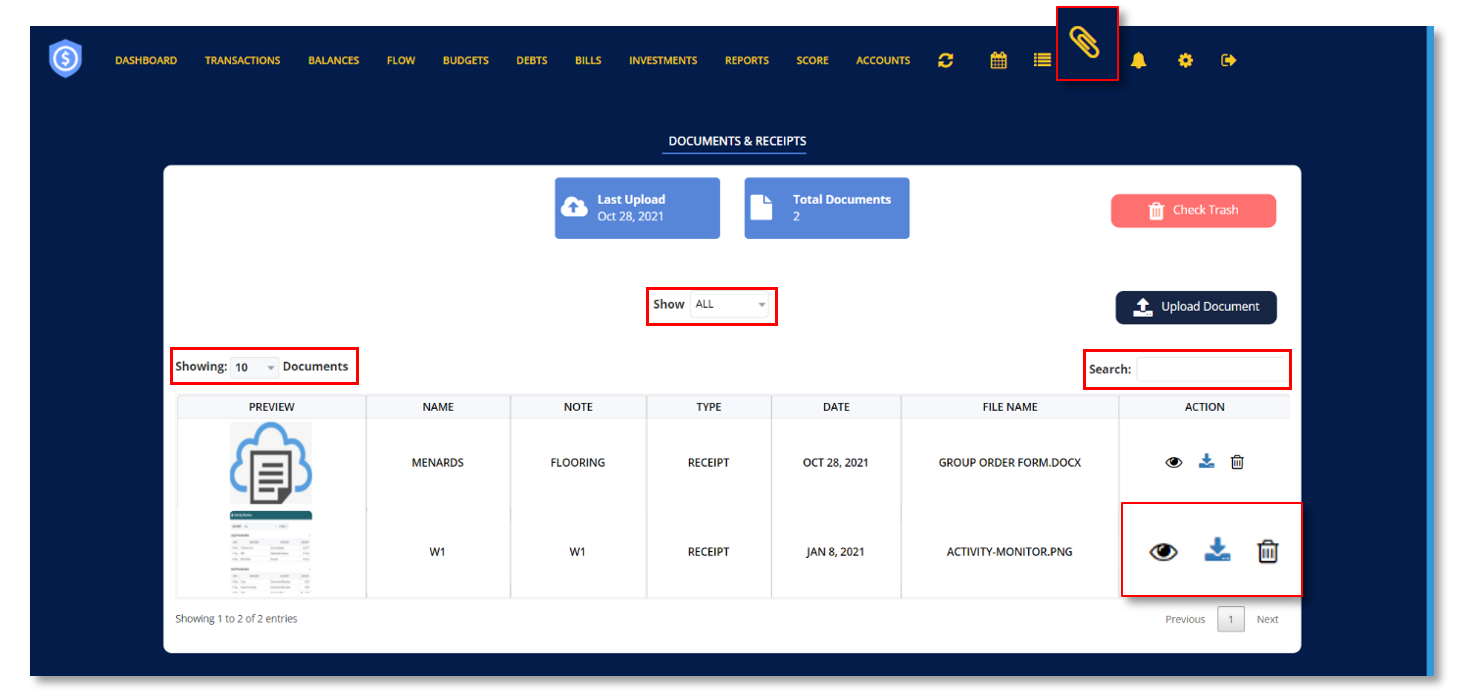
This enables you to upload and save crucial financial documents or receipts that you may need in the future.
Latest Upload- displays the latest date you uploaded a new document.
Total Documents- displays the total number of documents you’ve uploaded.
FILTERS
Ø Click the drop-down menu beside “Show” to select the type of documents you want to be displayed on your screen.
Ø Click the drop-down menu beside “Showing” to select the number of documents you want to be displayed on your screen.
Ø Utilize the search bar to search for a specific document you want to view.
Ø Click the eye icon
to view the document.
Ø Click the arrow down icon
to download document.
Ø Click the trash bin icon
to delete document.
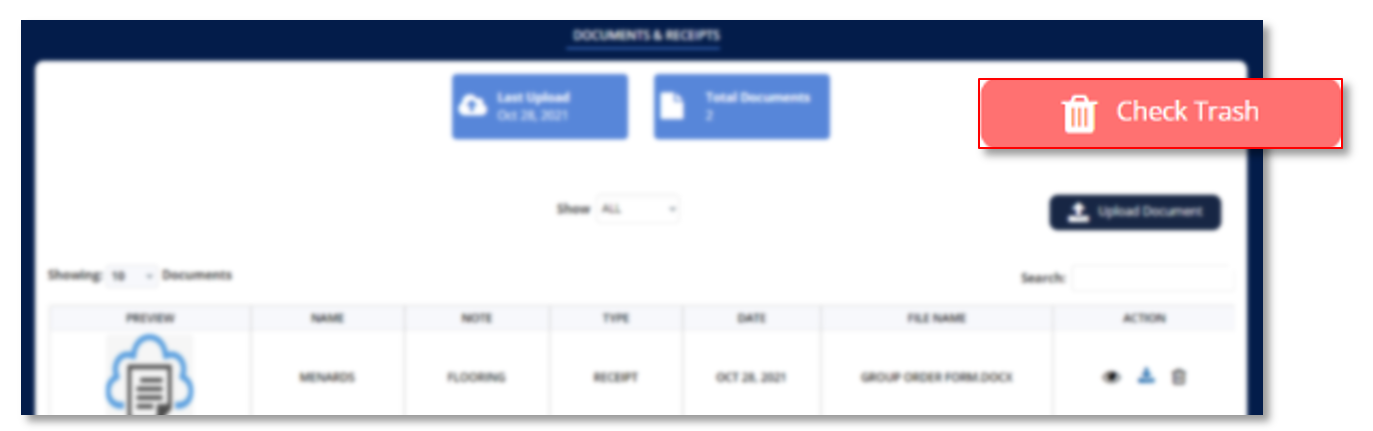
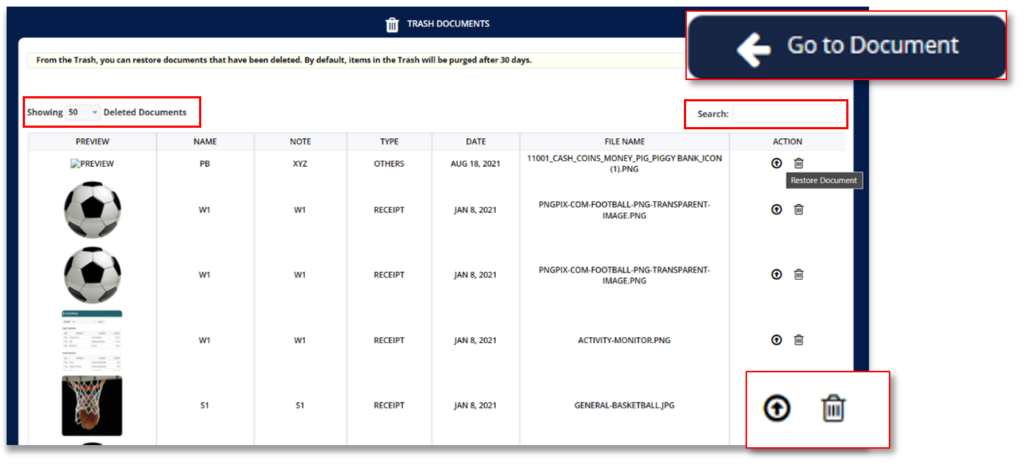
Click “Check Trash” to view documents that was previously deleted. Documents that have been deleted can be restored from the Trash. Items in the Trash are automatically deleted after 30 days.
Ø Click “Go to Document” to view your current uploaded documents and restored documents.
Ø Click the drop-down menu beside “Showing” to limit the number of deleted documents you want to be displayed on your screen.
Ø Utilize the search bar to search for a specific deleted document you want to restore.
Ø Click the arrow up icon
to restore deleted documents.
Ø Click the trash bin icon
to permanently delete a document.

MoneyPatrol is a comprehensive Money Management, Budgeting and Personal Accounting application designed to help easily track income, expenses, cash flow, bills, budgets, balances, debts, net worth, and credit score. With easy-to-read charts, insights, and alerts, you’ll always know how your finances are doing. Take charge of your money and feel more confident about your financial future with MoneyPatrol.
© 2025 MoneyPatrol.com, all rights reserved. MoneyPatrol®, and the MoneyPatrol logo are trademarks of Kevali Tech LLC. Milpitas, California, the USA